

Bid Manager · SubTrade feature
Every bid
on one board
Bid Manager tracks every tender you are invited to, from the day it lands in your inbox to the day it is awarded or lost. Drawings, proposals, vendor pricing and follow-ups all live on the bid, so nothing gets missed at 4:55 on closing day.
No credit card. Up and running in under 10 minutes.
Three short videos, about 2 minutes each. They play one after another, or pick a part.
New in SubTrade
Your whole bid pipeline, one board New
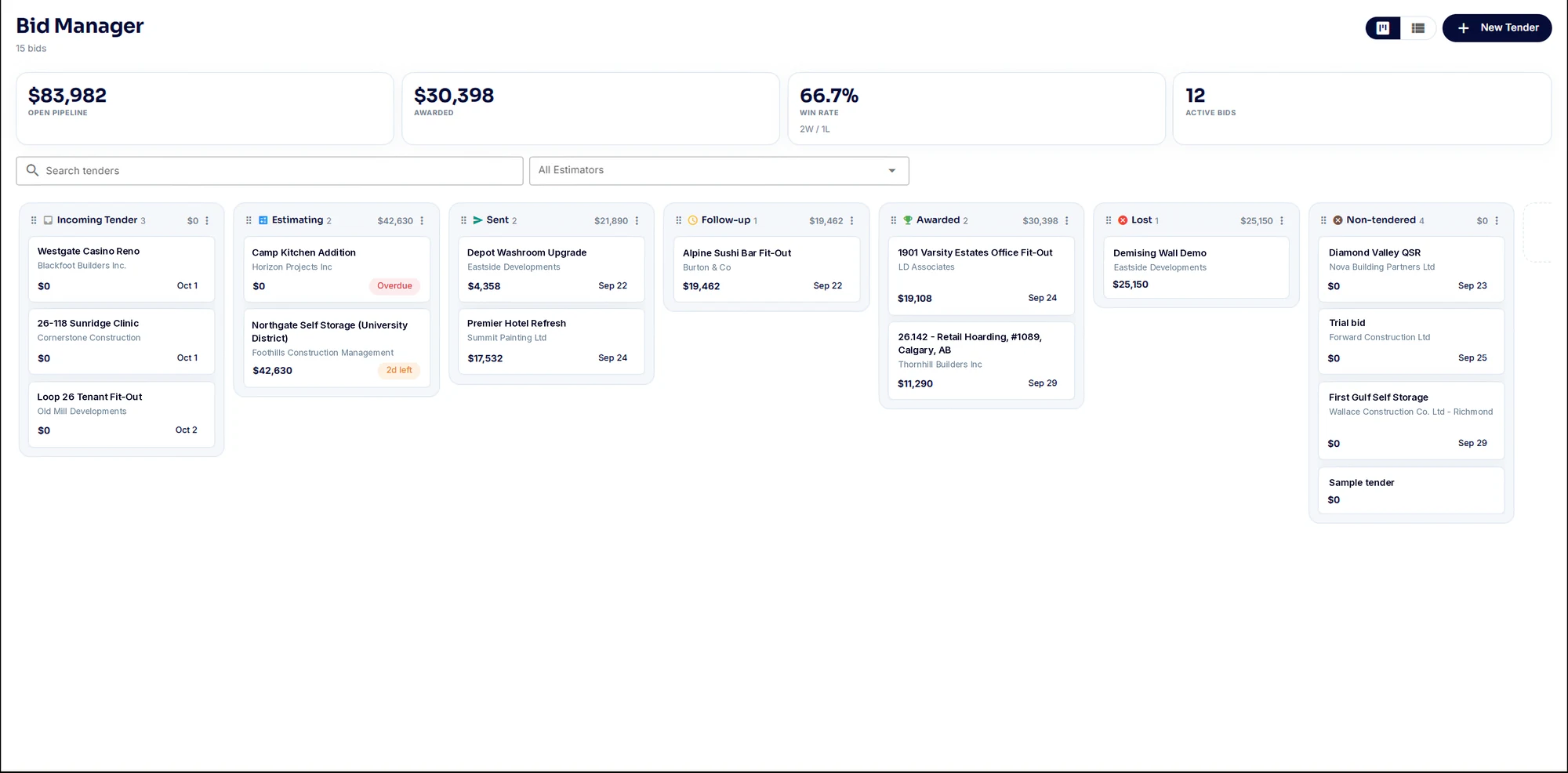
Every tender is a card in the column that matches its stage: Incoming Tender, Estimating, Sent, Follow-up, Awarded, Lost and Non-tendered. Move the card as the bid moves. Across the top sit the four numbers an estimator should know without opening a spreadsheet.
- Open pipeline, awarded value, win rate and active bids at the top of the page
- Each column shows its bid count and what the bids add up to
- Add your own custom columns if your shop works differently
- Cards count down to closing and flag anything overdue
- Search by tender, quote number or client, and filter by estimator
- Switch to a list view sorted by due date
New Tender
On the board in under a minute
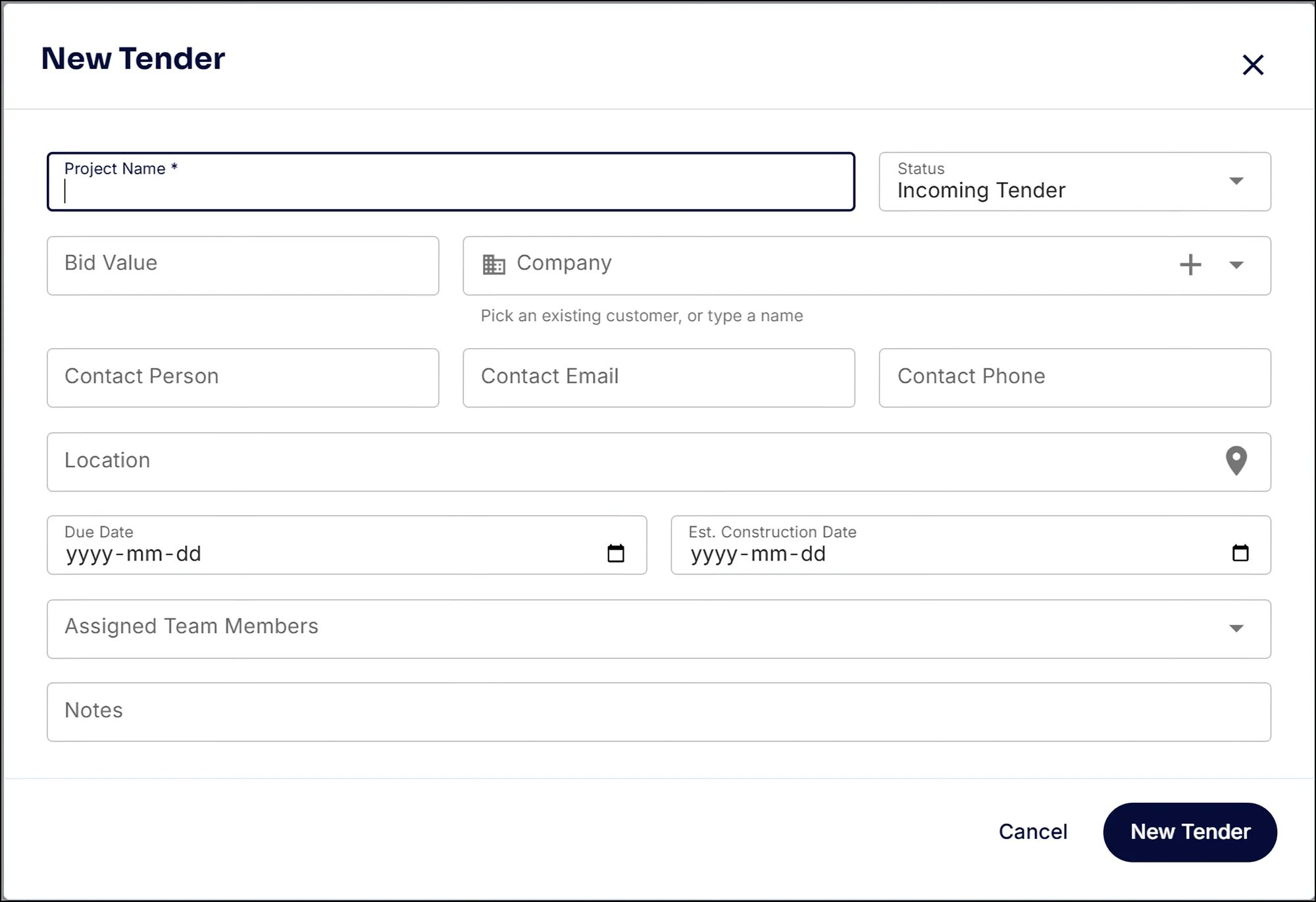
The invite comes in, you hit New Tender. Project name, status, bid value, the GC from your customer list or typed in fresh, the contact, the site, the due date and who on your team is on it.
- Pick the company from your customer list, or type a new name and it is created on the spot
- Contact person, email and phone kept with the bid
- Due date and estimated construction date
- Assign team members and add notes
Inside a tender
Everything about the bid, in one place
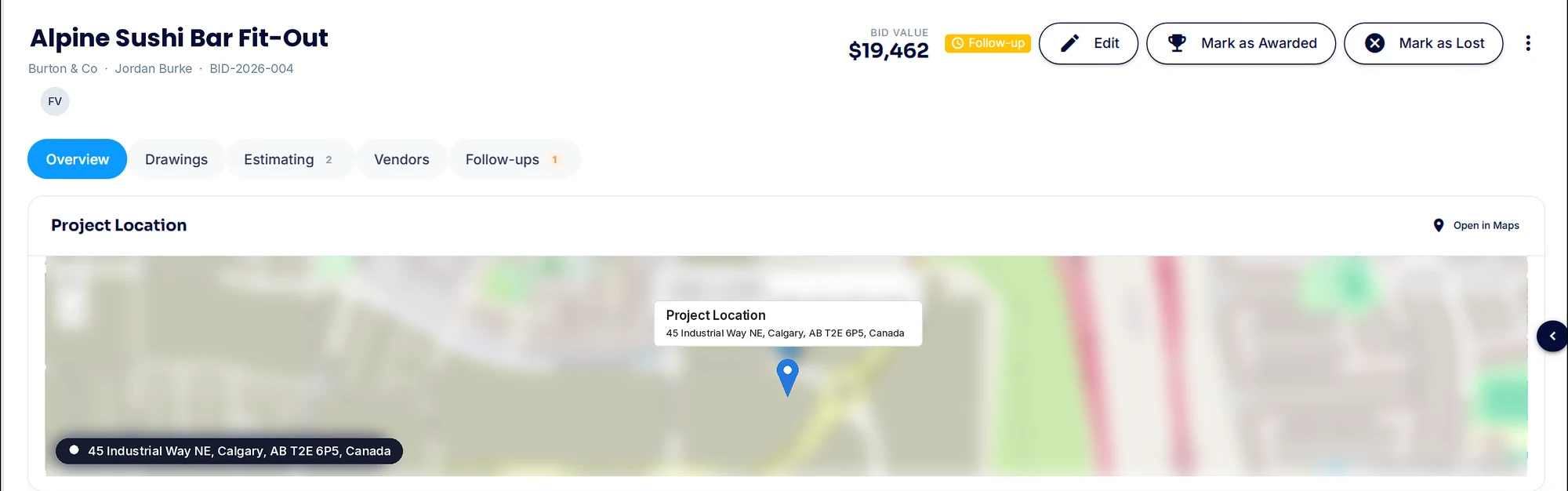
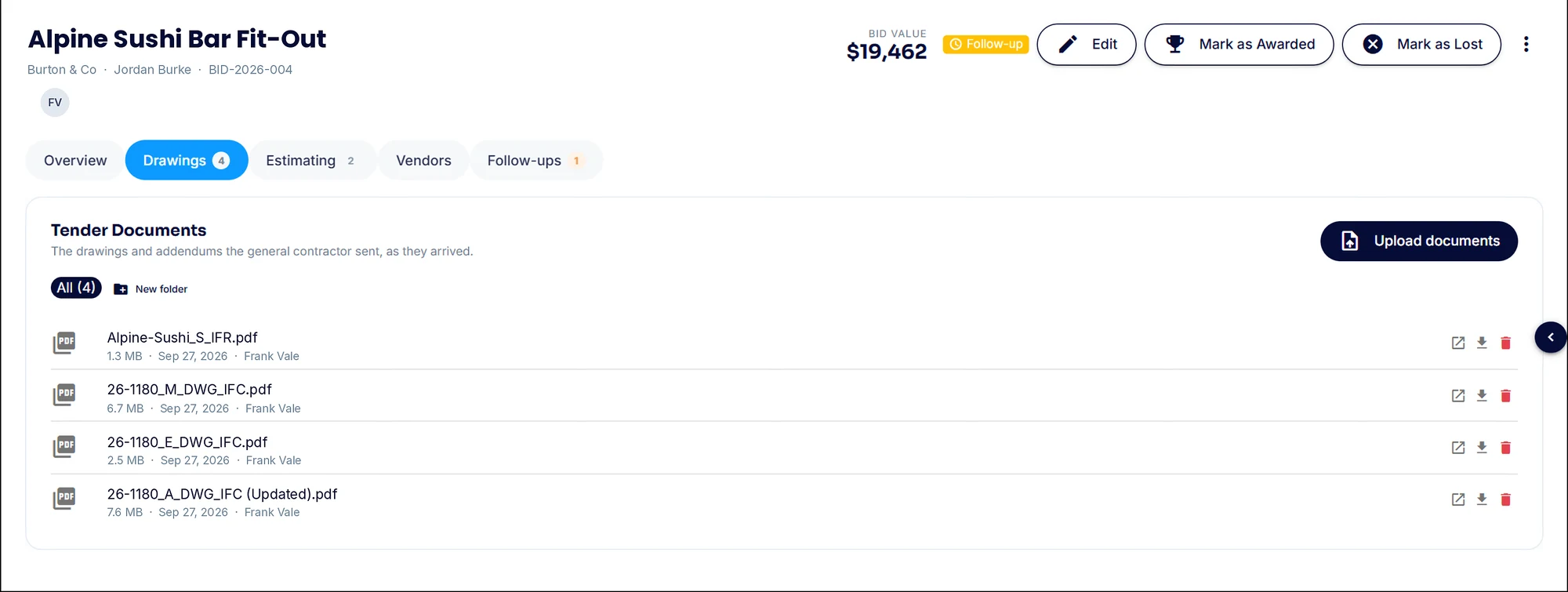
Open any card and the whole bid is there: the site on a map, every date that matters, the GC and their contact, your scope of work and the drawings. When the GC makes the call, mark it awarded or lost and your win rate updates.
- Project location on a map, with Open in Maps for the job walk
- Date invited, job walk, RFIs due, due date, expected start and finish
- Request type, tender number, trade names, GC and contact details
- Scope of work and notes so anyone can pick up the bid
- Tender documents and addenda as they arrived, sorted into folders
- Mark as Awarded or Mark as Lost in one click
Proposals
Every number you send, on record
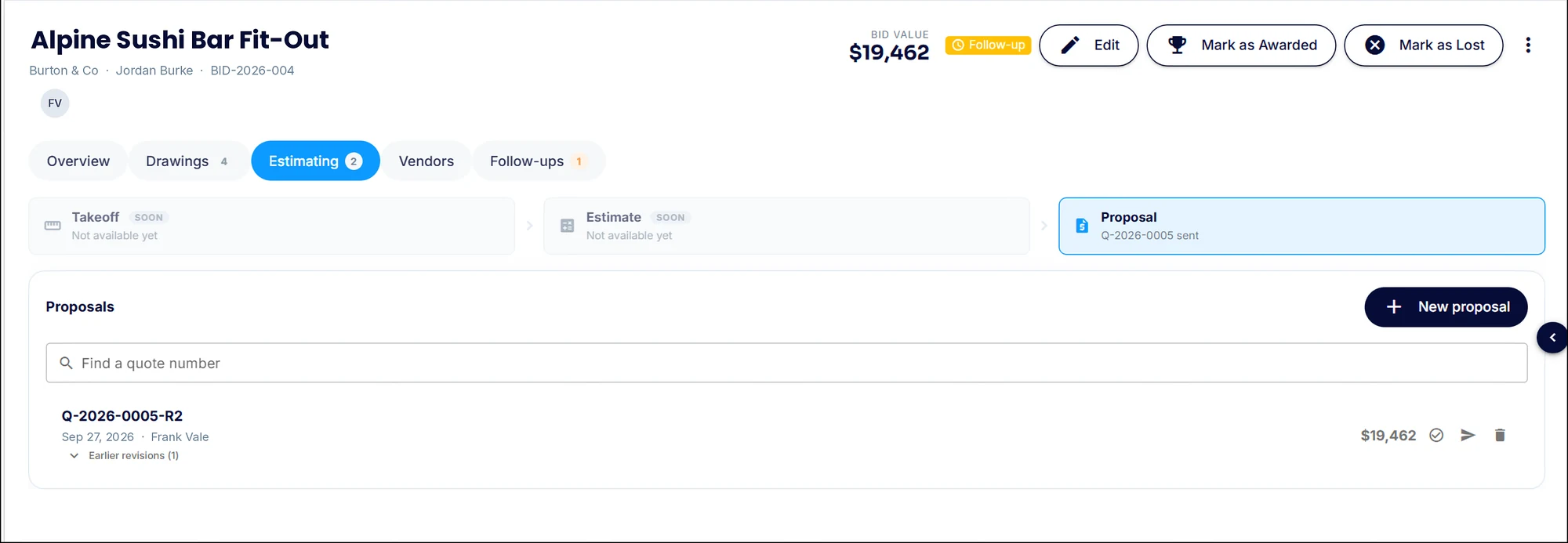
Proposals live on the Estimating tab with their own quote numbers. When the GC asks for changes, make a revision. The old one is kept and marked superseded, so you always know which number went out. Takeoff and estimating are coming very soon.
- A quote number on every proposal, searchable later
- Send the proposal straight from the tender
- Revisions keep the earlier versions, marked superseded
- Takeoff and estimating steps coming very soon
Vendor pricing
Get supplier and sub pricing without the email chase
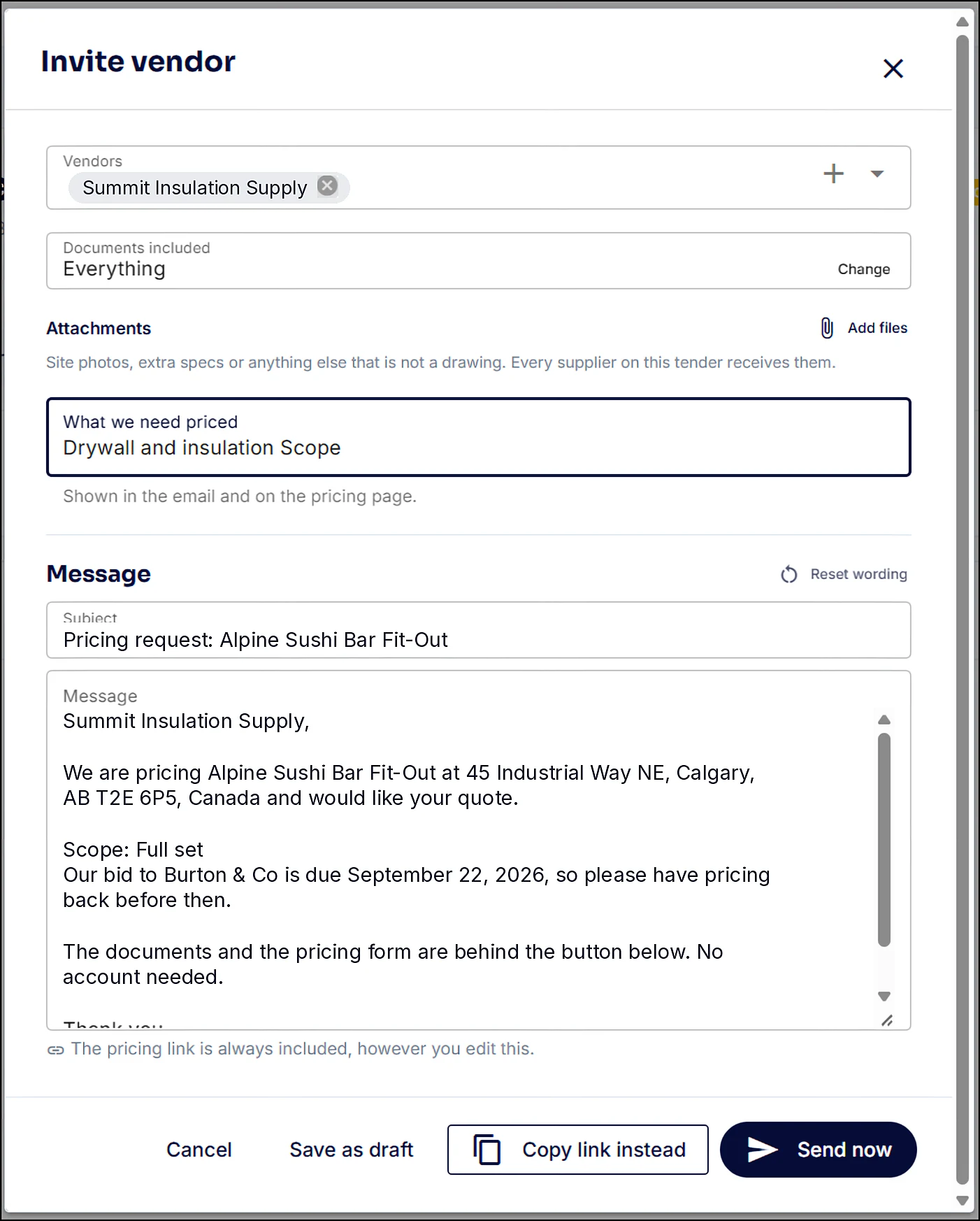
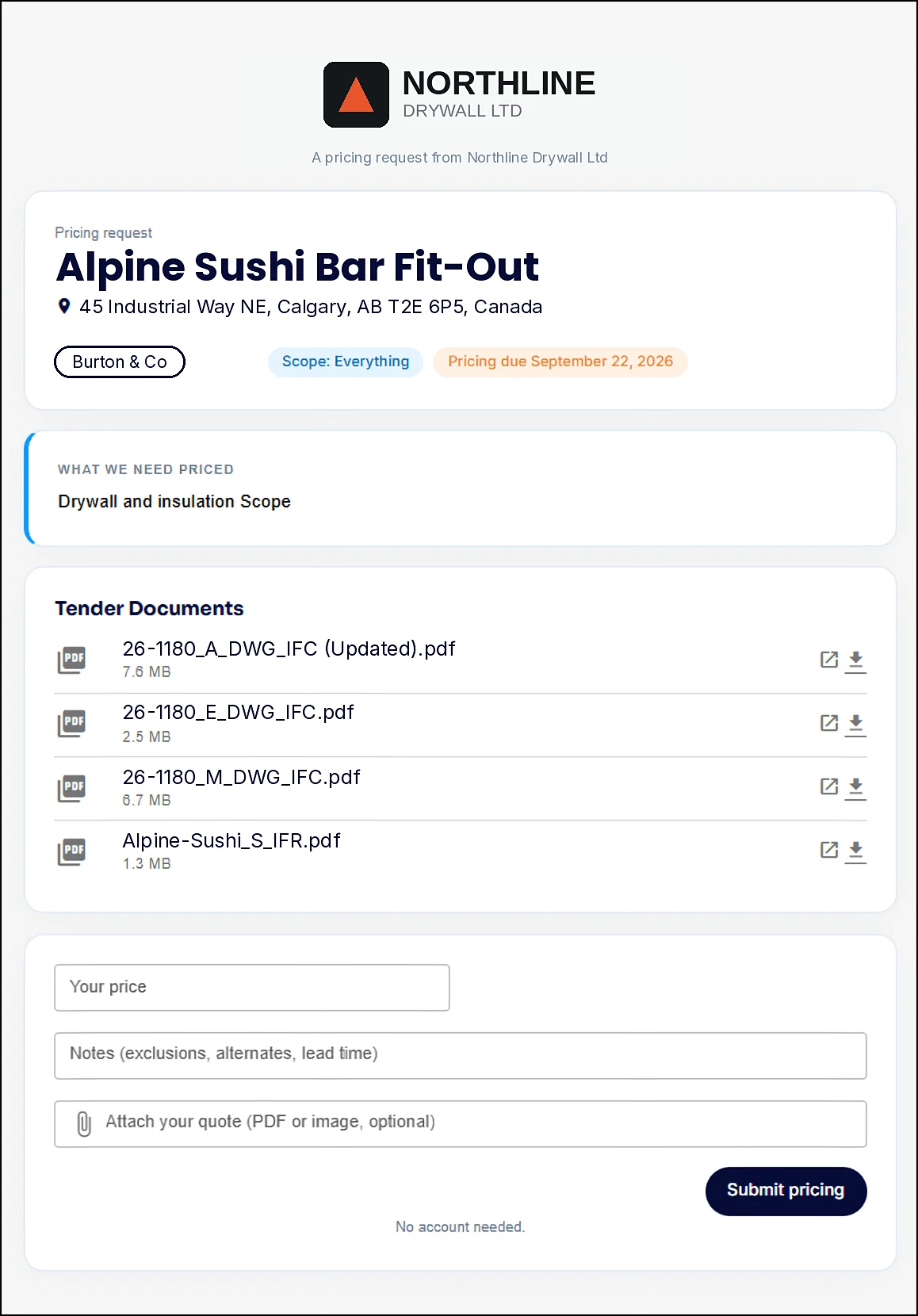
Invite a vendor from the tender, pick the drawings to include and say what you need priced. The message fills itself in with the project, the address and your due date. They open one link, see the drawings and send their price back. No account needed.
- Pick vendors from your vendor list
- Choose which drawings go out and attach site photos or extra specs
- Send from SubTrade, or copy the link and send it yourself
- Your logo on the email and the pricing page
- Vendors enter a price, notes like exclusions or lead time, and attach their quote
- The price lands back on the tender
Follow-ups
The bid keeps moving until it is in
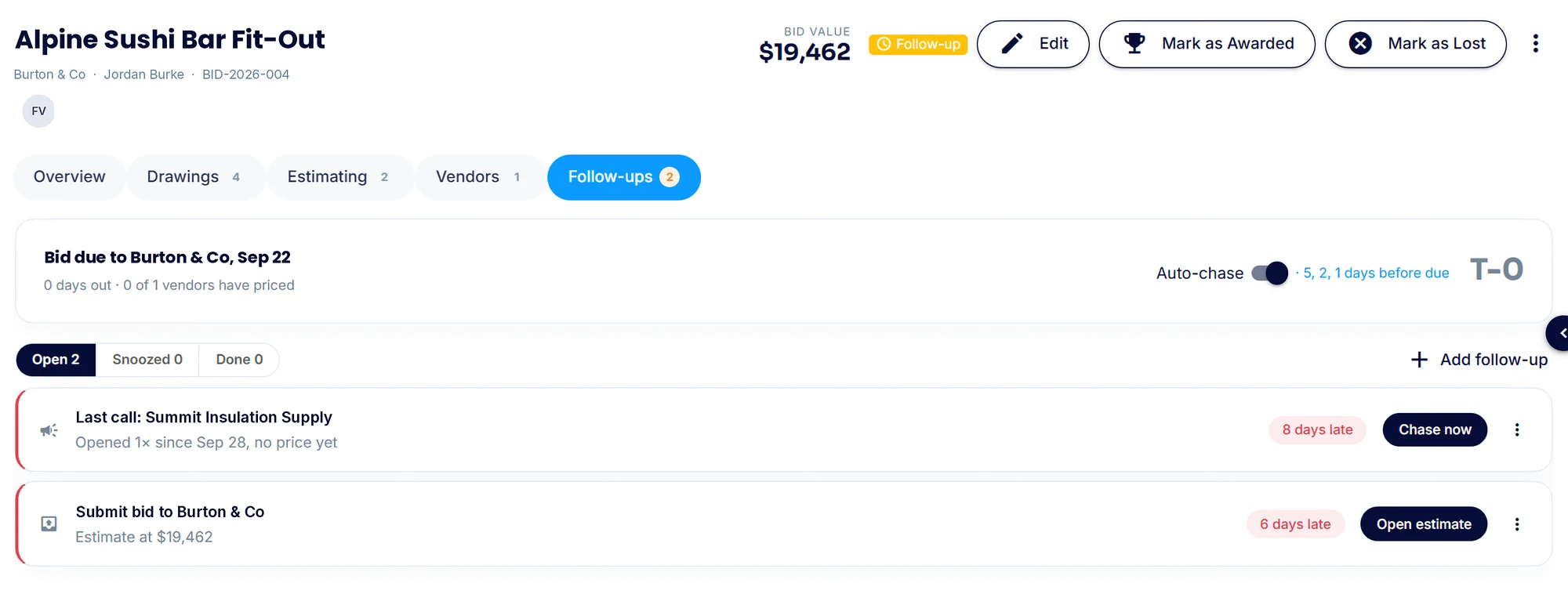
The Follow-ups tab shows the due date, how many vendors have priced and every open follow-up. Turn on auto-chase and vendors get reminders five, two and one day before the bid is due.
- Auto-chase reminders 5, 2 and 1 days before the due date
- See how many vendors have priced at a glance
- Open, snoozed and done follow-ups kept apart
- Chase now, or open the estimate straight from the follow-up
- Add your own follow-ups any time
Common bid manager questions
Questions, answered straight
What is Bid Manager in SubTrade?
It is where every tender you are invited to lives, from the invite to the award. A Kanban board shows every bid by stage with your pipeline value and win rate, and each tender holds its dates, contacts, scope, drawings, proposals, vendor pricing and follow-ups.
Do my vendors need a SubTrade account to price a job?
No. They get an email with your logo and one link. The link opens the drawings you chose and a pricing form for their price, notes and quote. No account and no login.
Can I track revisions to my proposals?
Yes. Every proposal has its own quote number. When you revise it, the earlier version is kept and marked superseded, so you always know which number went to the GC.
Does Bid Manager do takeoff and estimating?
Takeoff and estimating are coming very soon. Today the Estimating tab is where your proposals live, and the takeoff and estimate steps will slot in ahead of them.
Can I add my own bid stages?
Yes. The board comes with Incoming Tender, Estimating, Sent, Follow-up, Awarded, Lost and Non-tendered, and you can add custom columns to match how your shop works.
Does Bid Manager cost extra?
No. It is part of SubTrade on every plan, the same as time tracking, forms and progress billing. No add-on module.
Video tutorials
See bid manager in the app
Short walkthroughs from the SubTrade team, each with a PDF guide your office can keep.
 Part 1 of 3 · PDF guide
Bid Manager, Part 1: Your bid pipeline
Every tender on one board, with your pipeline value, win rate and a New Tender button.
 Part 2 of 3 · PDF guide
Bid Manager, Part 2: Inside a tender
The map, the dates, the GC contact, your scope and the drawings, all on one tender.
 Part 3 of 3 · PDF guide
Bid Manager, Part 3: Proposals, vendors and follow-ups
Build and revise proposals, get vendor pricing without the email chase, and auto-chase before the due date.