

Custom Proposal + E-Signature · SubTrade feature
Proposals your client
signs online
Your quote is the first thing a client sees from you. Build it right on the bid: pick a template, enter your price once, drag in the blocks the job needs, attach your contract, and send a link your client signs online.
Up and running in under 10 minutes.
Custom Proposal + E-Signature: templates, the block builder, your brand, and a client who signs online.
New in SubTrade
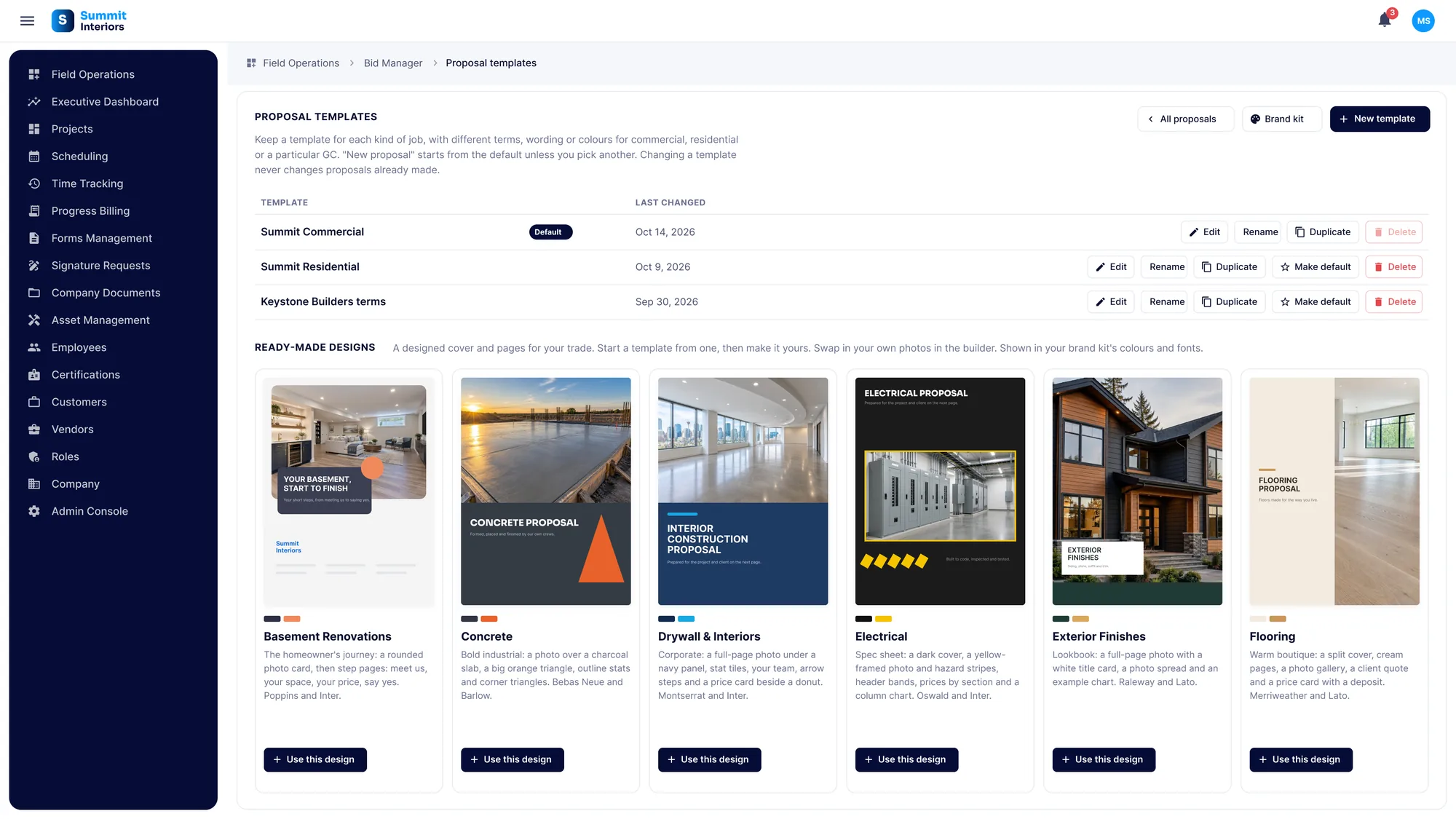
Start from your template, or one of ours New
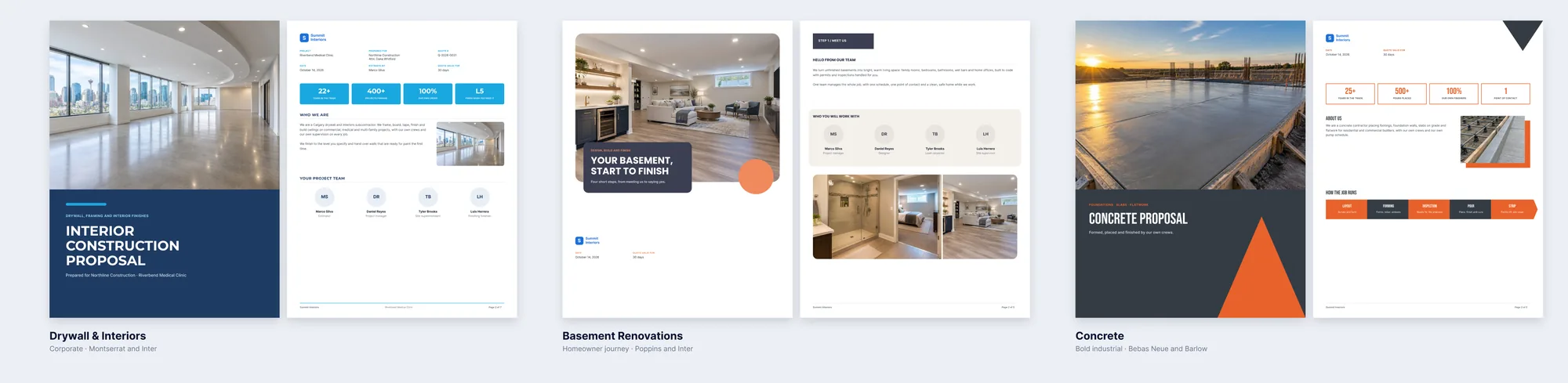
Hit New proposal on any bid and pick where to start. Use one of your own templates, or a ready-made design: Drywall and Interiors, Basement Renovations, Concrete, Electrical, Exterior Finishes or Flooring. Every one is a full proposal, ready for your price.
- Keep a template for each kind of job: commercial, residential, or a particular client
- Six ready-made designs with their own covers, layouts and fonts
- Use a design, then make it yours with your own photos and wording
- Set a default template so every new proposal starts the way you like
- Changing a template never changes proposals already made
Price once
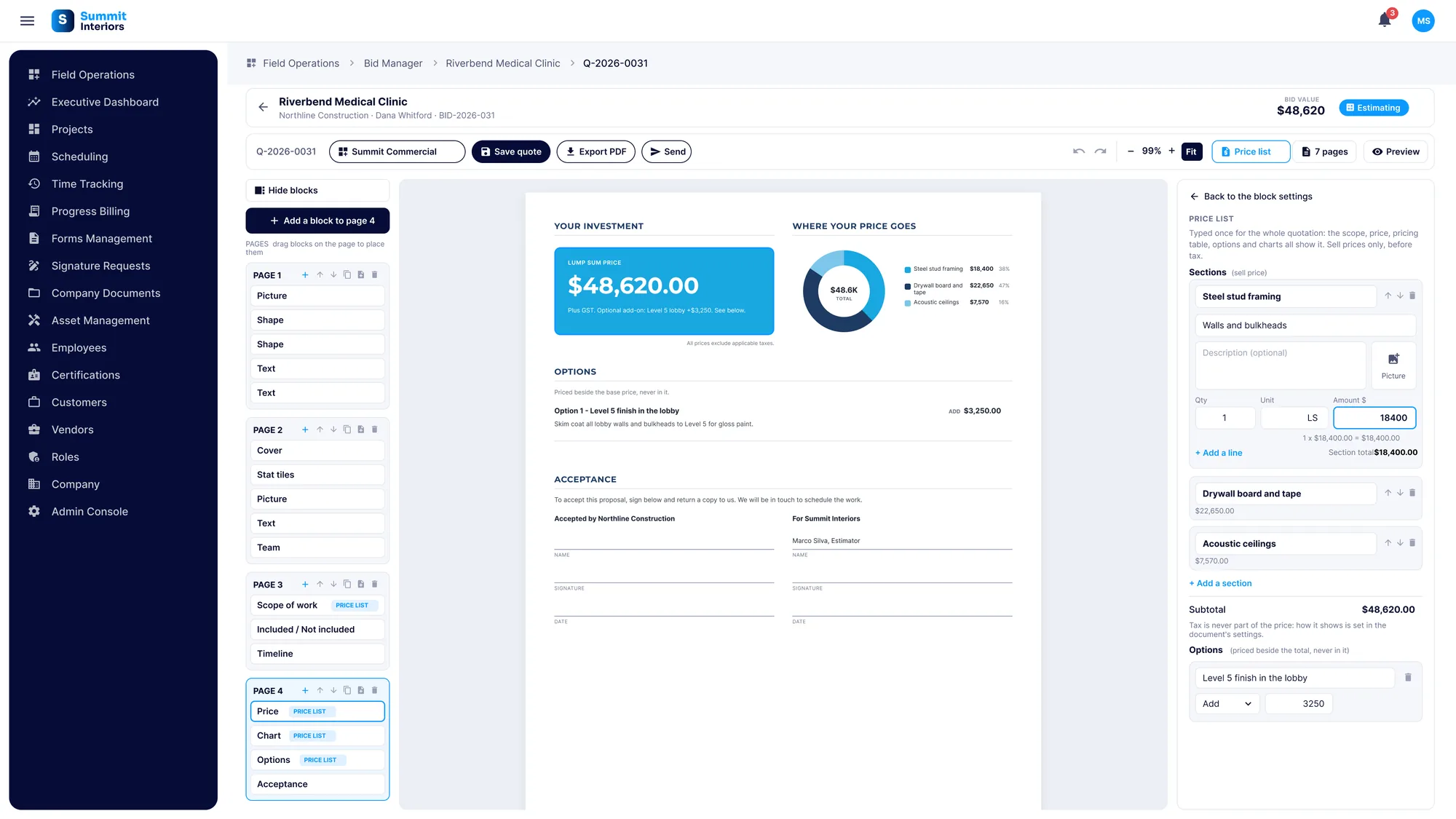
One price list, and every block agrees
Enter your price in the price list once, by section. The price card, the pricing table and the chart all read from it, so they match every time. Options are priced on their own, as an add or a deduct, and sit beside the total, never inside it.
- Show the price as a card or a table
- One lump sum, or broken out by section
- Ask for a deposit as a percentage or a fixed amount
- Options and alternates kept apart from the base price
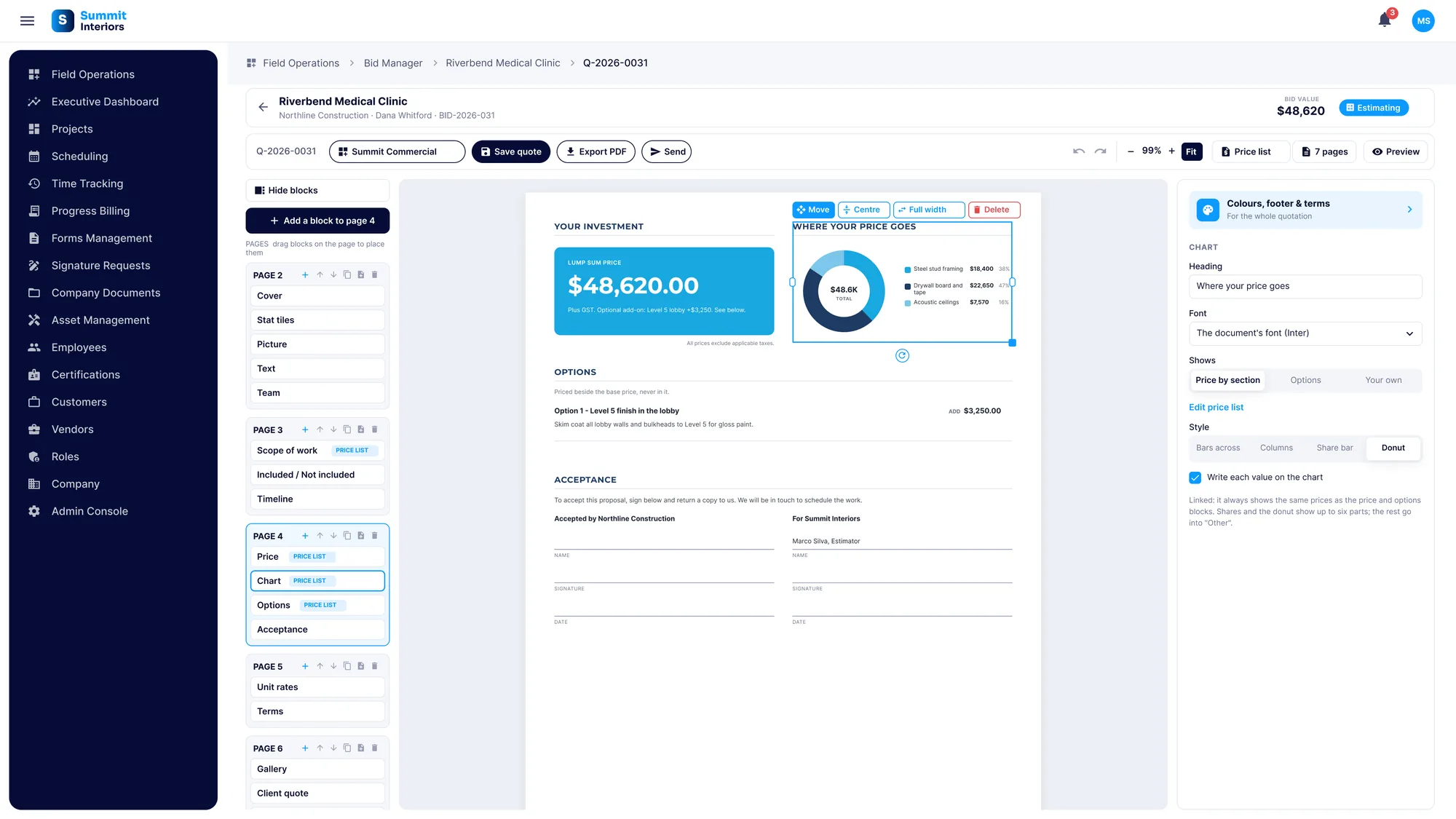
- A chart that shows where the price goes, built from the same numbers
- Unit rates for extra work, in their own block
The proposal builder
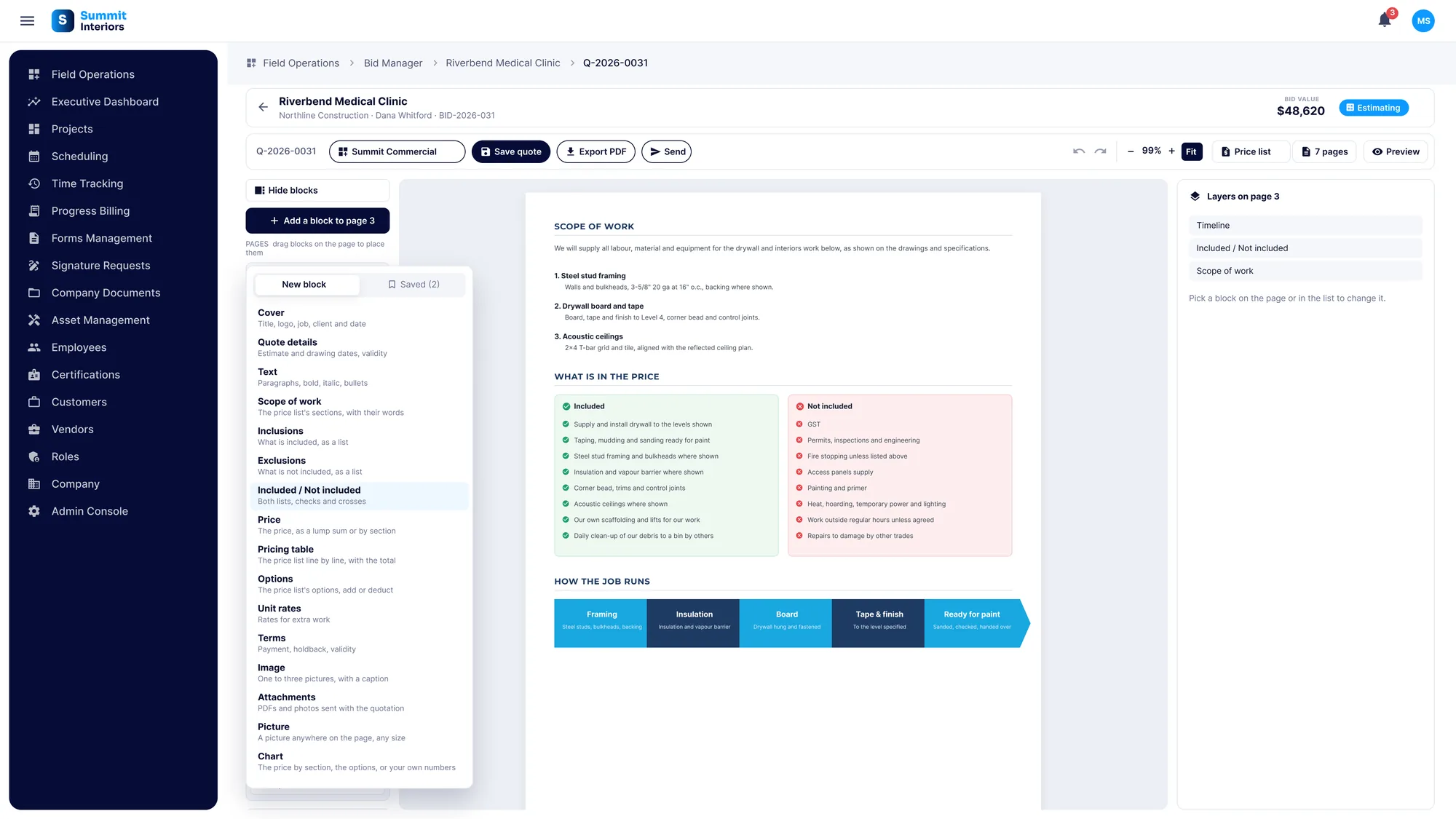
Drag in any block, put it anywhere
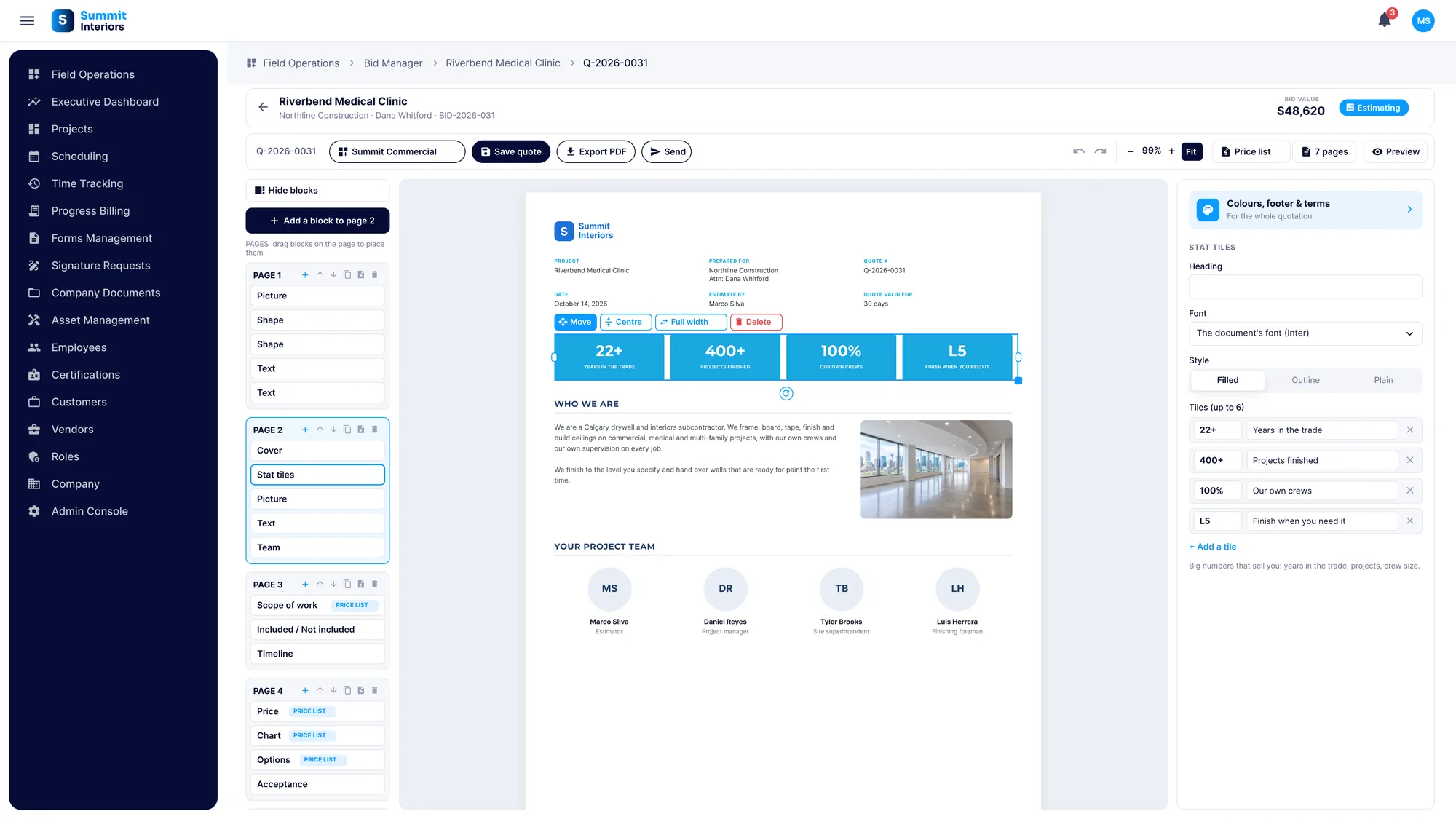
Every proposal is built from blocks. Add the ones the job needs, drop them on any page, and move and layer them until the page looks right. Save a block you like and reuse it on the next proposal.
- Cover, quote details, text and scope of work
- Inclusions, exclusions, or both side by side
- Price, pricing table, options, unit rates and terms
- Stat tiles, charts, a timeline of how the job runs and your project team
- Photo galleries and a word from a happy client
- Layers on every page: bring a block to the front or send it back
- Saved blocks you can drop into any proposal
Images and attachments
Your photos, your documents, one proposal
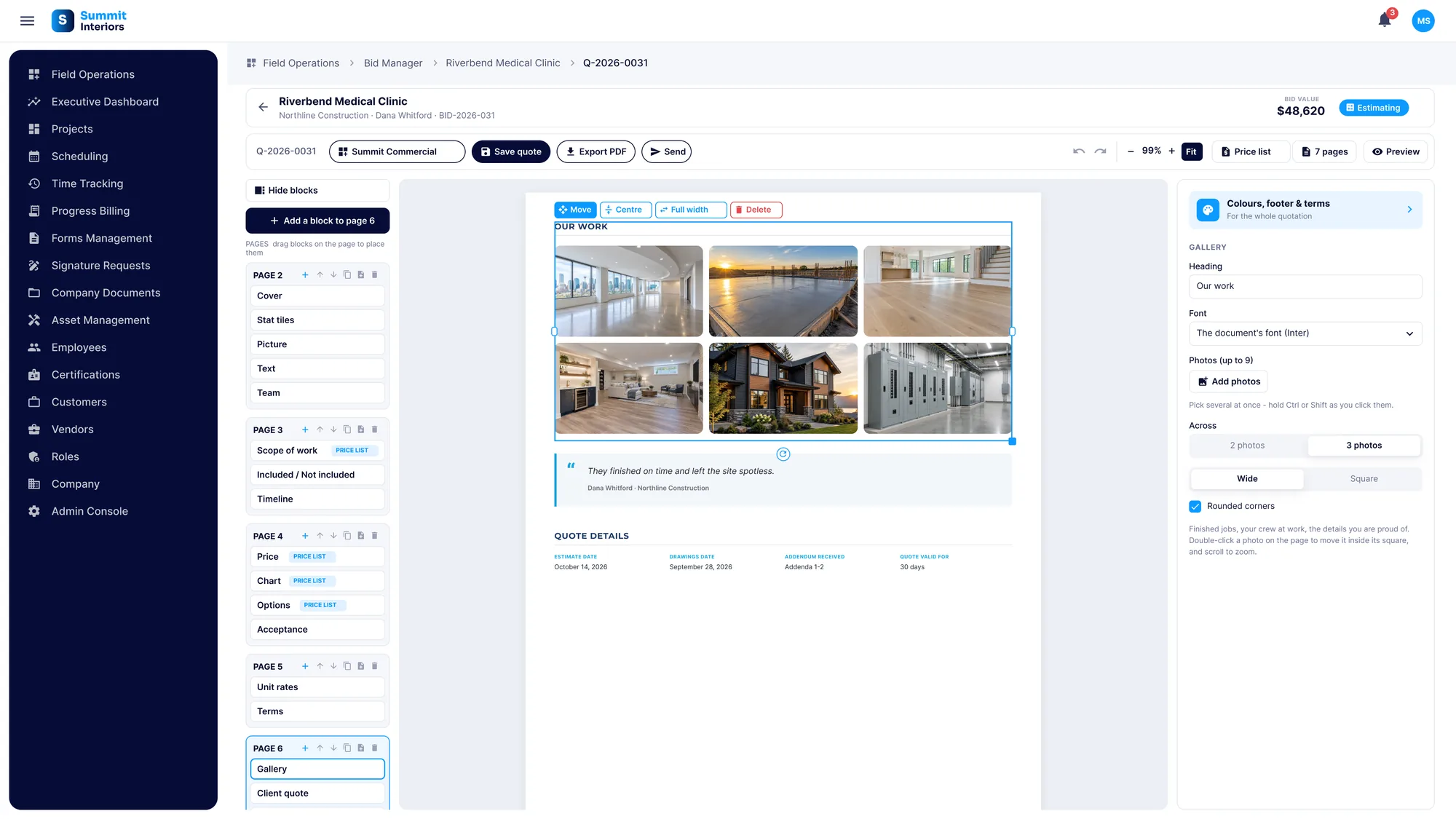
Add your own pictures anywhere on the page, at any size, or as a gallery of jobs you have finished. Attach your contract, your insurance certificate, a spec sheet or any PDF, and it goes out attached to the proposal your client receives.
- Picture block: any image, anywhere on the page, any size
- Image block: one to three pictures with a caption
- Photo galleries of your finished work
- Attachments block: contracts, certificates, drawings or any PDF
- Attachments are listed in the proposal and sent with it
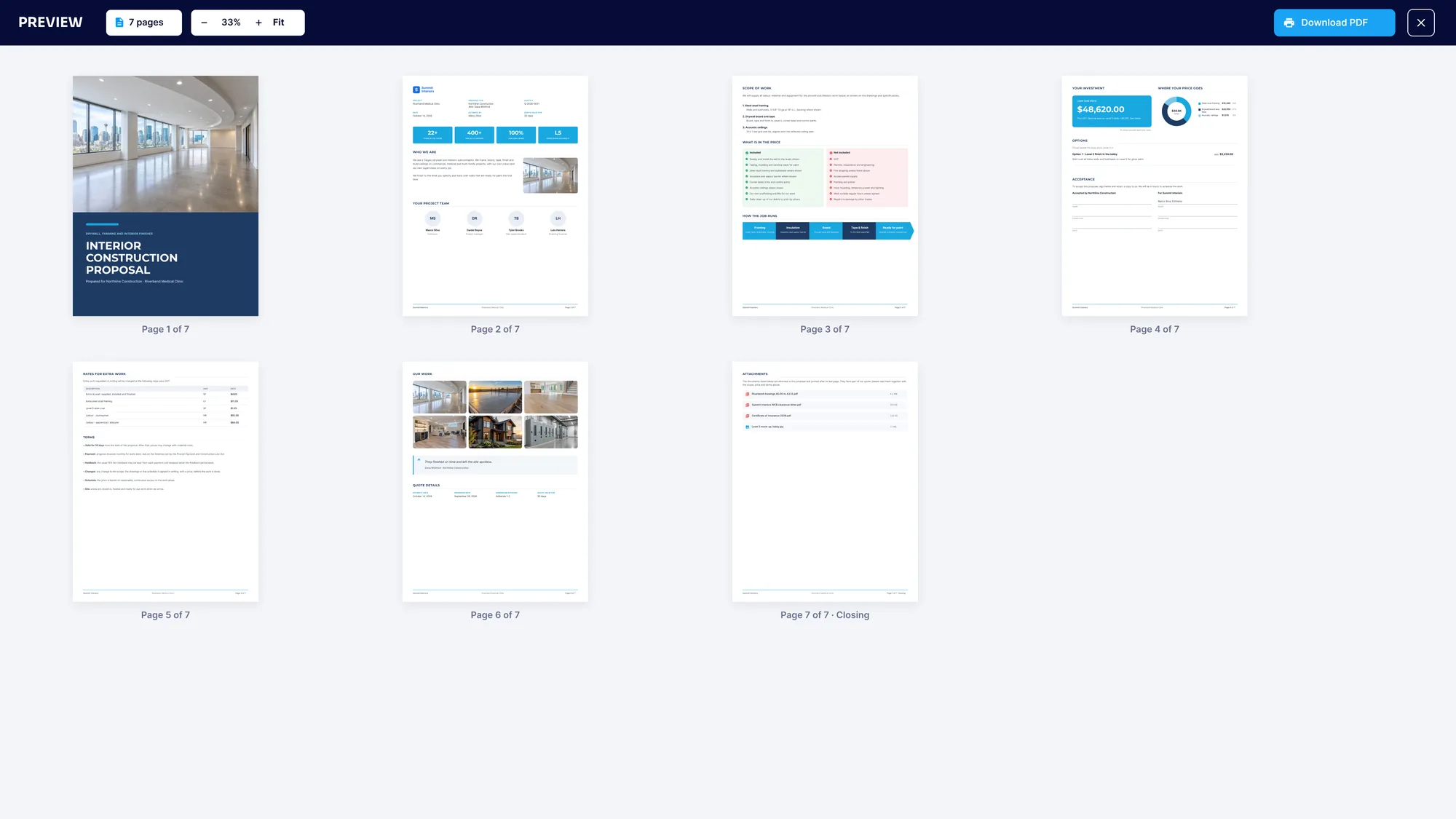
- Preview every page before it goes out, then download the PDF
Your brand
Every quote looks like your company
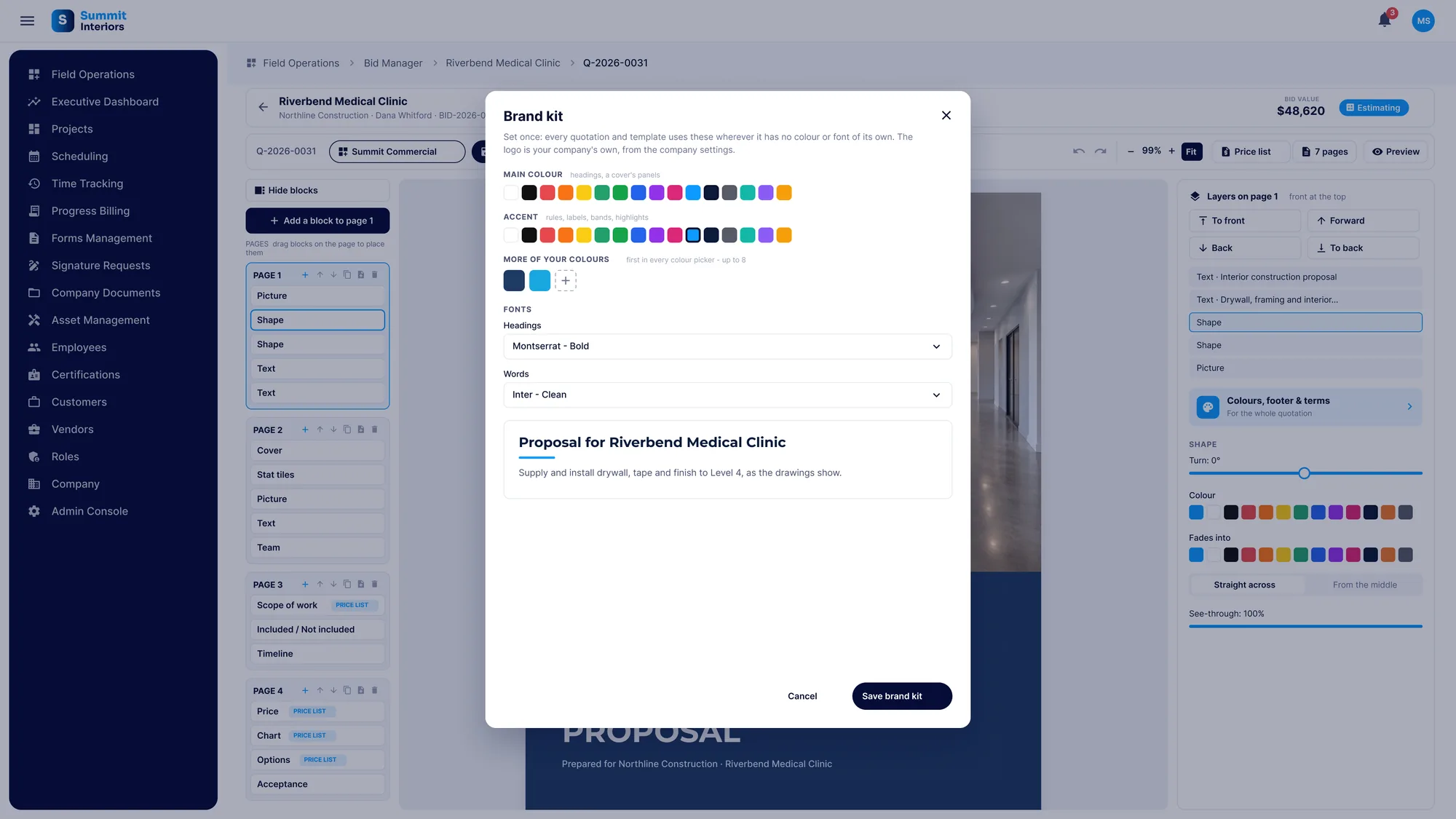
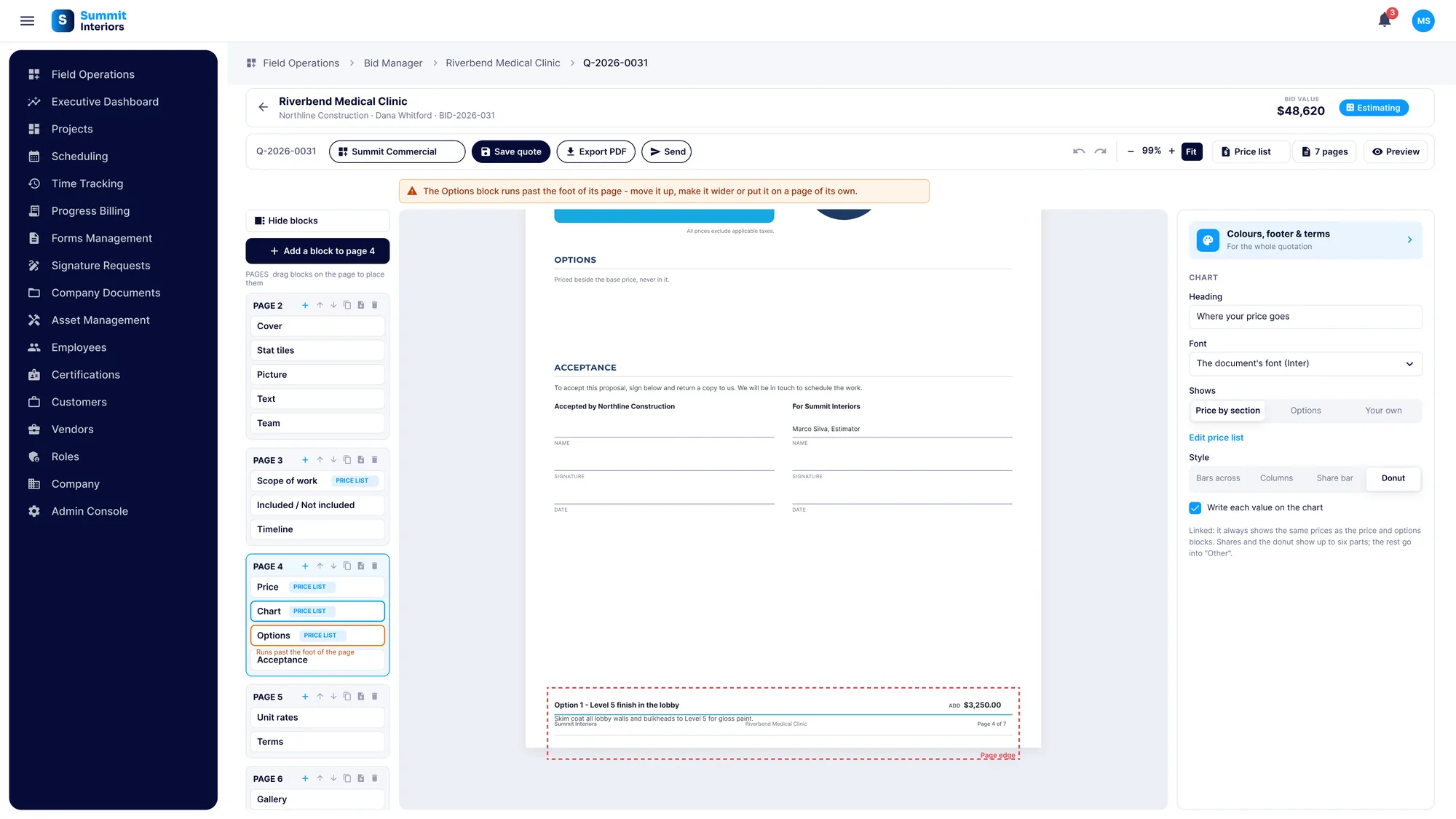
Set your brand kit once: logo, main and accent colours, and the fonts for headings and words. Every proposal and template picks it up. If a block runs past the end of its page, SubTrade tells you before your client ever sees it.
- Your logo, colours and fonts on every proposal
- Footer and terms set once for every proposal
- A warning when a block runs off the page, with what to do about it
Send
Send it from the bid, the email already written
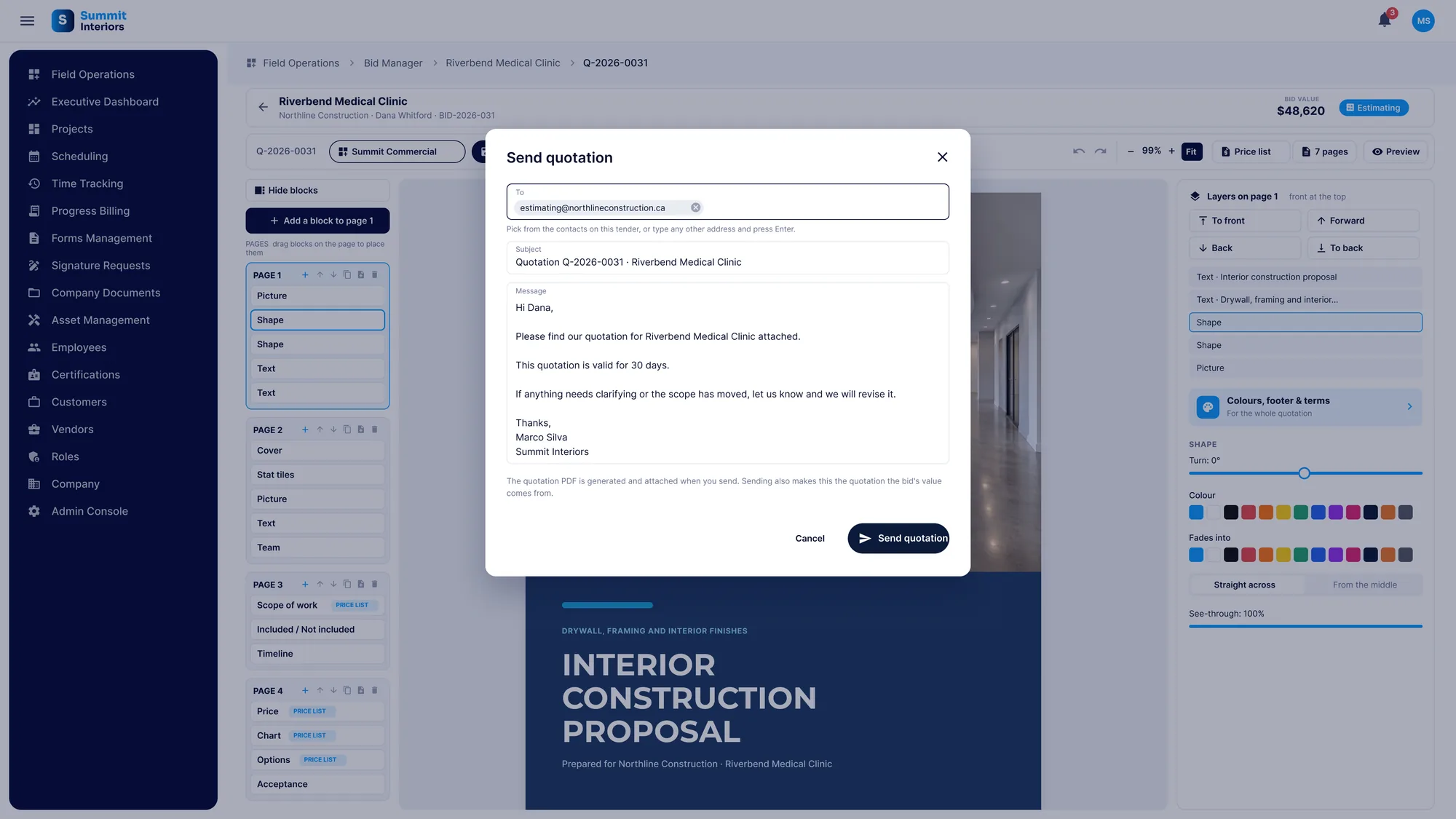
Hit Send and the email fills itself in with the project, the quote number and your signature. The proposal PDF is generated and attached, and your client gets a link to read it online.
- Email pre-filled from the bid, edit it if you like
- The proposal PDF attached automatically
- A quote number on every proposal
- Revisions keep earlier versions, marked superseded
- See when your client has opened the link
E-signature
Your client reads it and signs it online
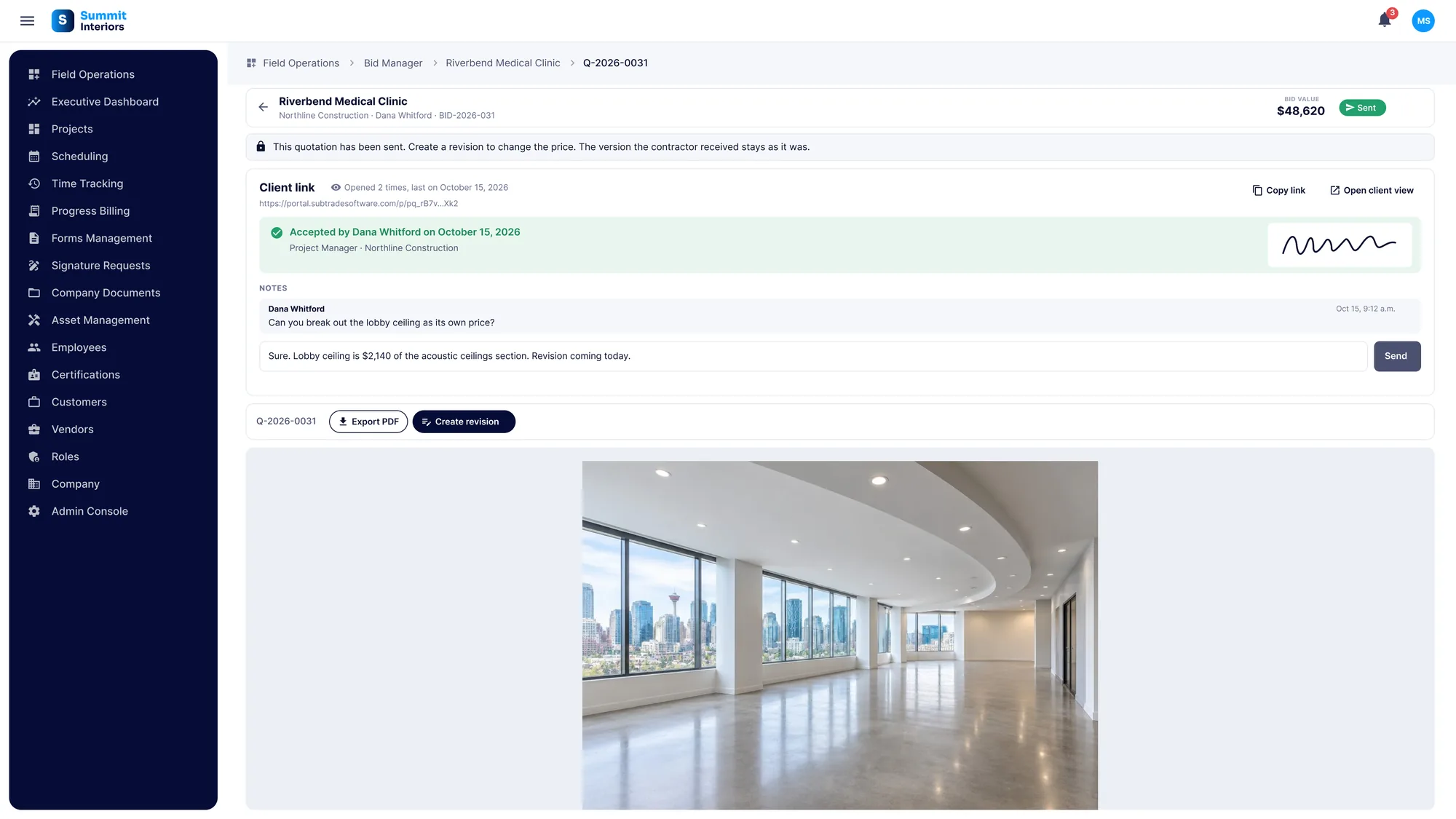
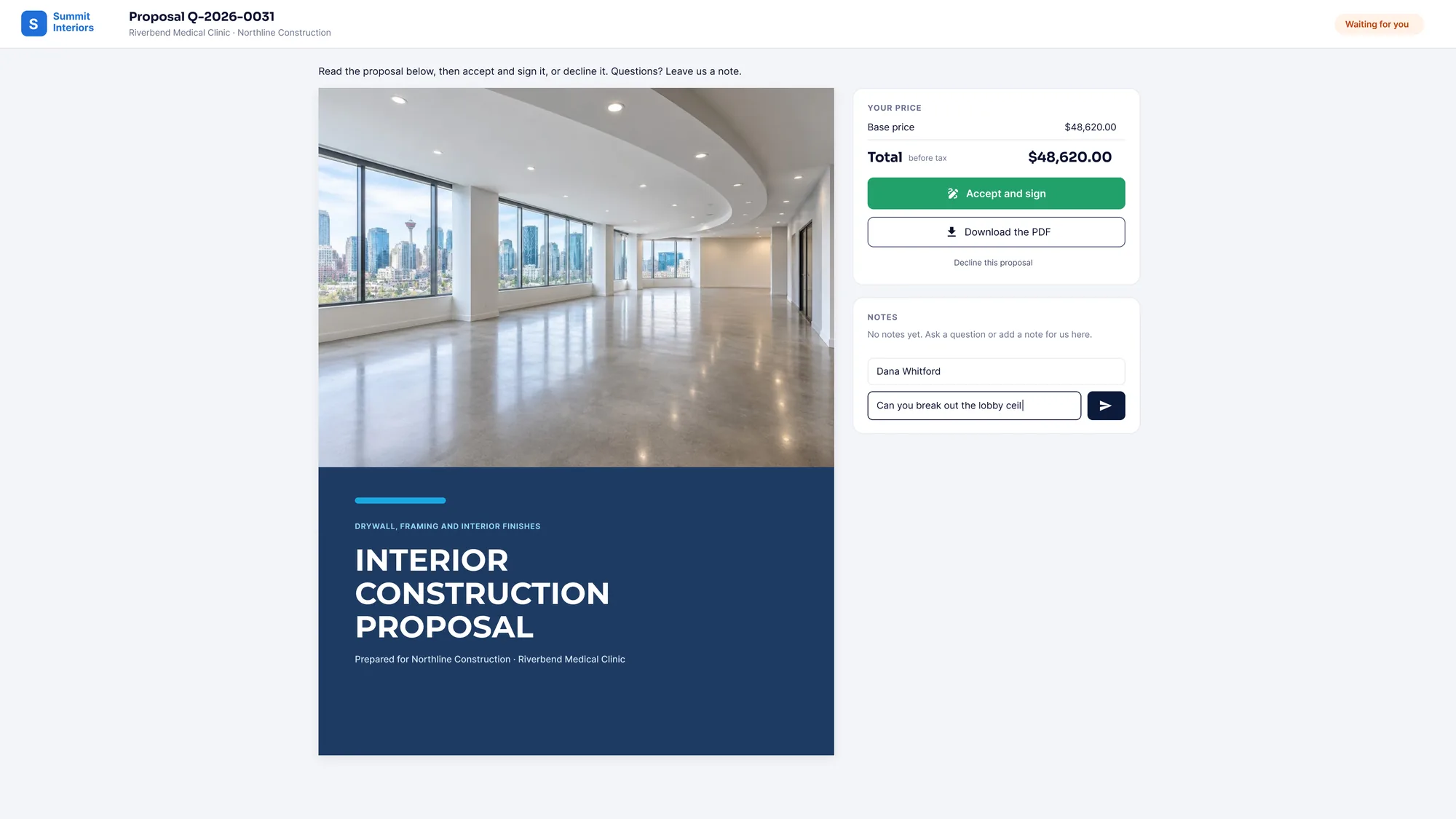
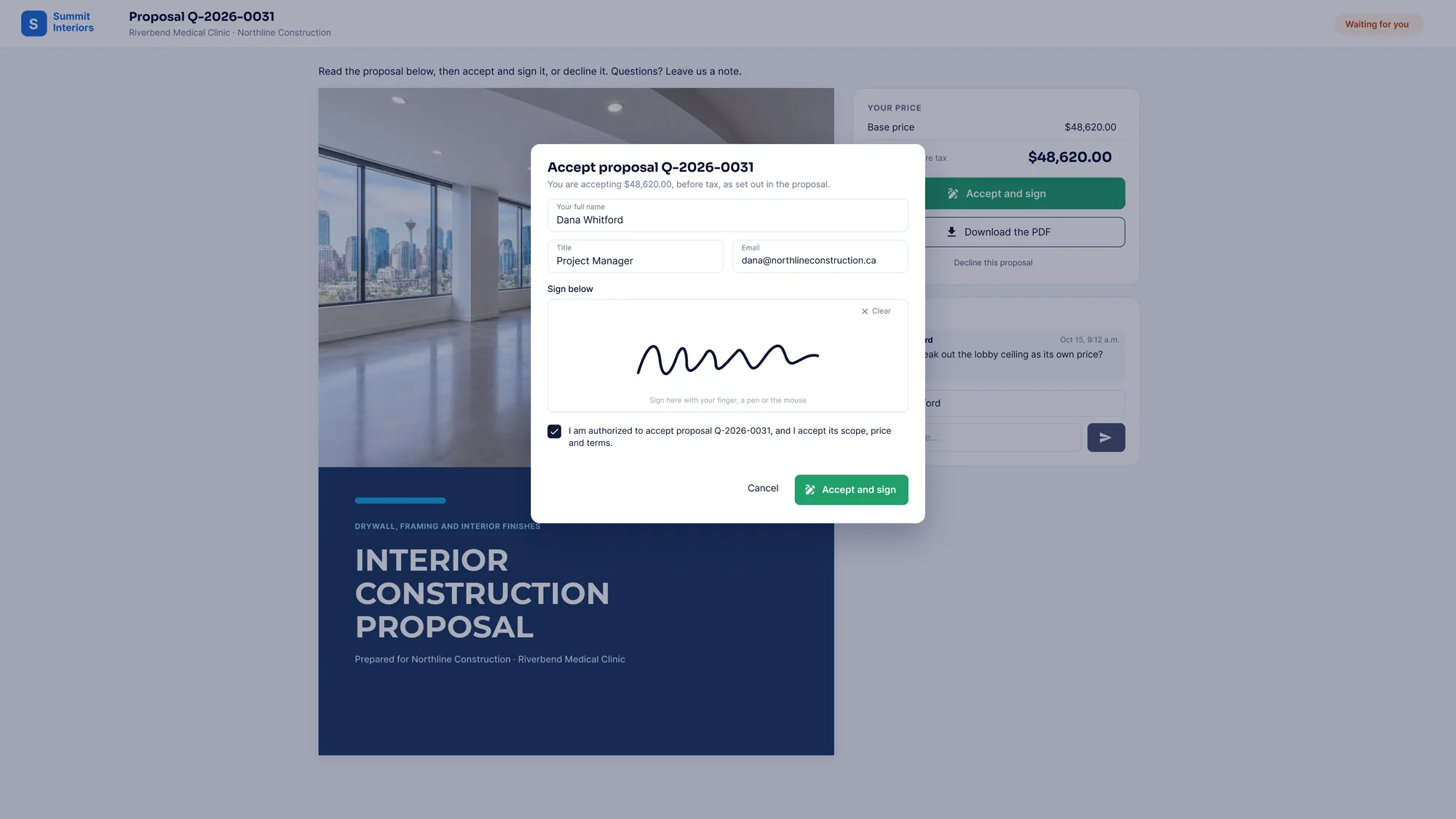
Your client opens one link, no account needed. They read the proposal, download the PDF if they want it, and accept and sign online. Questions come back as notes, right on the bid, and you answer them there.
- No account or app for your client
- Accept with name, title, email and a drawn signature
- Signed acceptance shown on the proposal and on your side
- Notes back and forth, kept with the bid
- Your client can also decline, so you know where you stand
Common custom proposal + e-signature questions
Questions, answered straight
Can my client sign the proposal online?
Yes. Your client opens the proposal from a link, no account needed, and accepts it with their name, title, email and a drawn signature. The signed acceptance shows on the proposal and on the bid in SubTrade.
Can I attach a contract or other PDFs to the proposal?
Yes. Add an Attachments block and attach your contract, insurance certificate, spec sheets or any PDF. They are listed in the proposal and go out with it to your client.
Can I add my own pictures?
Yes. The Picture block puts any image anywhere on the page at any size, the Image block holds one to three pictures with a caption, and the gallery shows photos of jobs you have finished.
What blocks can I add?
Cover, quote details, text, scope of work, inclusions, exclusions, included and not included, price, pricing table, options, unit rates, terms, images, pictures, attachments, charts, stat tiles, your team, a timeline and client quotes. You can also save your own blocks to reuse.
Do I have to start from scratch?
No. Start from one of your own templates or a ready-made design for drywall and interiors, basements, concrete, electrical, exterior finishes or flooring, then make it yours.
Will the numbers match across the proposal?
Yes. You enter the price once in the price list. The price card, pricing table and chart all read from it, and options stay beside the total, never inside it.
Is this part of Bid Manager?
Yes. Proposals are built on the bid in Bid Manager, from the Estimating tab, and are included in every SubTrade plan with no add-on module.