

Interactive · No signup
Explore the
mobile app
This is the app your crew carries, running in your browser. Clock in, mark up a drawing, sign an inspection, close a punch item and assemble a progress draw — on sample data, without talking to anybody.
Tap anything. Nothing here is connected to a real account, so you cannot break it. Prefer a human? Book a 15-minute walkthrough.
Tools
Sample project data, fictional names and numbers. Nothing here touches a live account — it is the real interface, running in your browser.
Why it looks like this
Built for a phone in a glove
Most construction software was designed for a general contractor sitting at a desk, then shrunk down until it fit on a phone. SubTrade went the other way. The screen you just tapped through is the one a foreman opens standing on a scissor lift, and every decision in it came from that.
One project at a time, because a worker is only ever on one job. Thirteen tools on a single screen rather than buried in a menu tree. Buttons big enough for a gloved thumb. And everything captured offline, because the parkade level of a downtown job has never had a bar of signal in its life.
The office half is a browser away
What lands from the field shows up instantly on the office side: hours against cost codes, GPS-tagged photos, signed forms, approved change orders. The project dashboard is where that turns into job costing and progress billing, with the holdback already handled. Same subscription, no separate module to buy.
What the demo leaves out
The clickable version above runs on made-up data for one drywall job. The live app carries your real projects, your cost codes, your crews and your GC’s forms, and it syncs between the phone and the office in both directions. Everything else — the layout, the flow, the number of taps — is exactly what you just used.
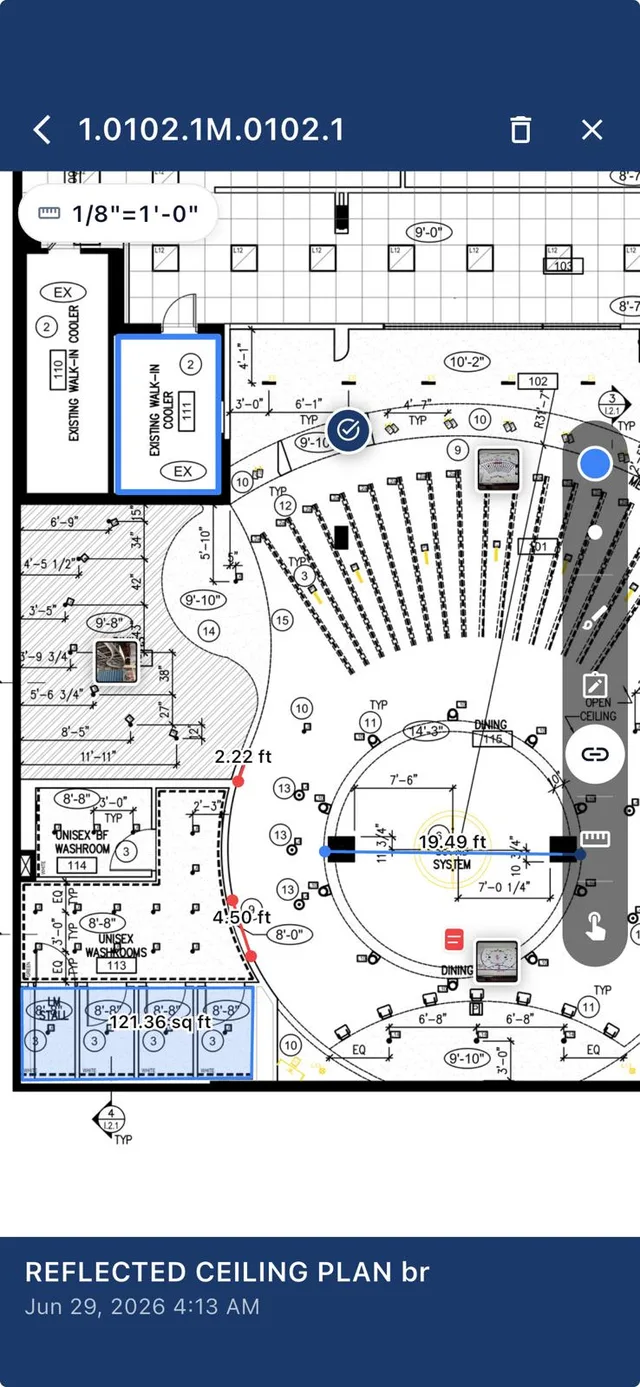
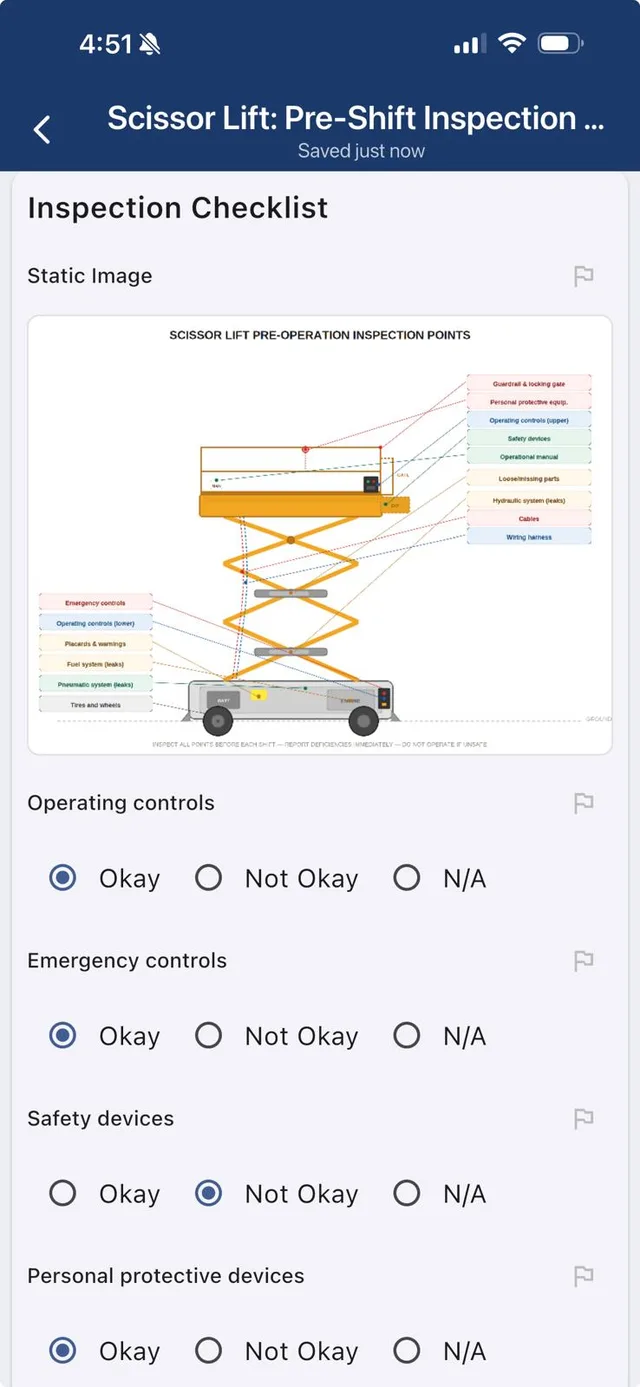
iOS & Android
The whole office,
in their pocket
Crews do not carry laptops. SubTrade lives on the phones already on your jobsite: clock in, snap photos, mark up drawings and file logs in a couple of taps.
No signal in the parkade? It works offline and syncs the moment the phone finds bars again.
Before you ask
The demo, answered
Do I need an account to try the demo?
No. The demo runs entirely in your browser on sample project data. There is no signup, no email wall and no sales call — tap whatever you want, including the buttons that would normally send something.
Is this the actual app?
It is the actual interface, rebuilt to run on a web page. The screens, the tools and the flow are what your crew sees on their phones. What it does not do is talk to a real account, so nothing you tap here is saved anywhere.
Does the real app work without signal?
Yes. Clock-ins, photos, forms and daily logs are captured offline and sync as soon as the phone finds bars again. Parkades, elevator shafts and rural sites were the reason it was built that way.
What does the crew actually need to learn?
For most workers it is one screen: clock in, take photos, sign the form. Foremen add daily logs and punch items. The office side — change orders, billing, scheduling — is where the training time goes, and that is usually an afternoon.
Is it on iOS and Android?
Both, from the App Store and Google Play, and the same account opens in a browser for the office. One subscription covers all three.
What does it cost after the trial?
$299 per month with five users included, and additional users on top. Full pricing is on the pricing page.
Video tutorials
Watch a real walkthrough
Each one is under two and a half minutes and comes with a PDF guide.
 PDF guide
Employee time sheets workflow
Review, correct and approve crew hours without the Friday detective work.
 PDF guide
Crew scheduling
Book your crew for the week, repeat shifts and catch double-bookings.
 PDF guide
Project dashboard and templates
Run every job from one screen and start each new one from a template.
 Part 1 of 4 · PDF guide
Forms, Part 1: The forms dashboard
Every form, folder and submission in one place. Start of the 4-part forms series.
Now try it on your own job
The free trial takes a project, a crew and about ten minutes to set up. $299/month after that, five users included.
Start free trial