

Project Dashboard · SubTrade feature
Every job on
one screen
The project dashboard is your company at a glance: every active job with its hours, costs, billing status and open items, updated as the crew works. Stop calling five foremen to find out where you stand.
No credit card. Up and running in under 10 minutes.
The overview
Your whole operation, at a glance
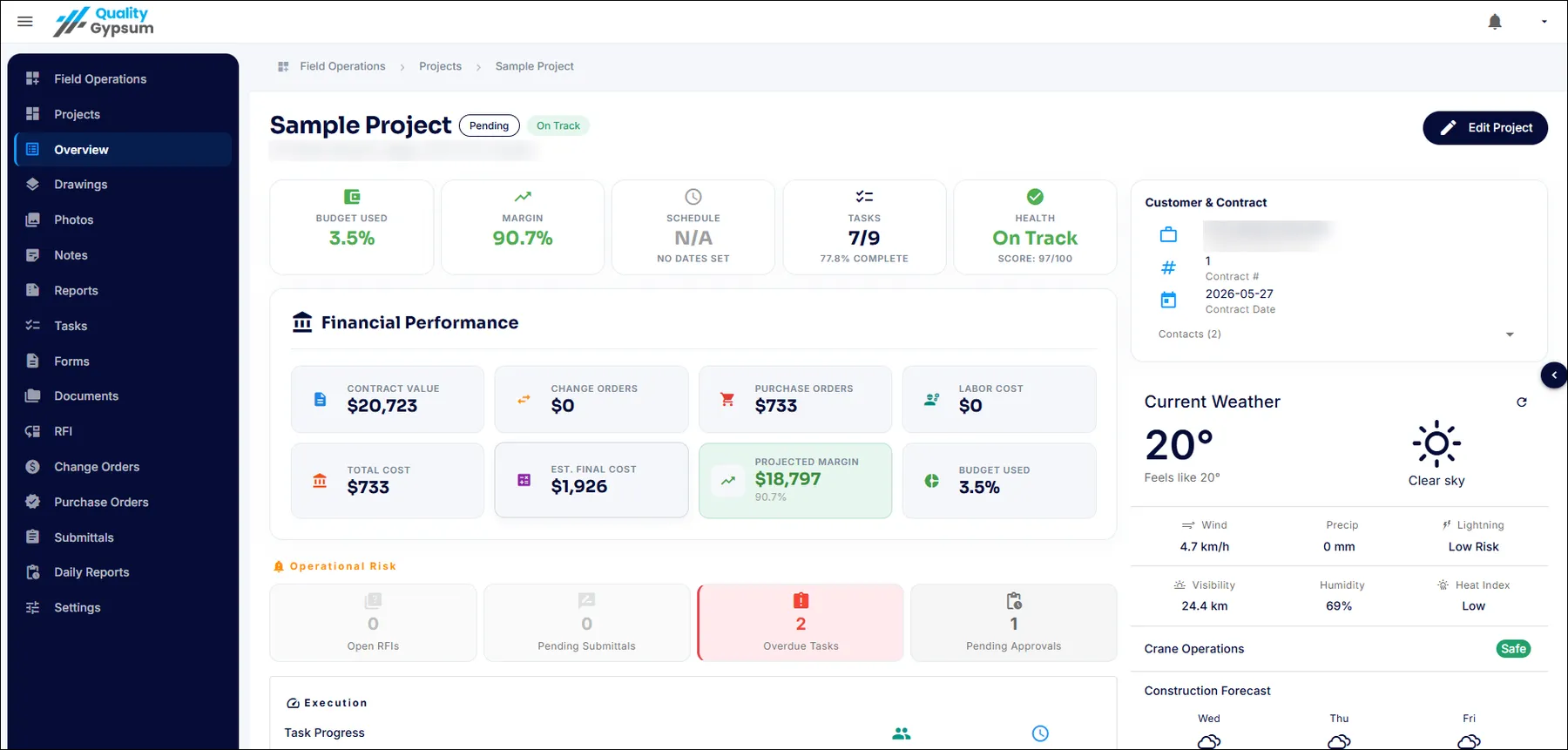
Open the dashboard and see every active project side by side: who is clocked in where, percent complete, budget health and what is waiting on you. It works the same on the office monitor and on your phone in the truck.
- Every active project with live status on one screen
- See who is clocked in, on which site, right now
- Latest photos and daily logs surface automatically
- Open change orders and approvals waiting on you
- Works on desktop, tablet and phone
Live job costing
Know your margin while you can still fix it
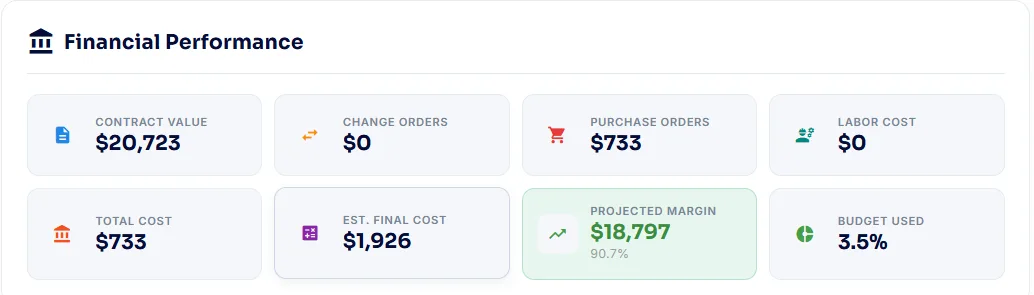
Labour flows in from GPS clock-ins and material commitments from purchase orders, so cost against estimate is current every single day. The job that is drifting shows up in week two, not in the accountant’s report two months after closeout.
- Labour hours roll up from clock-ins by job and cost code
- Committed PO costs counted the day you order
- Burn against estimate visible per project
- Spot the drifting job while there is time to correct it
- Real production numbers feed your next estimate
From status to draw
The dashboard that gets you paid
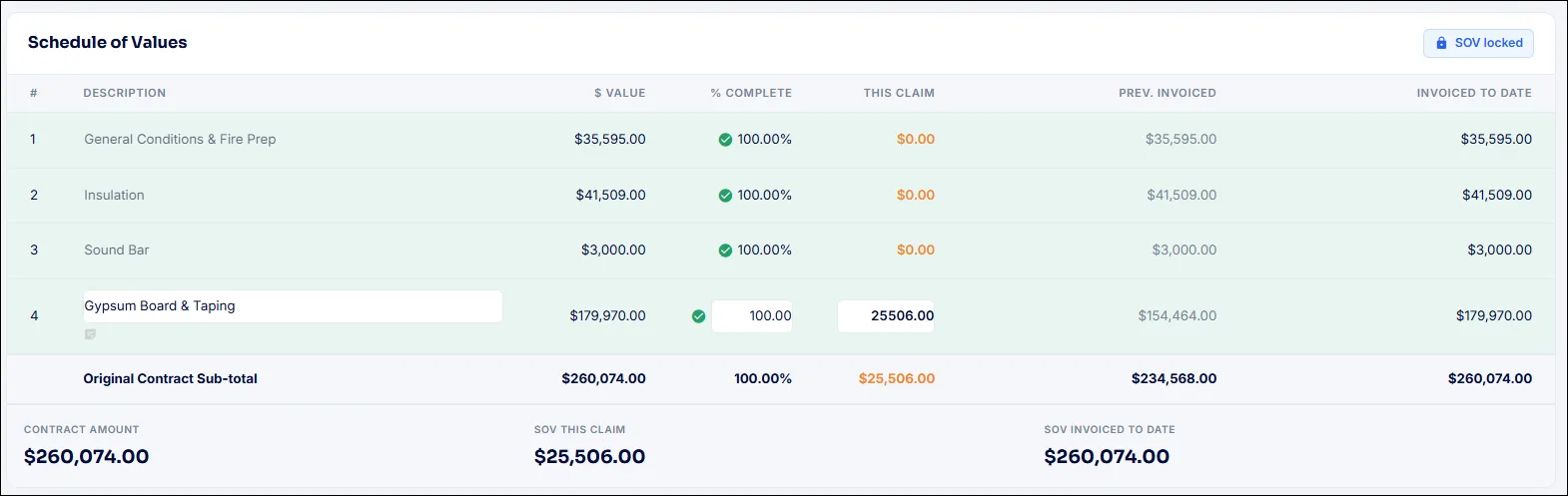
Percent complete, approved change orders and field documentation live in the same place, so when billing day comes the draw is already backed by data. No month-end scramble to reconstruct what happened.
- Percent complete per project, backed by field data
- Approved change orders ready to carry into billing
- Draw status visible: draft, sent, paid
- Email one-time PDF reports or share a live activity link with the GC
- Holdback handled the Canadian way
Common project dashboard questions
Questions, answered straight
What shows on the project dashboard?
Every active project with live hours, job costs, percent complete, billing status, latest photos and daily logs, plus anything waiting on your approval, all on one screen.
Is the dashboard real time?
Yes. It updates as your crews work: GPS clock-ins, photos, logs and purchase orders appear as they happen, so the numbers you see reflect today, not last week.
Can I see all my projects at once?
Yes. The dashboard is built for subs running multiple concurrent jobs. Every active project appears side by side with its own status, and you can drill into any one of them.
How does the job costing work?
Labour rolls up automatically from GPS clock-ins by job and cost code, and material costs are counted from purchase orders the day you commit them. Both are compared against your estimate per project.
Who on my team can see the dashboard?
You control access by role. Owners and project managers typically see everything, while field roles see their own projects and tasks. Everyone sees exactly what they need.
Does the dashboard work on my phone?
Yes. The full dashboard works on desktop, tablet and phone, so you can check every job from the office, the truck or the site.