Project Schedule · SubTrade feature
Your scope, sequenced.
Every job on one timeline.
Not the GC’s master schedule. Yours. Lay out framing, board and tape on each job from a template, see the day a phase starts to slip, and put every job you are running on one master schedule.
Up and running in under 10 minutes.
New in SubTrade
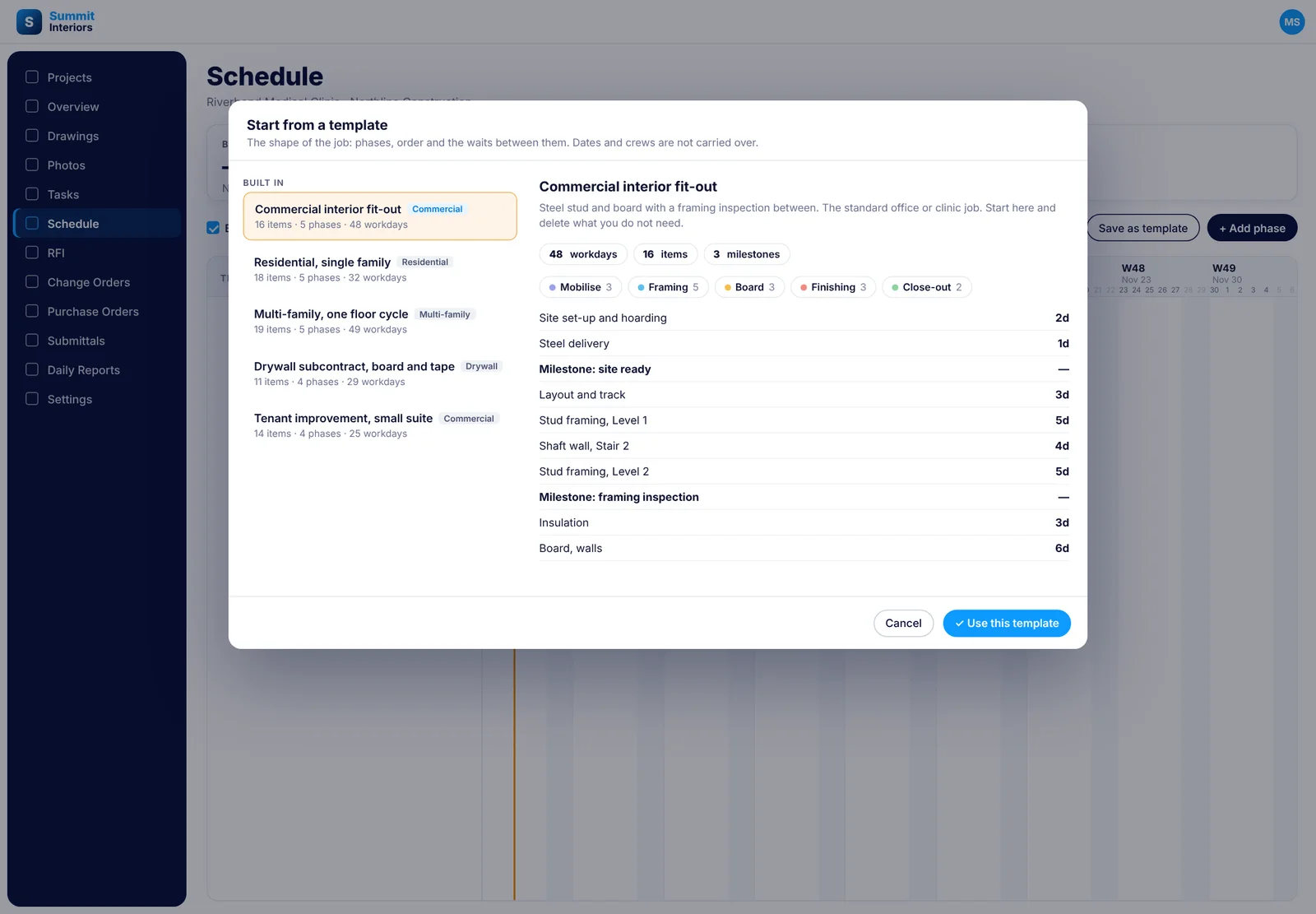
A schedule for the job in seconds New
Pick a template and the whole shape of the job lands on the timeline: phases, items, durations, milestones and the waits between them. Dates and crews are not carried over, so it fits any job. Start from one of the five built in, or save a job you ran well and start the next one from it.
- Commercial interior fit-out, residential single family, multi-family one floor cycle, drywall board and tape, and small tenant improvement built in
- Each template shows its workdays, item count, milestones and phases before you use it
- Replace what is already on the schedule, or add the template to it
- Save as template turns any schedule into your own starting point
- Your saved templates sit beside the built-in ones
The Gantt chart
Move one bar. The rest follow.
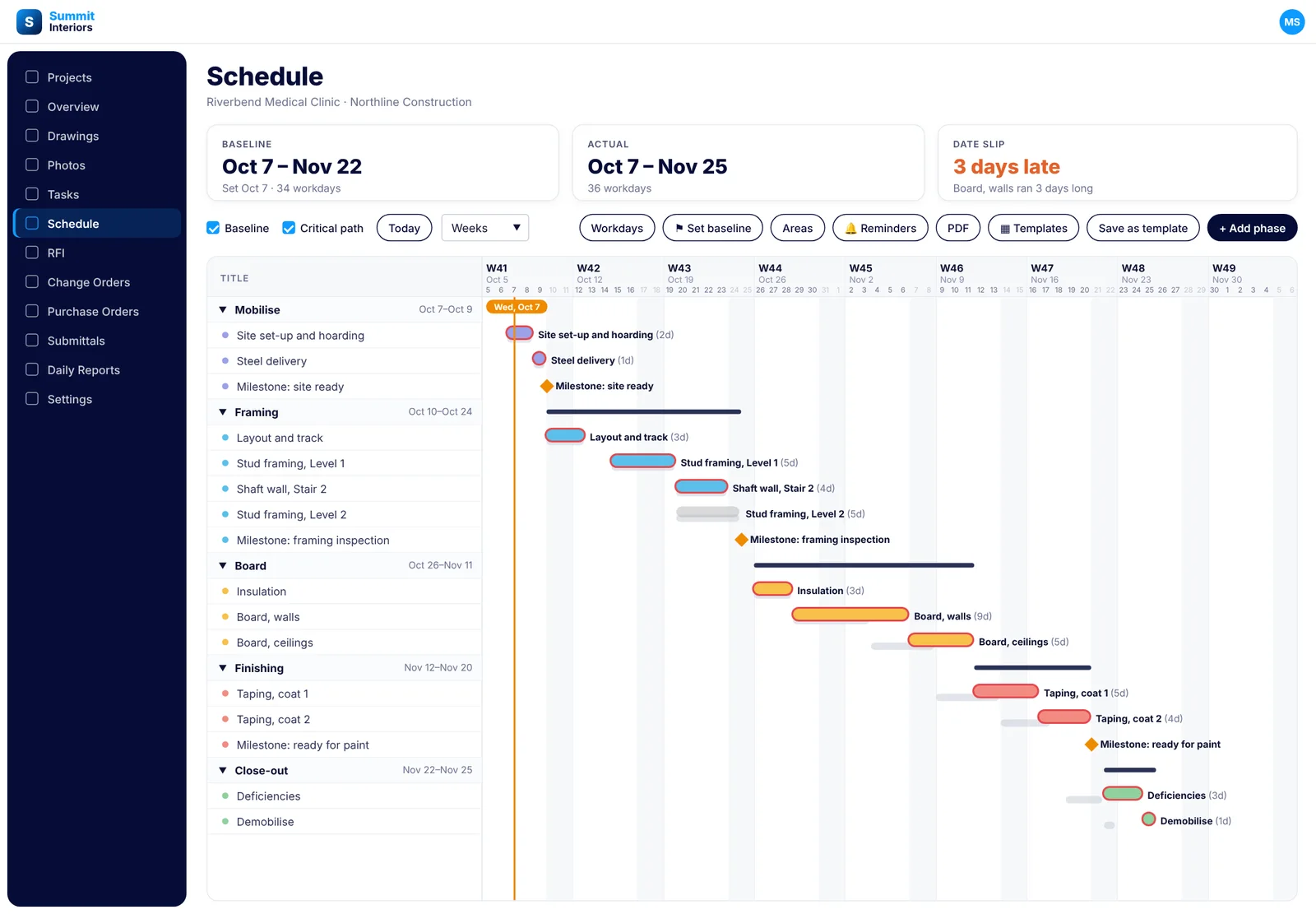
Every item is a bar inside its phase, linked to the work it waits on. When framing on level one runs two days long, everything after it moves two days. Nobody re-types a date, because the dates are worked out from the durations and the links, not typed in.
- Phases you can add, reorder, duplicate and collapse
- Dependencies: ends before, starts with, or ends with, plus lag days
- Milestones for inspections, ready for paint and handover
- Durations counted in working days, with Saturdays, holidays and shutdowns set per job
- Areas for levels, blocks and zones, so a floor-by-floor cycle reads by area
- Each item carries a status and its own tasks, which show on the project task board
- Days, weeks or months view, with today marked
Baseline
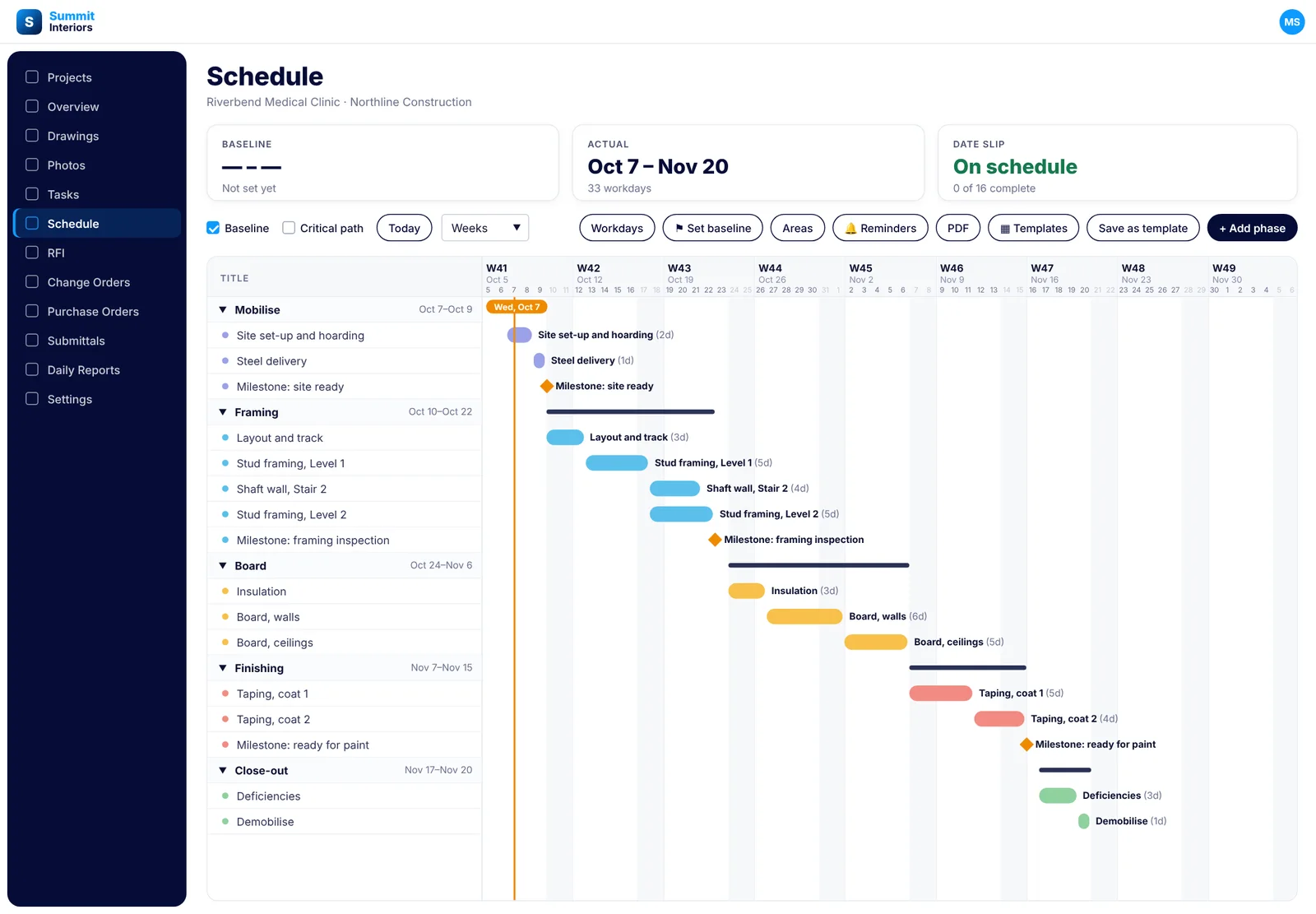
See the slip the day it happens
Set a baseline when the plan is agreed. From then on the original dates sit under every bar, and the Date Slip card tells you how many days the job has lost. Board running three days long shows up that afternoon, not when the GC calls about the painter.
- One click to lock the plan as the baseline
- Baseline bars under the live bars, so the drift is visible
- Baseline, actual and date slip cards at the top of every schedule
- Slip counted in days and carried through to Master Schedule
Critical path
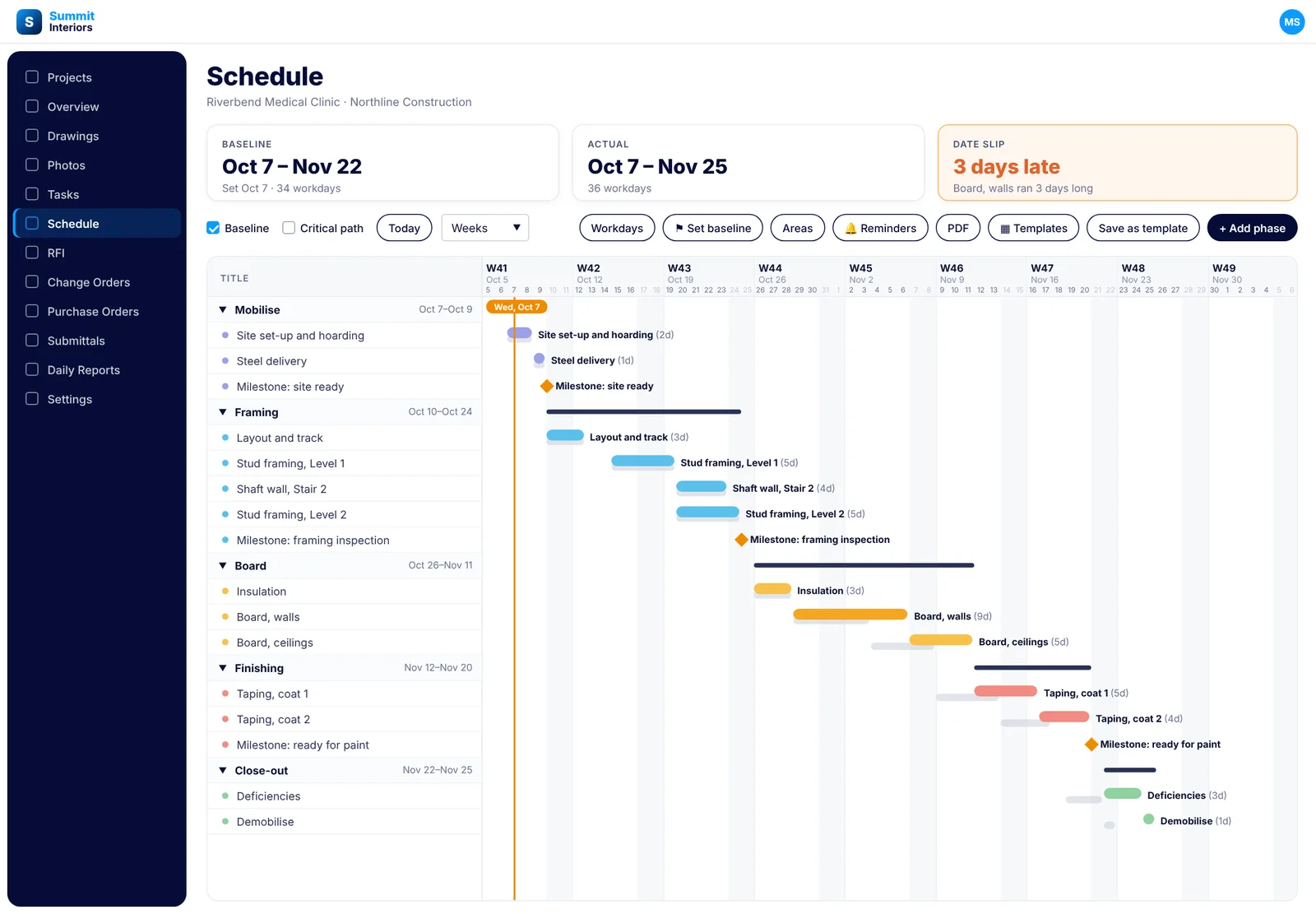
Know what can’t wait
Turn on critical path and the chain of work that decides the finish date is outlined. A day lost on one of those bars is a day lost on the job. A day lost anywhere else is float. Put your best crew where it counts.
- Critical items outlined, the rest dimmed
- Open any item to see whether it sits on the critical path
- Works with the baseline on, so you see slip and what drives it together
Reminders
Draws, site walks and inspections on the job
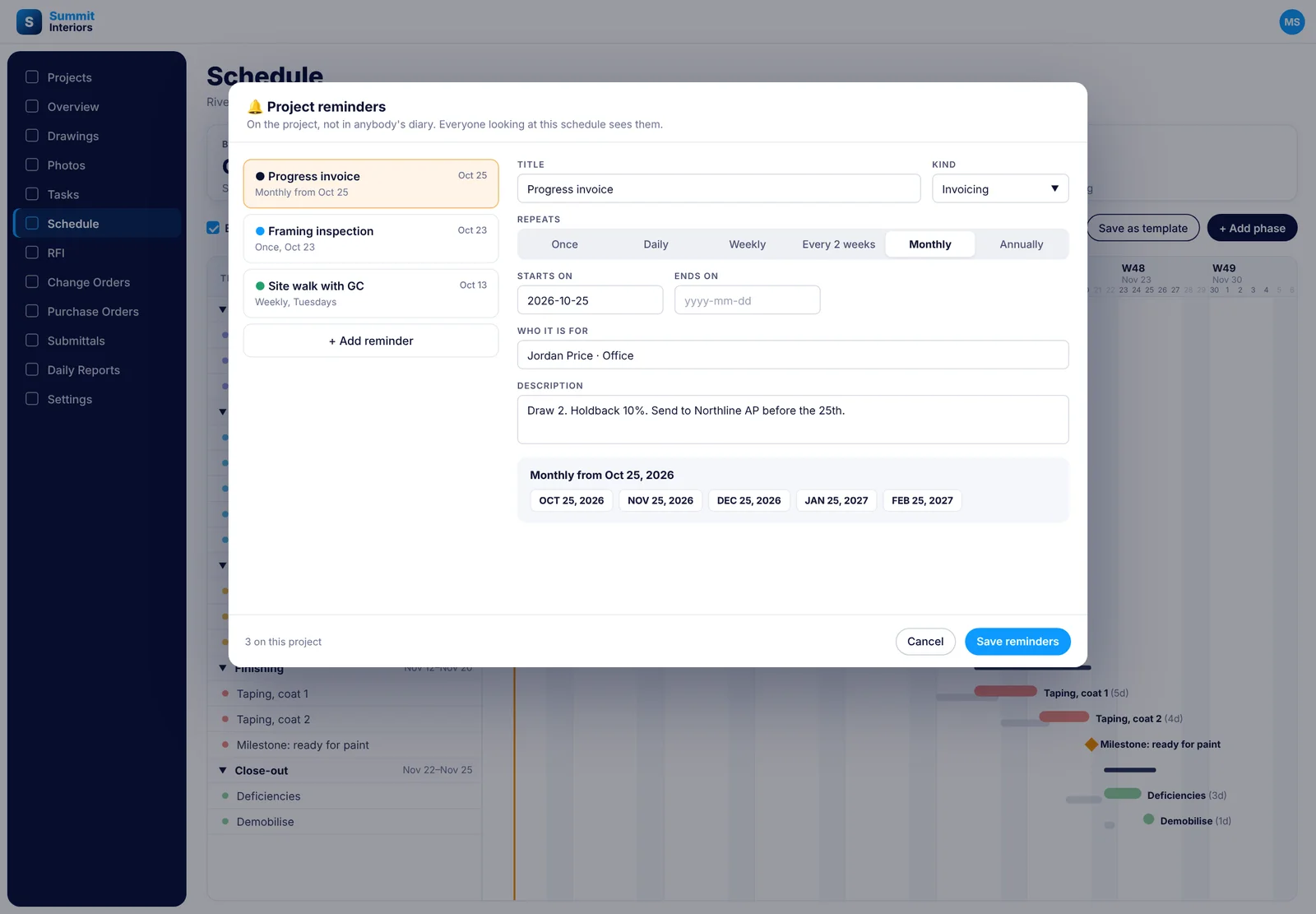
Reminders live on the project, not in somebody’s phone. Set the progress draw to repeat on the 25th, the site walk with the GC every Tuesday, the framing inspection once. Everyone looking at the schedule sees them.
- Kinds for invoicing, site visit, meeting, submittal, safety and other
- Once, daily, weekly, every two weeks, monthly or annually
- Who it is for, where it happens and what the next person needs to know
- The upcoming dates listed, so you can check the pattern before you save
Master Schedule
Every job you are running, one timeline
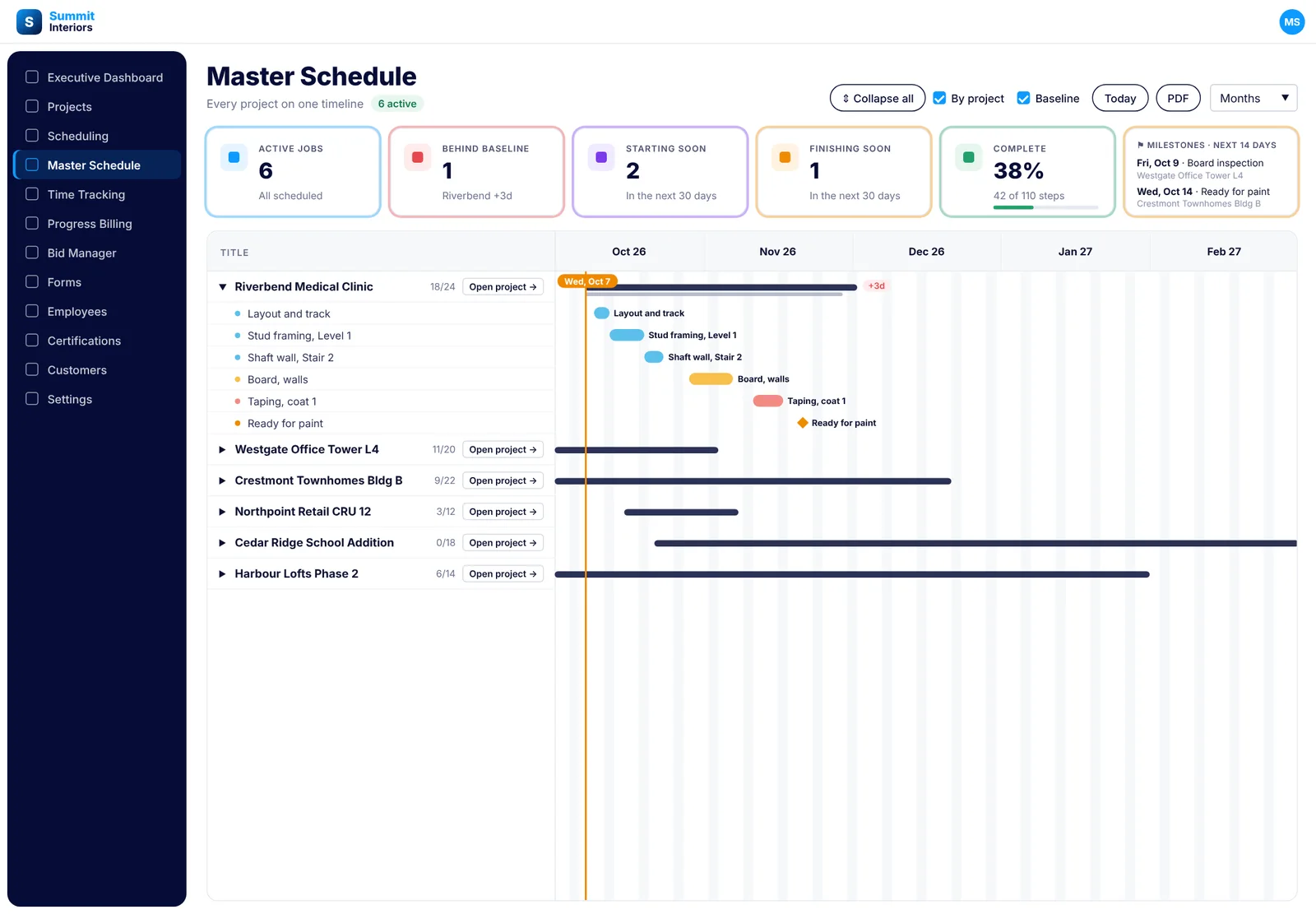
Master Schedule puts every active job on one timeline with the numbers that matter across the company: how many jobs are behind their baseline, what is starting and finishing in the next 30 days, and the milestones coming up in the next two weeks. Expand any job to see its phases, or open it in one click.
- Active jobs, behind baseline, starting soon, finishing soon and percent complete
- Milestones in the next 14 days, by job
- Expand all, or one job at a time
- Group by project, with baseline bars on
- Days, weeks or months, and a PDF of the whole thing
Common project schedule questions
Questions, answered straight
Is this the GC’s master schedule?
No. The GC’s schedule stays in the GC’s system. Project Schedule is your own scope on the job, in the order your crews do it, and Master Schedule is every job you are running, side by side.
How is this different from crew scheduling?
Crew scheduling decides who is on which site each day. Project Schedule decides what happens on a job and in what order. One plans people, the other plans the work, and both are included.
Can I start from a template?
Yes. There are five built in: commercial interior fit-out, residential single family, multi-family one floor cycle, drywall board and tape, and small tenant improvement. You can also save any schedule as your own template and start the next job from it.
What happens when one item runs late?
Items are linked to the work they wait on, so when one moves, everything downstream moves with it. Durations are counted in working days, so the dates are recalculated, not re-typed.
How does the baseline work?
Set a baseline when the plan is agreed. The original dates stay under the live bars and the Date Slip card counts how many days the job has drifted. Jobs behind baseline are counted on Master Schedule too.
What is the critical path?
It is the chain of work that decides the finish date. Turn it on and those items are outlined, so you can see which delays cost you the job and which ones have float.
Can I count Saturdays or plan around a shutdown?
Yes. Working days are set per job. Switch Saturday on and every span recalculates, and add holidays and shutdowns so nothing is scheduled on them.
Does it cost extra?
No. Project Schedule and Master Schedule are part of SubTrade on every plan, the same as time tracking, change orders and progress billing.
Video tutorials
See project schedule in the app
Short walkthroughs from the SubTrade team, each with a PDF guide your office can keep.