

Asset Management · SubTrade feature
Know exactly who
has your tools
Every tool, vehicle and piece of equipment your company owns, tracked to a job site and to the person holding it. Print a QR label, stick it on the tool, and "who took the laser?" stops being a phone call.
Up and running in under 10 minutes.
Asset Management in 53 seconds: add a tool, deploy it to a job, see who has it, print the QR labels.
New in SubTrade
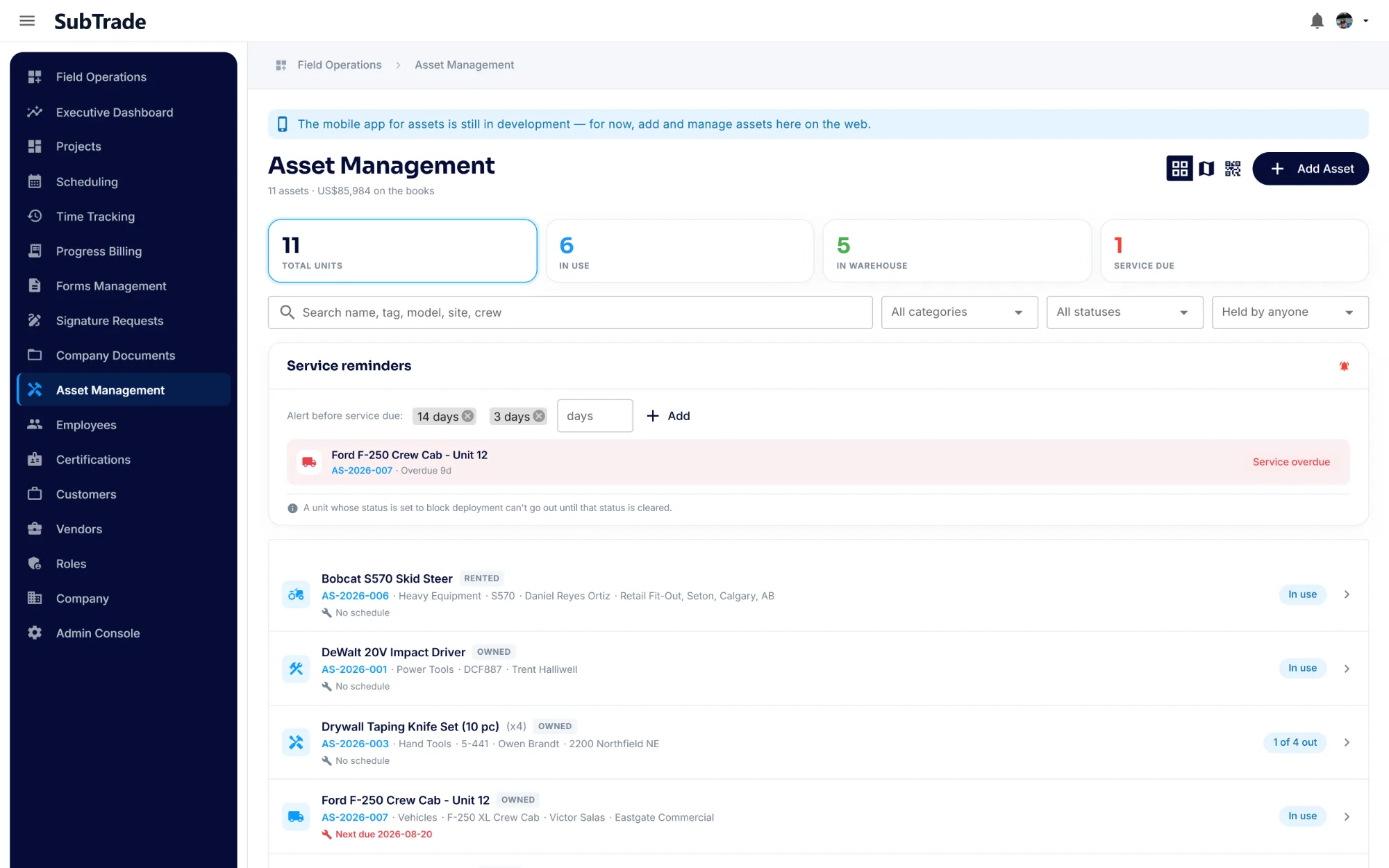
Every tool you own, on one register New
Asset Management is the register the whiteboard in the shop was never going to be. Tools, vehicles, trailers, lifts and small equipment in one list, each with its make, model, serial number and condition, and a running total of what the whole fleet is worth.
- Total units, in use, in the warehouse and service due, counted at the top of the page
- An asset tag on every unit, plus manufacturer, model, serial number and quantity
- Owned and rented gear tracked side by side, so rentals stop quietly running on
- Condition and notes, so nobody re-reports the same broken chop saw twice
- A running book value in the header, so you know what the fleet is worth without adding it up
Adding a unit
On the register in about a minute
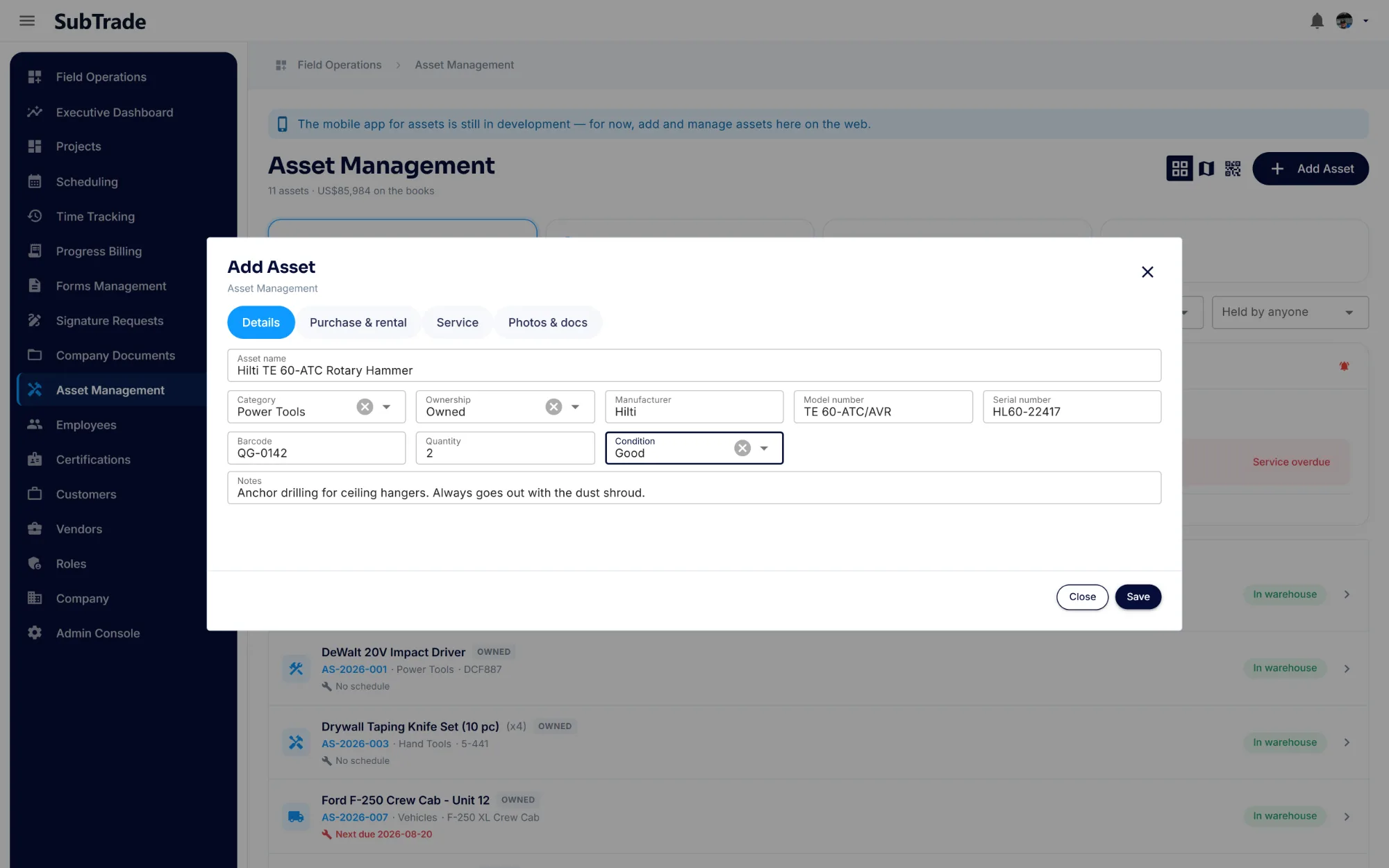
Adding a tool is one dialog with four tabs, and only the first one is required. Put the name, category and serial in, and you have a tracked asset. Fill in the rest when you have the invoice in front of you.
- Details: name, category, ownership, make, model, serial, barcode, quantity and condition
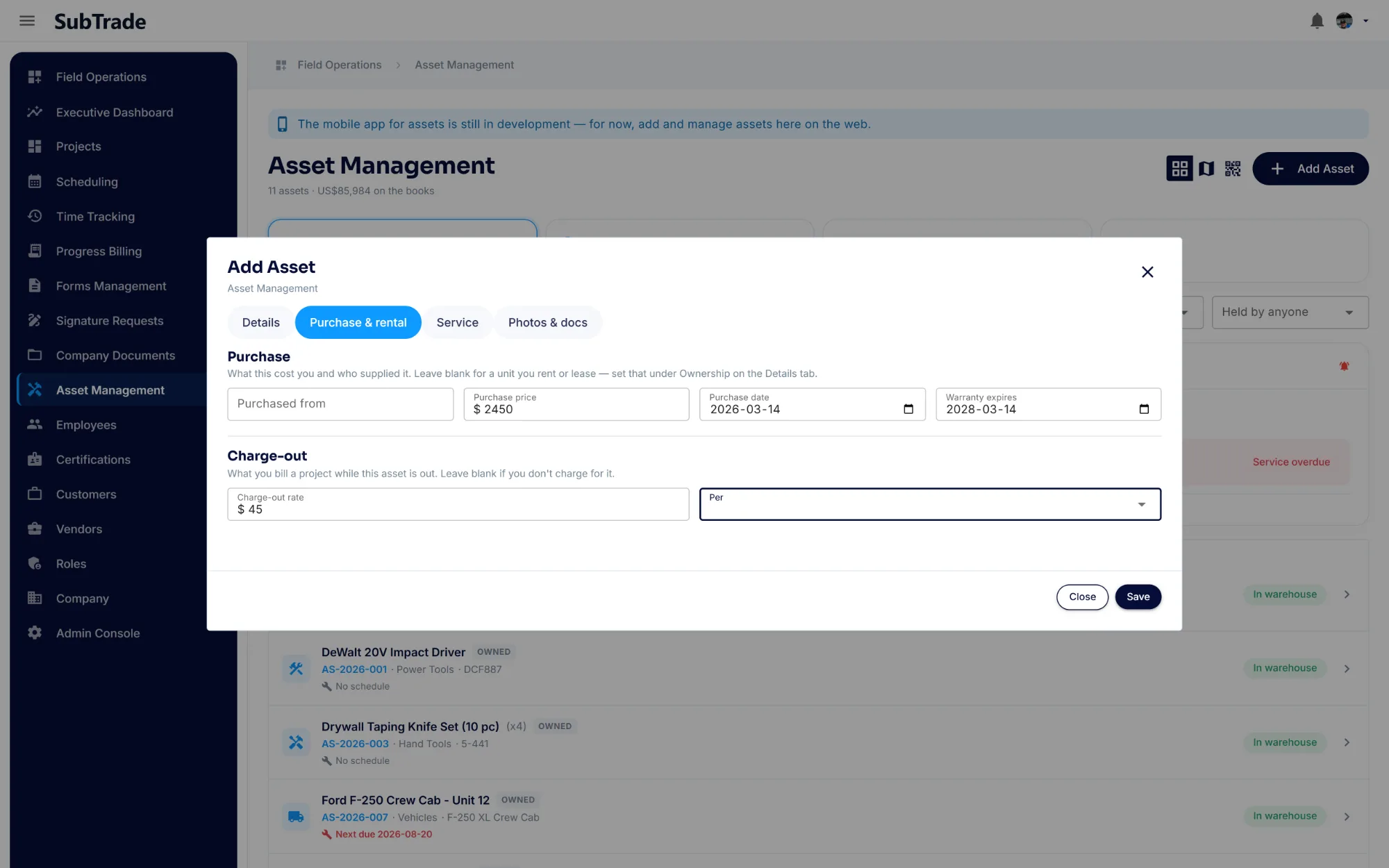
- Purchase & rental: what it cost, who supplied it, warranty expiry and a charge-out rate
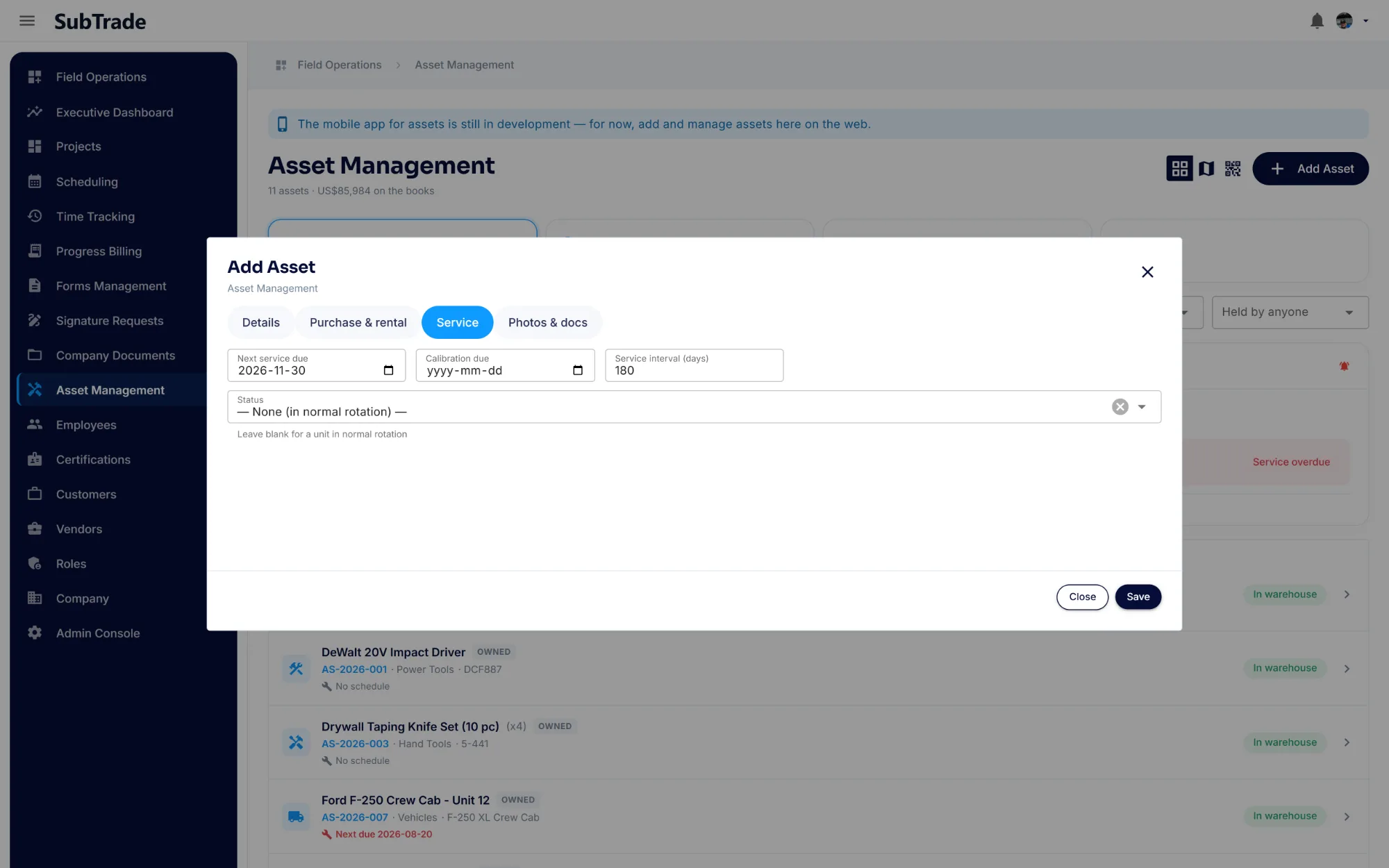
- Service: next service due, calibration due and a repeating interval
- Photos & docs: the manual, the certificate, a photo of the plate
- Owned, rented or leased, set per unit
Who has it
Deploy it to a site. Record who took it.
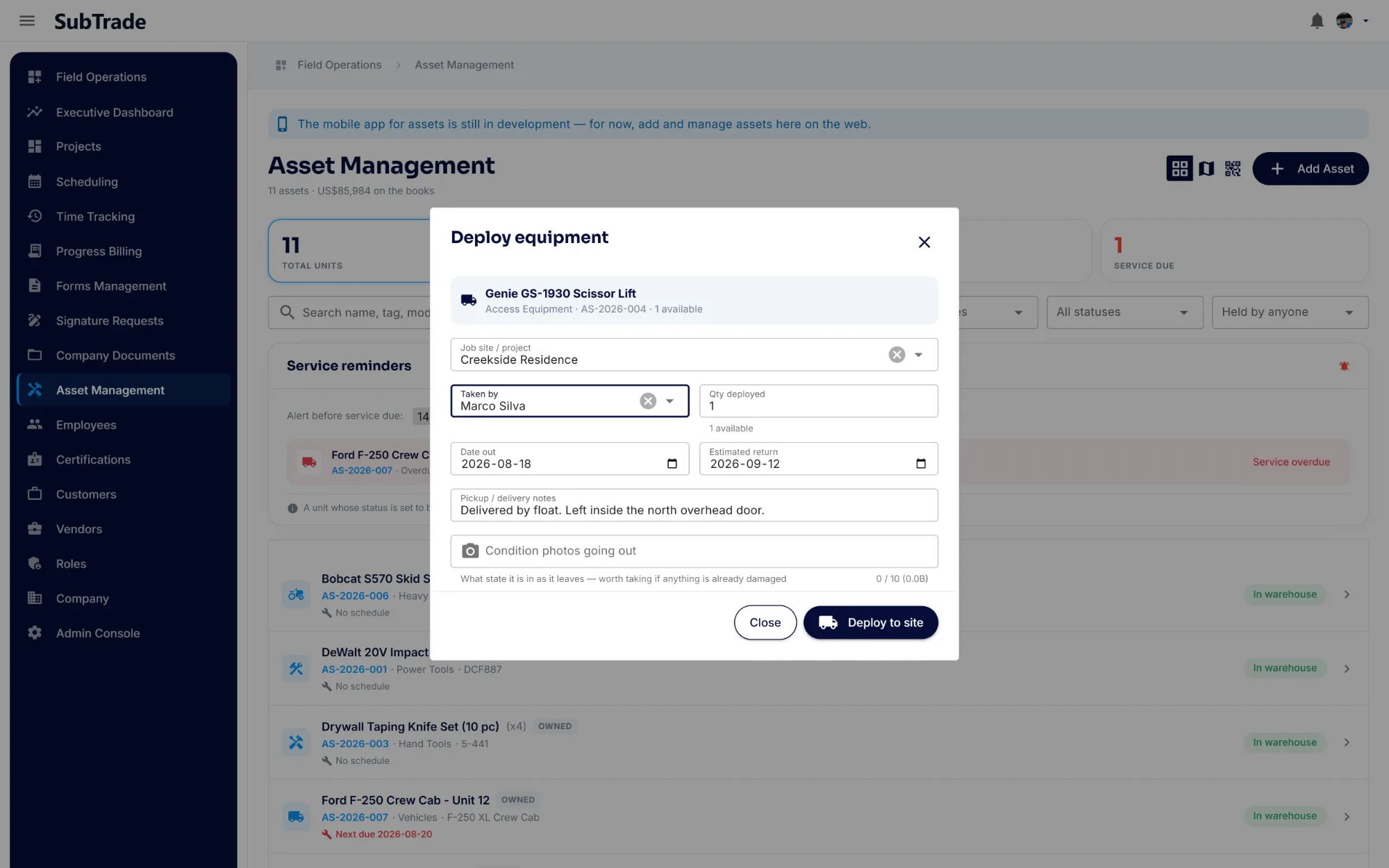
Deploy a unit to a job site and record who took it, how many went out, when it is due back and what condition it left in. Every movement lands on that asset’s deployment history, so "where is it and who has it?" is one filter, not three phone calls and a guess.
- Deploy to a job site, with the crew member who took it on the record
- Partial quantities: send three of six screwguns out, the rest stay on the shelf
- Date out and estimated return on every deployment
- Condition photos going out, so a damage dispute has a before
- A deployment history per asset, and a held-by filter across the whole register
- Search by name, tag, model, site or crew
The map
See where your equipment actually is
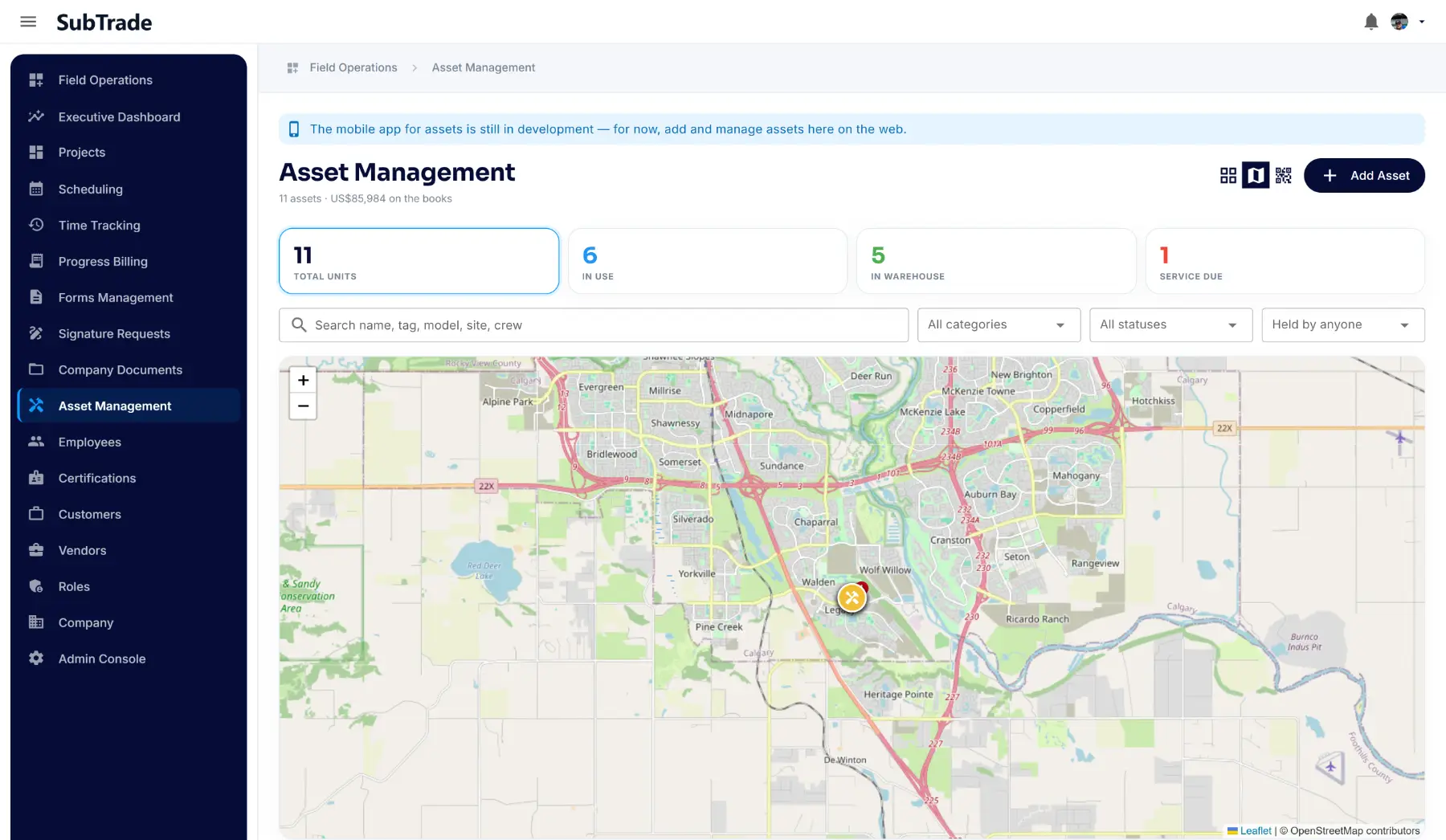
Positions are captured as assets move between sites, so the map view shows your gear spread across your jobs the way it really is. The generator that has been sitting on a finished job for three weeks is obvious at a glance instead of turning up on next month’s rental bill.
- A map of every asset with a known position, across every site
- Location recorded when an asset is loaned, transferred or returned
- Spot idle equipment parked on a job that closed out
- Plan the next move without calling every foreman
QR labels
Print a tag, stick it on the tool
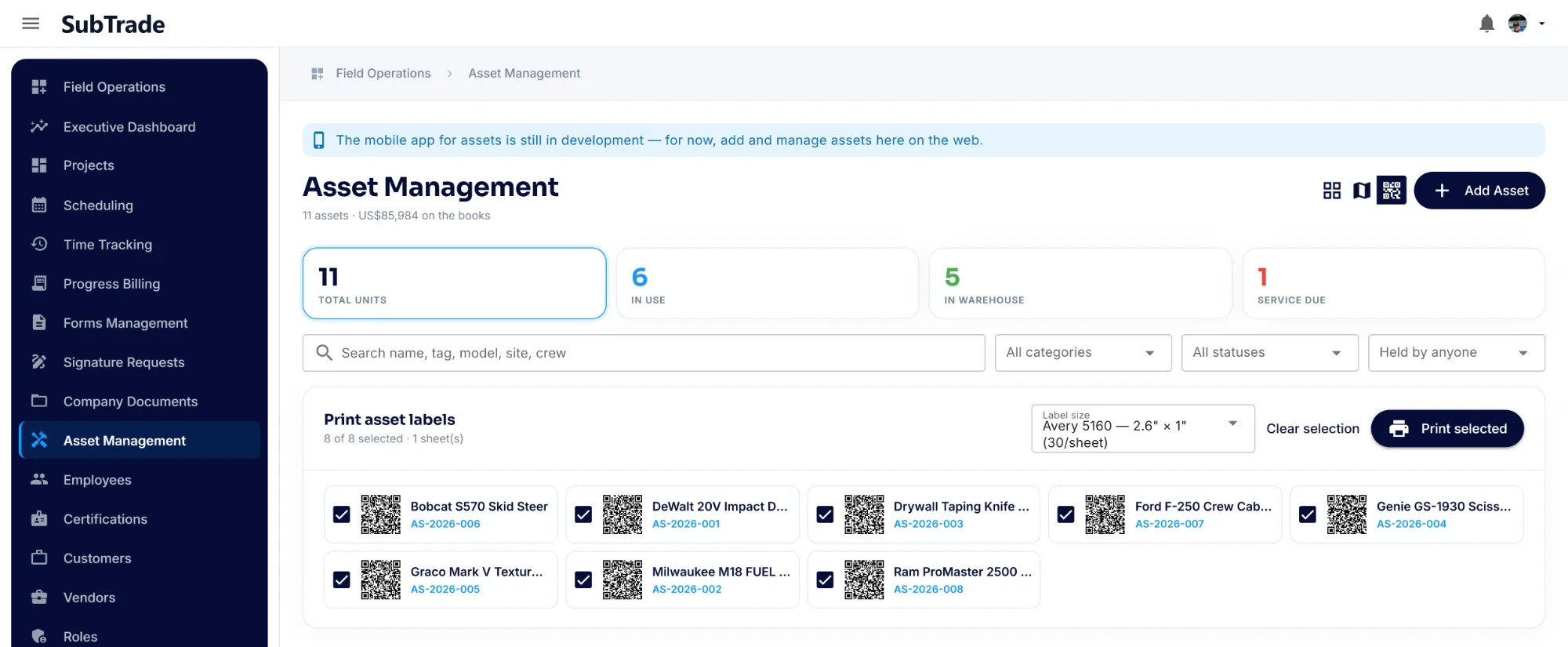
SubTrade generates a QR label for every asset and lays them out on standard Avery 5160 sheets, thirty to a page. Print, peel, stick. From then on the tag is the tool’s identity, so four identical hammer drills stop being interchangeable on paper.
- A QR label generated for every asset automatically
- Avery 5160 sheets, 30 labels per page, on any office printer
- Select the assets you want and print only those
- Tag identical units so returns are never ambiguous
- No scanner hardware and no third-party tagging service to buy
Service and money
Serviced before it fails. Costed onto the job.
Each asset carries what it cost, who you bought it from, when the warranty runs out, when it is next due for service or calibration, and what you charge it out at. The compressor gets serviced on schedule, and the equipment you bill for carries a rate instead of being forgotten.
- Next service due, calibration due and a repeating service interval
- Service reminders on your own thresholds — 14 days out, 3 days out, whatever you set
- A status that blocks deployment, so an overdue unit cannot go back out
- Purchase price, purchase date, vendor and warranty expiry on the record
- A charge-out rate, with its own unit, for equipment you bill
- Photos, manuals and certificates attached to the asset itself
Common asset management questions
Questions, answered straight
What is Asset Management in SubTrade?
It is a register of every tool, vehicle and piece of equipment your company owns, showing who is holding each one, which site it is on, when it is next due for service and what it is worth. It replaces the spreadsheet and the whiteboard in the shop.
How do I know who has a tool?
You deploy a unit to a job site and record who took it, so the current holder sits on the asset. Every movement is kept in that asset’s deployment history, and you can filter the whole register by who is holding something to see everything one person or one crew is carrying.
Do I need special scanners or tags?
No. SubTrade generates a QR label for each asset and prints them on standard Avery 5160 label sheets, thirty to a page, on any office printer. There is no scanner hardware to buy and no third-party tagging service.
Can I see where my equipment is on a map?
Yes. An asset’s position is recorded when it is loaned, transferred or returned from a device with location enabled, and the map view shows every asset with a known position across all your sites.
Does it track servicing and calibration?
Yes. Each asset can carry a next service date, a calibration date and a repeating service interval. Service reminders fire on thresholds you set — 14 days before due, 3 days before, or whatever suits — and a unit whose status blocks deployment cannot go out until that status is cleared.
Can I track rented equipment too?
Yes. Ownership is recorded per asset, so rented and owned gear sit on the same register. Purchase or rental details, the vendor and the warranty or return date live on the asset record.
Can I manage assets from my phone?
Assets are added and managed on the web today. The mobile side of Asset Management is still in development, and when it launches it will be included in every plan like the rest of the platform.
Does Asset Management cost extra?
No. It is part of SubTrade on every plan, the same as time tracking, change orders and progress billing. No add-on module and no separate per-asset fee.