

Field operations
Jobsite photo documentation for subs
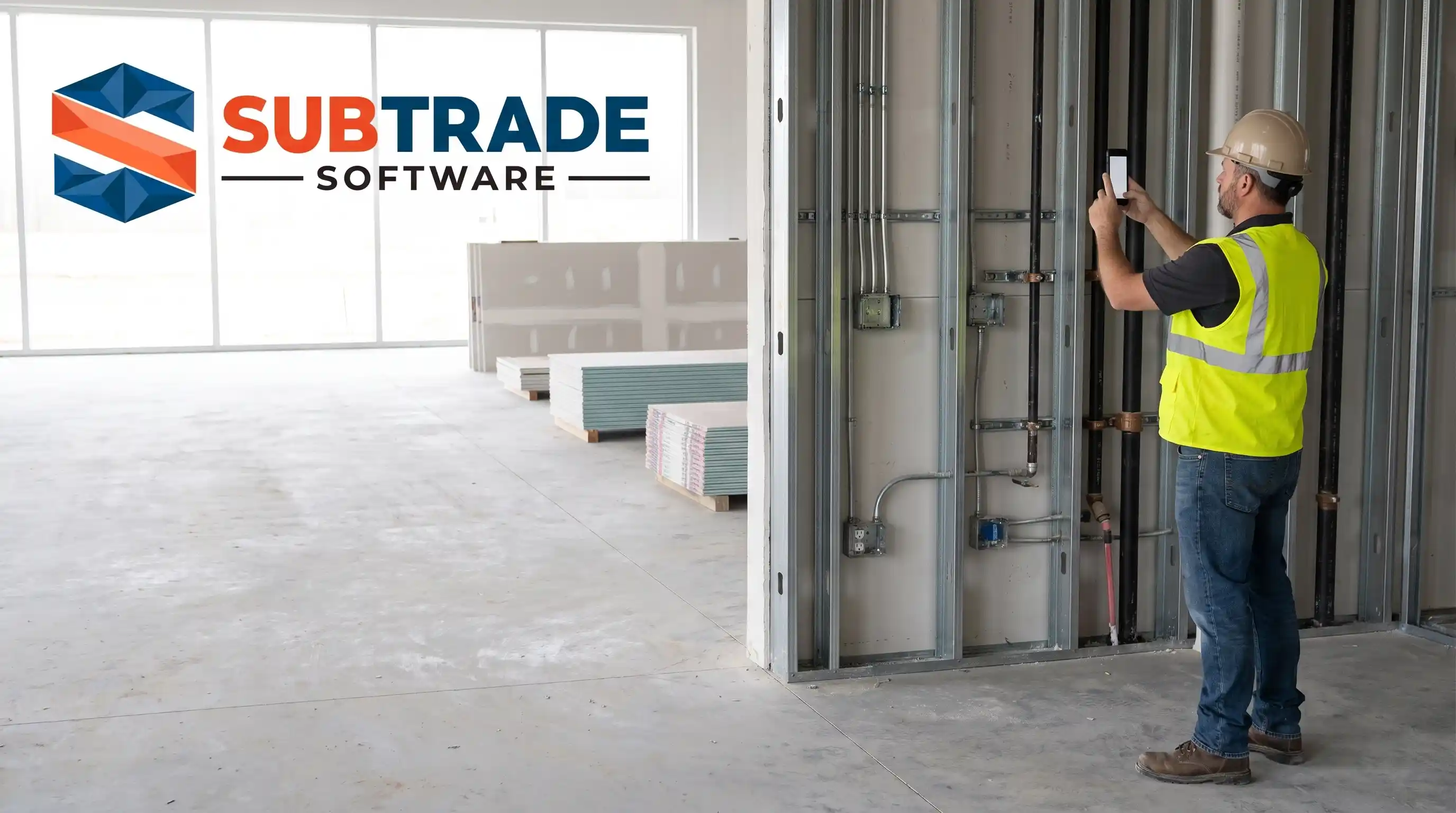
Every subcontractor already takes photos. Foremen shoot hundreds a month. The problem is almost never that the photo was not taken; it is that when you need one, a specific shot of a specific wall on a specific date, it is buried in a camera roll with 4,000 other images and no way to find it. Photo documentation is not the act of taking pictures. It is the system that lets you produce the right one in ten seconds, months later, when there is money on the line.
We learned this the expensive way at Quality Gypsum Services, our commercial drywall company in Calgary, Alberta. The day a general contractor tried to back-charge us for damage another trade caused, the photo that cleared us existed, but finding it took an afternoon. That afternoon is what a documentation system is for.
What a jobsite photo actually has to prove
A photo is evidence, and evidence answers a question. Before you build a system, know the four questions your photos get asked:
- What did the space look like before we started? Existing conditions protect you from being blamed for damage you inherited.
- What did we install, and when? Progress photos are your billing backup and your schedule defence.
- What was covered before it got closed in? In-wall photos of rough-in, blocking and fire caulking are worth their weight when an inspector or an owner asks what is behind the drywall.
- What went wrong, and who caused it? Damage, conflicts and defects, dated and attributed, are how you avoid paying for someone else's mistake.
If a photo does not answer one of those, it is a nice picture, not documentation.
The five shots that earn their keep
Most disputes are won or lost on a small number of predictable images. Train the field to capture these as a routine, not a reaction.
1. Existing conditions, before you touch anything
The first crew on site walks the area and shoots it wide before a single tool comes out. Damaged surfaces, other trades' incomplete work, anything that could later be pinned on you. This is the cheapest insurance on the list and the one most crews skip.
2. Covered work, before it disappears
Every rough-in, every piece of blocking, every firestop gets photographed before the wall closes. Once drywall or finishes go up, the only proof that the work was done right is the picture you took, or the demolition someone pays for.
3. Progress tied to your billing
When you bill progress against a schedule of values, the photo is your backup. A dated image of the third floor at 80 percent hung is what turns a billing line into a claim a general contractor approves without an argument. It pairs directly with progress billing as the evidence behind the number.
4. Damage and conflicts, the day you find them
A gouge in your finished wall, a duct running through your framing, a fixture in the wrong place. Shoot it the day it appears, wide enough to show the location and close enough to show the detail. A photo dated three weeks after the fact convinces no one.
5. Completion, before you demobilize
The last crew off shoots the finished area clean. This is the bookend to your existing-conditions photos and the single most useful shot when a back-charge for damage lands after you have left. It says: this is how we left it.
The system: naming, dating and finding
A photo you cannot find is not evidence. What separates documentation from a camera roll is three things, and none of them are the camera.
It has to be dated and located automatically
The value of a jobsite photo is the metadata: when it was taken, and where. A timestamp nobody can edit after the fact is what makes the image hold up when the story is contested. Photos that live in a personal camera roll lose this the moment someone screenshots, forwards or re-saves them. Capture them inside a system that stamps the date and ties the image to the job, and the date stops being something you have to defend.
It has to be attached to the job, not the phone
The organizing unit is the job, not the foreman's device. When every photo is filed against the project the second it is taken, you stop depending on which of your four foremen shot it and whether he still works for you. This is exactly what a dedicated site photos feature does that a phone gallery cannot: one project, every crew's photos, one place, searchable by date.
It has to connect to the paperwork it supports
A photo on its own is useful. A photo attached to the day it belongs to is far stronger. When your images are linked to the daily log for that date, the picture and the written record, headcount, weather and delays, back each other up. Two independent records of the same day are very hard to argue with. If you are building that daily habit, our post on construction daily log best practices covers the two-minute field routine that makes it stick.
Where photo documentation pays for itself
Three moments, all about money.
Change orders. A dated photo of the direction you were given, or the conflict you hit, is what turns extra work into a signed change order instead of an argument. Attach the image the day it happens and price it fast. The paper trail is what gets it approved, and a workflow built around change order management keeps the photo and the pricing together.
Back-charges. When a general contractor tries to charge you for damage, your completion photos decide who pays. Our companion post on construction back-charges walks through how to dispute an improper one, and photos are the first thing that dispute needs.
Holdback and closeout. At the end of a job, a clean set of progress and completion photos supports your final billing and your holdback release. Under Alberta's prompt payment rules, the clock only starts on a proper invoice with the right backup, and dated photos are part of that backup. It is far easier to get paid on time when the record of what you built is complete and dated.
Make the field actually do it
A documentation system only works if the crew uses it, and crews abandon anything that costs them more than a minute. The rule we settled on: photos have to be a two-tap habit inside the same app the foreman already opens for the daily log and time. Open, shoot, done, filed automatically against the job. If capturing a photo means emailing it to the office or naming a file, it will not happen on a busy day.
SubTrade starts at $299/month CAD with a 14-day free trial, so you can run a job through it and see whether your worst dispute would have been a ten-second search instead of a lost afternoon.
FAQ
How should a subcontractor organize jobsite photos?
By job, not by phone. Every photo should file automatically against the project it belongs to, with a date and location stamp, so any crew member's shots land in one searchable place. A personal camera roll fails the moment the foreman changes or the phone is lost.
What jobsite photos are worth taking?
Five shots earn their keep: existing conditions before you start, covered work before it closes in, progress tied to your billing, damage or conflicts the day they appear, and completion before you leave. Each answers a question you may have to defend later.
Do timestamps on photos matter?
They are the point. A photo's value in a dispute is the proof of when it was taken. A timestamp captured inside a documentation system, rather than one that can be edited or lost when an image is forwarded, is what makes the photo hold up.
How do photos help with change orders and back-charges?
A dated photo turns extra work into a signed change order and turns a bogus back-charge into a dispute you win. In both cases the image is the evidence, and it only works if it was captured the day the event happened and filed where you can find it.
Is a phone camera roll good enough?
No. It has no reliable link to the job, no protection against lost or edited images, and no fast search months later. The photos may exist, but a system is what lets you produce the right one on demand.
How many photos is too many?
There is no such thing as too many if they are organized. An extra photo costs nothing; a missing one costs a claim. The discipline is in the filing, not in shooting less.
SubTrade runs time tracking, change orders, daily logs and progress billing on one plan. 14-day trial.