

Choosing software
Subcontractor vs. general contractor software
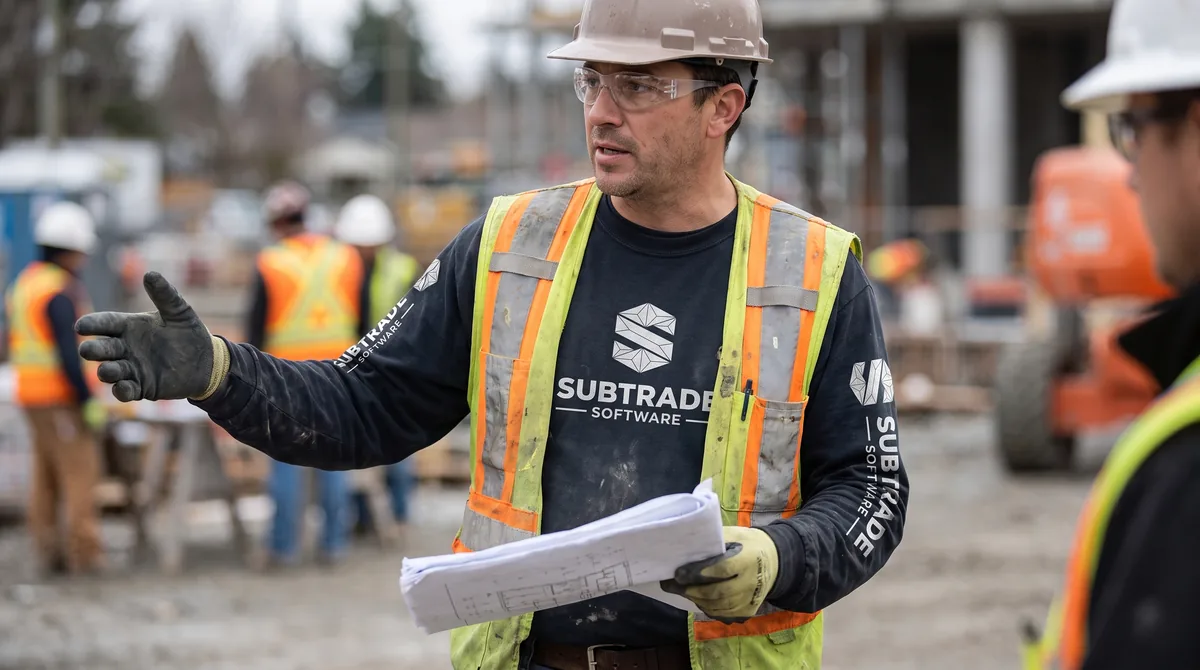
Most construction software was written for the general contractor. That's not a conspiracy — it's just where the budget was. The GC holds the prime contract, runs the schedule, and has the headcount to justify a five-figure software line item. So the tools got built for that seat.
Then those same tools got sold down the chain to subs, with the word "subcontractor" swapped into the marketing page.
If you've ever paid for a construction platform and found yourself still running your real numbers in a spreadsheet, that's why. The software wasn't wrong — it was built for someone else's job.
We know because we've been on both sides of it. SubTrade was built inside Quality Gypsum Services, a commercial drywall contractor in Calgary, after we spent years trying to make GC-shaped tools fit a sub-shaped business. Here's what actually separates the two.
The core difference: who's the customer inside the software?
Every construction platform has an assumption baked into it about who's using it and what they're worried about.
General contractor software assumes you're managing other people's work. Its center of gravity is the project: the master schedule, the subcontractor list, the RFI log, the submittal register, the owner's draw. The software's job is to give one company visibility over dozens of others.
Subcontractor software assumes you're doing the work. Its center of gravity is the crew and the cost code: who's on site today, how many hours went to which scope, what got installed, what changed, and whether this job is still making money.
Those aren't the same product with different logos. They're different questions.
Where GC software breaks down for a sub
You're on ten jobs, not one
A GC might run six to twelve active projects. A drywall or electrical sub can easily be on twenty-five, with crews splitting between three sites in a week. GC software is built for depth on a single project. Subs need breadth across many — a single view of every active job, who's on it, and which ones are bleeding.
The unit of work is the crew, not the project
GC tools track project milestones. Subs live and die on labour. Hours per man, per cost code, per day. If your software can't tell you your installed cost per square foot by Thursday afternoon, you're finding out you lost money on a job three weeks after you could have done anything about it. That's why crew-level time tracking is the foundation of a sub's software stack, not a bolt-on module.
You don't own the change order — you chase it
In GC software, change order workflow is designed around approving and pricing changes coming up from subs. From the sub's side, the entire game is different: documenting the direction you were given, pricing it fast, submitting it, and following it until someone signs. Most subs lose more money to unsigned extras than to bad estimating.
It's worth reading how the standard contracts handle this — CCDC 16, the Guide to Changes in the Contract, and CCDC 17, the stipulated price contract written specifically for trade contractors. The contract usually gives you a route to get paid. Losing the paper trail is what closes it. A system built around change order management from the sub's perspective — with a paper trail, dated photos, and a status you can actually chase — is worth more than any Gantt chart.
Your billing is progress and holdback, not draws
Subs bill progress against a schedule of values, get back-charged, and wait on holdback release. In Alberta, prompt payment rules give owners 28 calendar days to pay a proper invoice and contractors 7 calendar days to pay their subs after they're paid — with a 10% holdback sitting on top of all of it. That clock only helps you if you can produce a proper invoice on time, with the right backup and a signed CCDC 9B statutory declaration when one's required.
GC software handles owner draws well. It rarely handles the sub's side of that equation with the same care.
The seat count math doesn't work
GC platforms price for office staff. Subs have twelve field guys and two people in the office. Paying per-seat for foremen who need to do exactly three things — clock the crew, log the day, take photos — turns a reasonable tool into an unreasonable invoice. It's a big part of why field adoption dies: nobody buys enough licenses, so half the crew stays on paper.
Where the two overlap (and where the confusion comes from)
To be fair, there's real overlap. Both need documents, both need photos, both need a daily log, both need a schedule. If all you want is a shared file drive with a construction skin, either category will do.
The overlap is also why GC platforms genuinely do get sold to subs — and why some subs are happy. If you're a sub who mostly needs document control and you're on a single large project as a major trade partner, a GC platform can work fine.
The mismatch shows up when you try to answer these three questions:
- What did this job actually cost me in labour last week?
- How many extras am I sitting on that nobody has signed?
- If I bid this scope again tomorrow, what would I change?
If your software can't answer those without an export to Excel, it wasn't built for your seat.
What subcontractor software should actually do
Strip away the feature lists and there are five jobs a sub's system has to do well.
Capture field labour accurately, from the field. Not a timesheet retyped Monday morning. Clock-in on a phone, coded to the job and the scope, with the foreman confirming it.
Turn labour into job cost automatically. Hours x rate x cost code should roll into a live job cost view without anyone rekeying anything. That's the entire point.
Make change orders unavoidable. Every extra logged the day it happens, with a photo and the name of whoever directed it. Priced from your own labour rates. Tracked until signed.
Give the field two minutes of work, not twenty. Daily logs, headcount, photos, delays. If it takes a foreman longer than a smoke break, it won't get done.
Estimate from your own history. Your production rates, from your own completed jobs — not a generic national database. This is where a purpose-built tool beats a generic platform every time, because the units that matter are trade-specific. Board hung per man-hour in drywall contractor software is a different animal from devices per unit in electrical contractor software — and a platform that only understands "square feet" understands neither.
Everything else — scheduling, documents, equipment — is useful, but those five are the spine. You can see how we've assembled them in our construction management features.
Choosing: a short decision guide
Go with GC-oriented software if: you self-perform across multiple trades, you hold prime contracts, you manage other subs regularly, or a major client mandates you work in their platform.
Go with subcontractor software if: labour is your biggest cost, you're on many jobs at once, your margin lives or dies on production rates and extras, and your field crew is bigger than your office.
Run both if: a GC requires you in their system for documents and RFIs. That's normal. Use theirs for their paperwork, and yours for your money. Don't try to run your business inside a platform you don't control — when the project ends, so does your access to your own history.
The honest test
Before you sign anything, run this: take your worst job from the last two years. The one that went sideways. Ask the vendor to show you, in their software, exactly how you'd have caught it earlier.
If the answer involves an export, a custom report, or "you'd set that up in the admin panel," keep looking.
And run it soon. Statistics Canada's construction data shows how much non-residential volume swings month to month — the shops that get squeezed in a soft quarter are almost always the ones who couldn't see their labour costs until the job was over.
SubTrade starts at $299/month CAD with a 14-day free trial, because we think you should be able to run that test yourself before anyone asks for a purchase order.
FAQ
Can a subcontractor just use general contractor software?
Yes, and plenty do — usually because a GC requires it. It works for document control and RFIs. It tends to fall short on crew-level labour costing, sub-side change order chasing, and per-seat pricing that fits a field-heavy team.
What's the single biggest difference?
Cost centre. GC software organizes around the project. Subcontractor software organizes around the crew and the cost code, because that's where a sub's margin is made or lost.
Do I need both?
Often, yes. Use the GC's platform for their paperwork and yours for your labour, job costing, and change orders. Keep your own historical data in a system you control.
How much should subcontractor software cost?
Expect a monthly subscription rather than per-project fees. SubTrade starts at $299/month CAD. Be careful with per-seat pricing if you have a large field crew — the math gets ugly fast.
Is it worth switching mid-year?
Starting fresh on your next few jobs is usually easier than migrating everything at once. Most subs run parallel for a month, then cut over.
SubTrade runs time tracking, change orders, daily logs and progress billing on one plan. 14-day trial.