
Site photos that prove your work
Every photo tagged with who took it, when, and exactly where on site. Now with before and after comparisons and markups drawn right on the photo, so the record doesn’t just exist, it makes your point.
No credit card. Up and running in under 10 minutes.
Before & after photosNew
Pair a before shot with an after shot and SubTrade puts them side by side. Drag the slider and the proof speaks for itself, to the GC, the adjuster, or the owner who “doesn’t remember it looking that bad.”
- Pair any two photos into a before and after comparison
- Side-by-side comparison on mobile and desktop
- Both photos keep their own GPS tag, date, and uploader
- Share the pair with the GC as one link
- Perfect for restoration, repairs, and progress claims
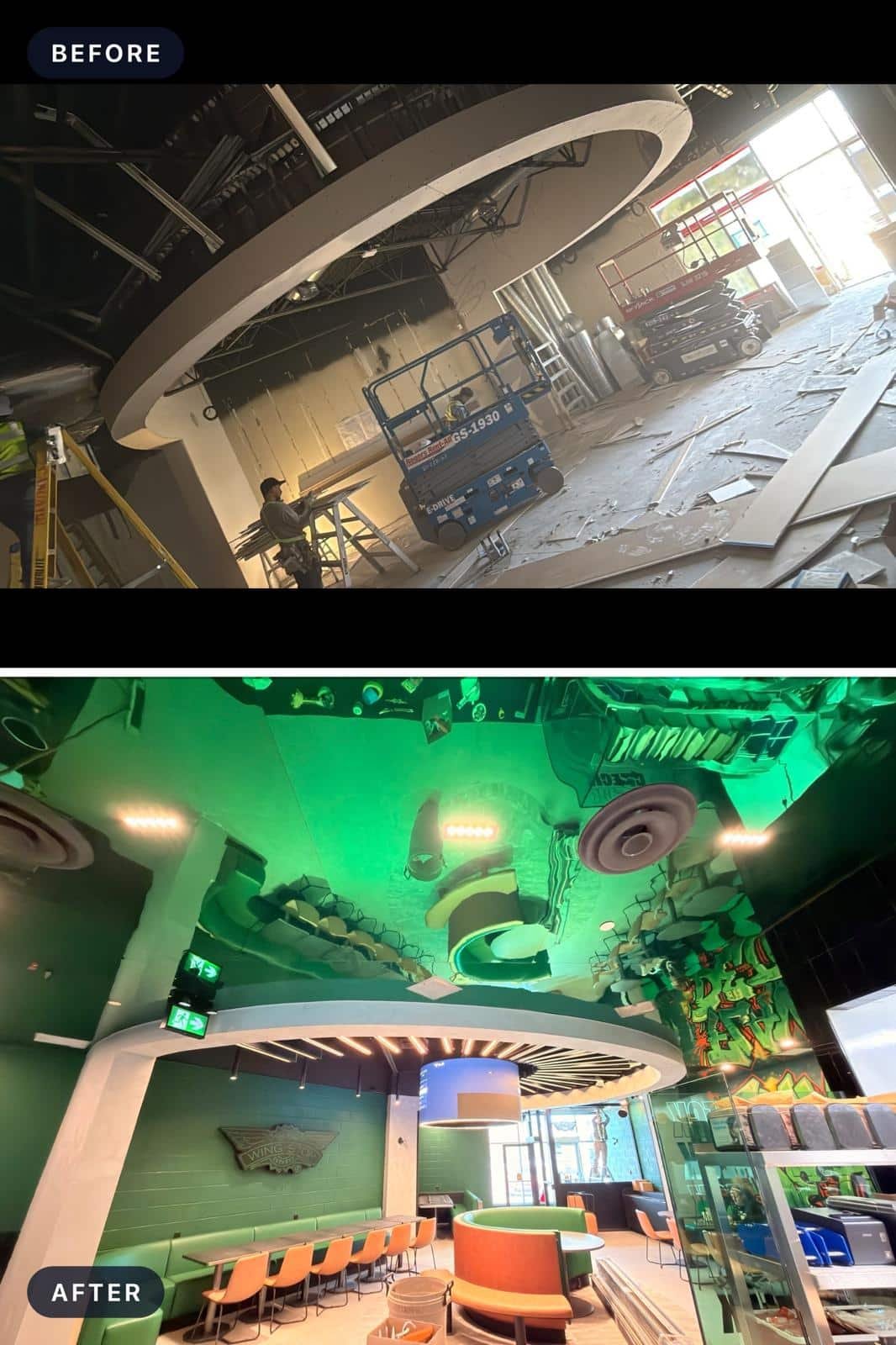
Real job, documented start to finish in SubTrade
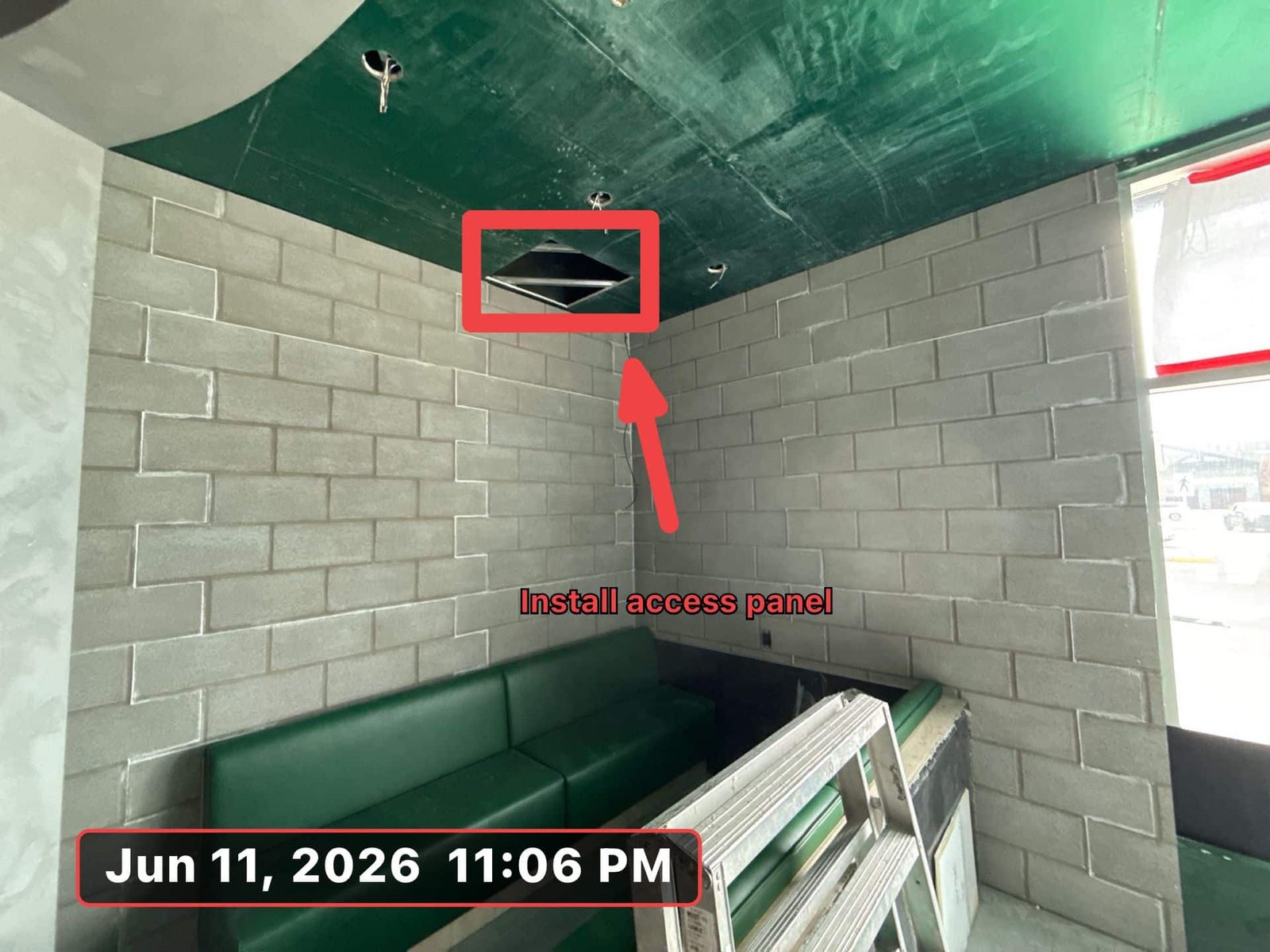
Mark up your photosNew
A photo shows the wall. A markup shows the problem. Draw, circle, drop arrows, and add text right on any site photo, so the crew, the GC, or the inspector sees exactly what you mean without a phone call.
- Draw freehand, circles, and arrows on any photo
- Add text labels right where the issue is
- Original photo stays untouched, markups save as a layer
- Share marked-up photos with the GC or your crew
- Use them in tasks, punch lists, and change orders
Every photo knows who, when & where
Photos taken from the SubTrade mobile app are automatically GPS-tagged with the exact coordinates where they were taken. Add up to 500 characters of notes, and every upload carries the crew member’s profile icon, so accountability is built in.
- Automatic GPS geotag on every mobile photo
- Map view shows the exact location on site
- Date, time, and uploader stamped automatically
- Latest photos visible right on the project dashboard
- Share photos directly from the app
Questions, answered straight
Are photos automatically GPS tagged?
Yes. Photos taken from the SubTrade mobile app are automatically tagged with GPS coordinates, and a map view in the photo detail shows exactly where on site the photo was taken.
How do before and after photos work?
Pair any two photos into a comparison. SubTrade shows them side by side with an interactive slider, and both photos keep their own date, GPS tag, and uploader. Share the pair as one link.
Can I draw on my photos?
Yes. Mark up any photo with freehand drawing, circles, arrows, and text labels. The original photo stays untouched, your markups save as a layer on top.
Can I see who uploaded each photo?
Yes. Every photo displays the uploader’s profile icon, in the grid view, the dashboard quick view, and the full photo detail. You always know who took what.
Can I add notes to photos?
Yes. Add up to 500 characters of notes to any photo, describe what needs to happen, flag an issue, or leave instructions for the crew. Notes are visible to the whole project team.
Can I share photos with the GC?
Yes. Share any photo, marked-up photo, or before and after pair directly from the app. The GC receives it with the date, uploader, notes, and GPS location, no phone call needed.
Proof beats arguments
GPS-tagged photos, before and after pairs, and markups that show exactly what you mean. Set up in under 10 minutes.
No credit card. No setup fees. Cancel anytime.