
This demo showcases how to enable time tracking approval and the time splitting feature in Subtrade, which significantly enhances workflow efficiency.
Go to portal.subtradesoftware.com
Time tracking is essential for understanding how resources are allocated within a project, which can lead to better decision-making. This process helps ensure that every minute spent on a project is accounted for, allowing for accurate billing and improved productivity.
Effective time management is critical for any organization. By implementing time tracking approval and the time splitting features, teams can allocate time more effectively to various tasks, resulting in improved project outcomes.
01
Introduction
You’ll see how these settings help streamline your project management, enhance accuracy, and improve accountability among team members, leading to better project performance.
Utilizing video tutorials can also provide a visual guide for users, making the process of enabling these features even more accessible. Consider watching tutorials that focus on the practical applications of time tracking in real-world scenarios.
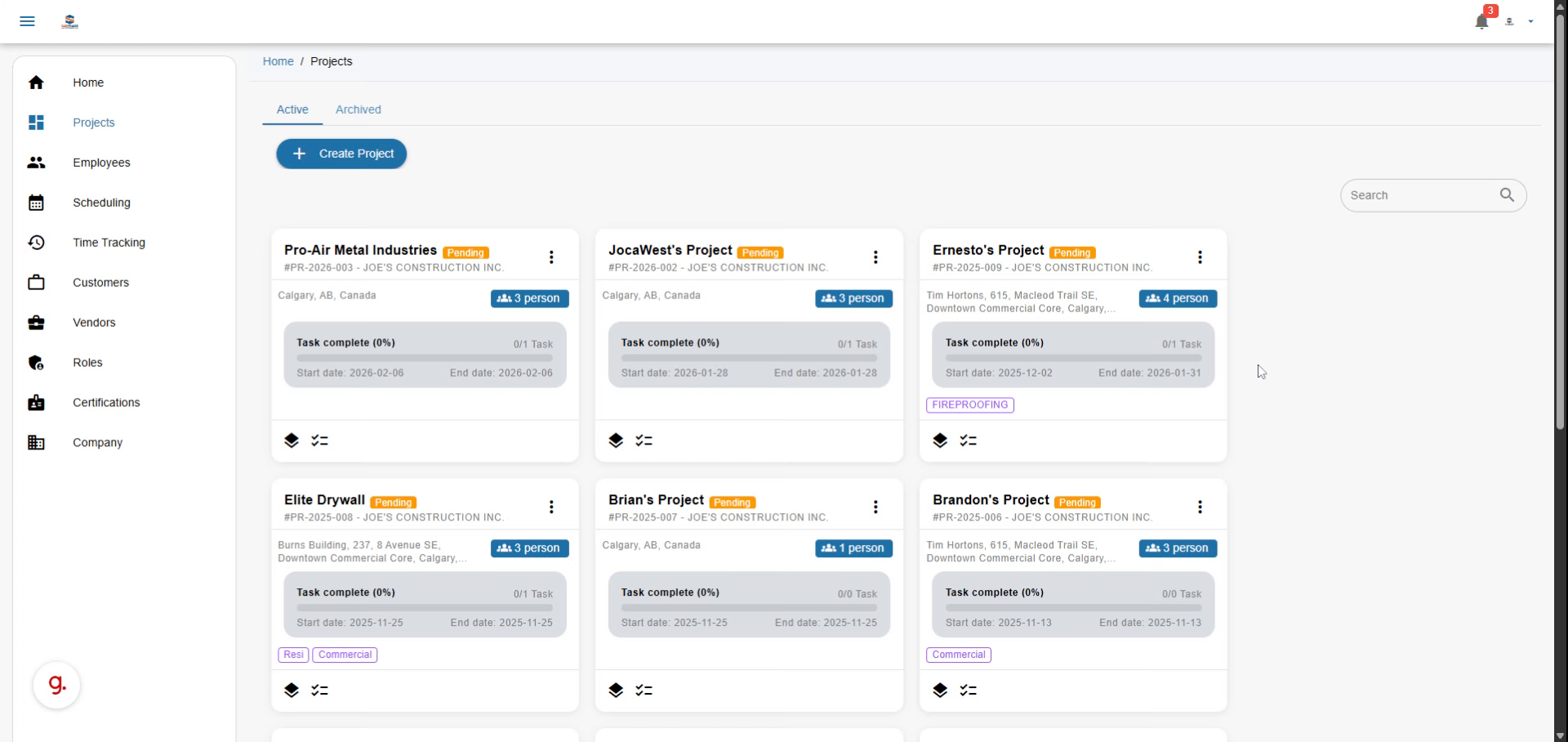
Video content
Understanding the impact of time management on organizational efficiency is vital. By utilizing features like time splitting, teams can break down their work into manageable segments, allowing for greater flexibility and control over how time is allocated.
02
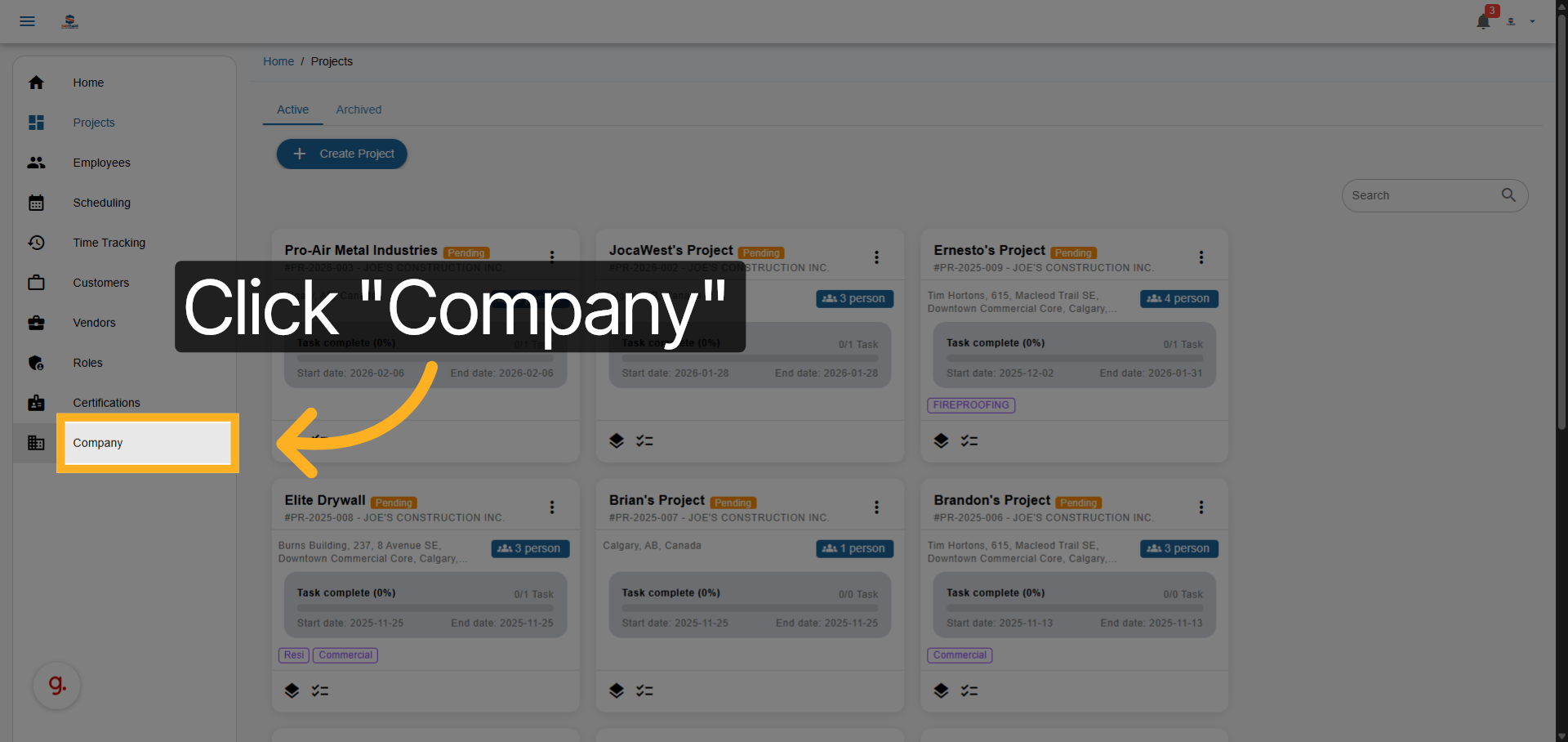
Navigate To Company Section
As you click on settings, take note of how you can customize these features to fit the specific needs of your company, ensuring that your workflow is as efficient as possible.
Click the Company section to access your organization’s main settings.
03
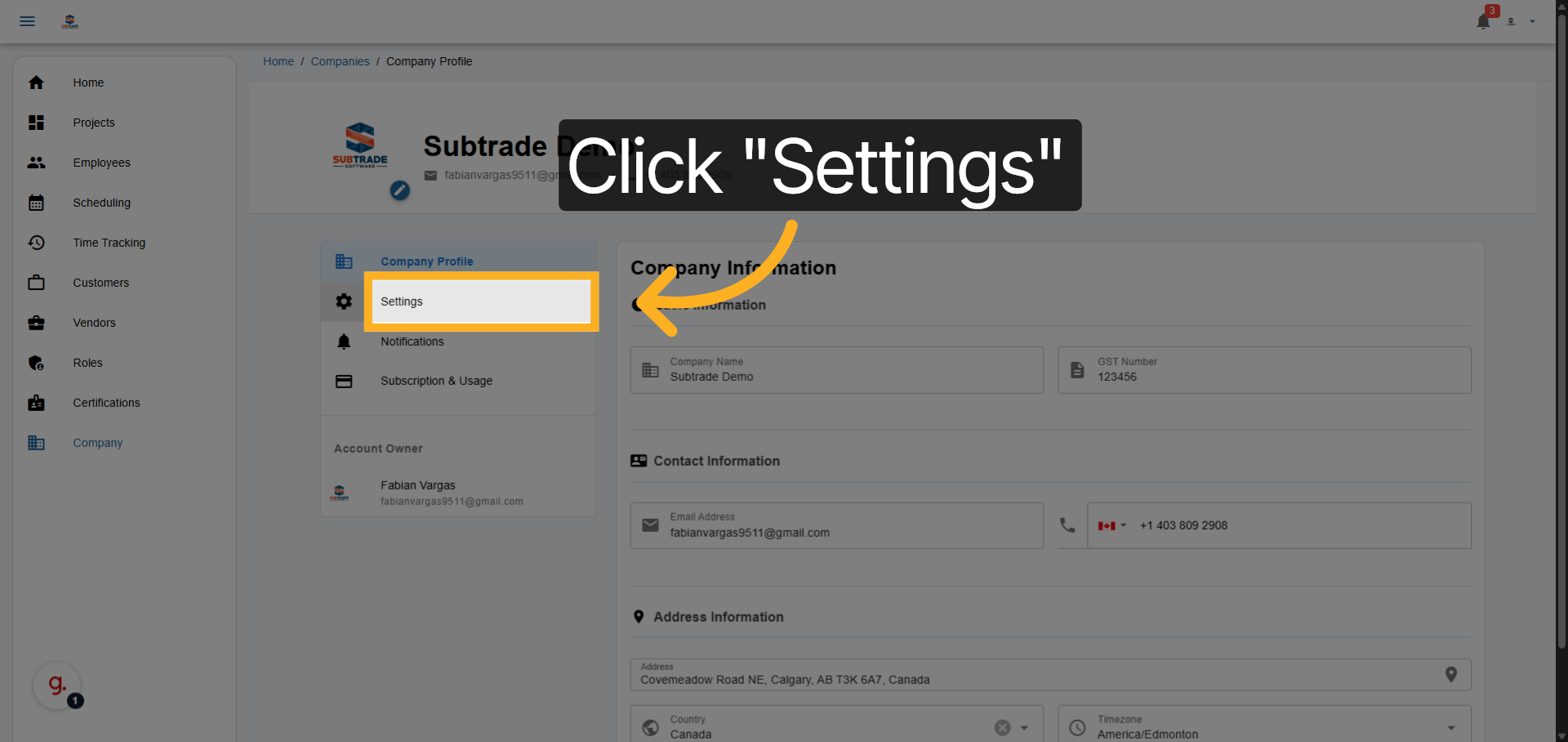
Open Settings Menu
Click Settings to view and modify your company preferences.
04
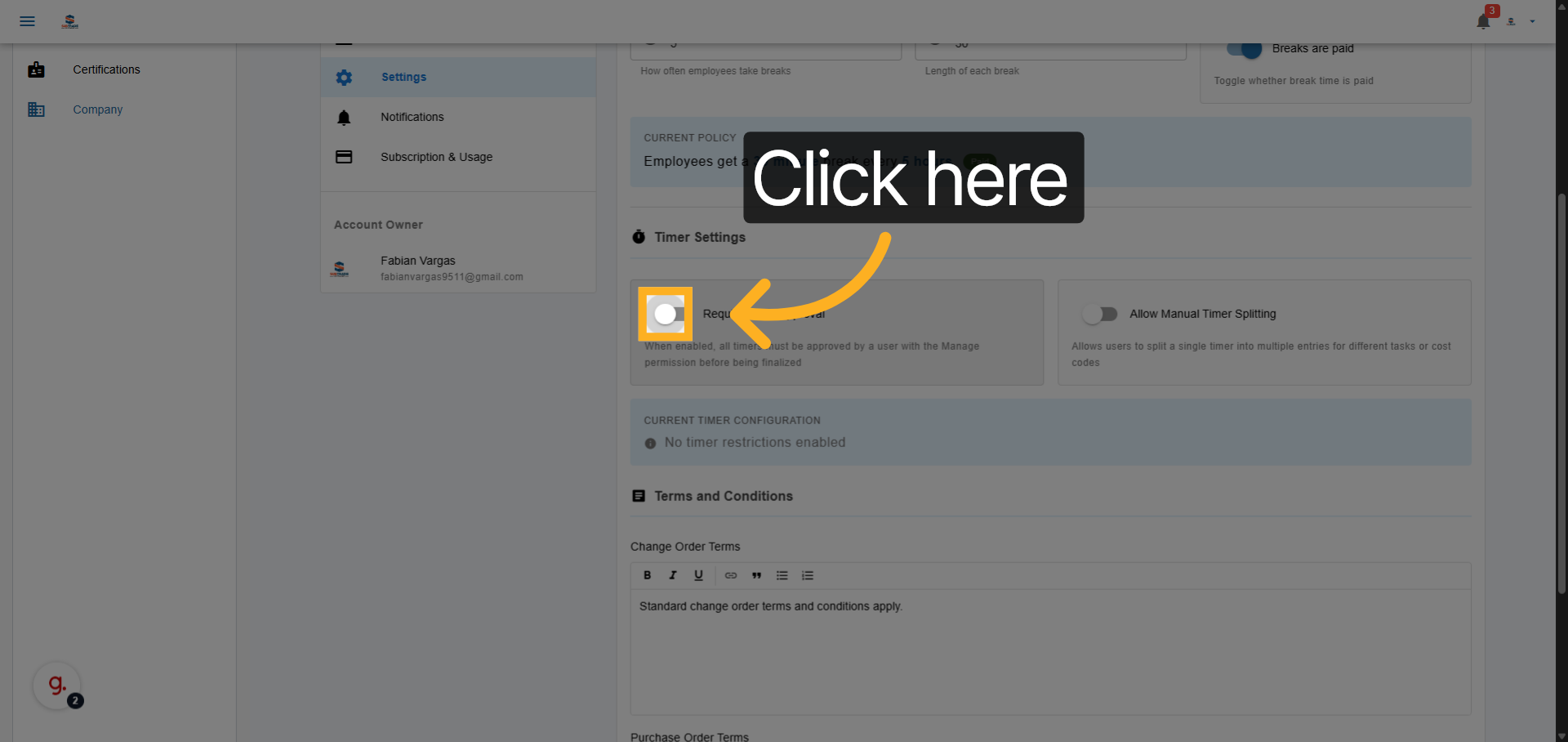
Enable Time Tracking Approval
Click the option to activate time tracking approval, ensuring all logged hours are reviewed.
05
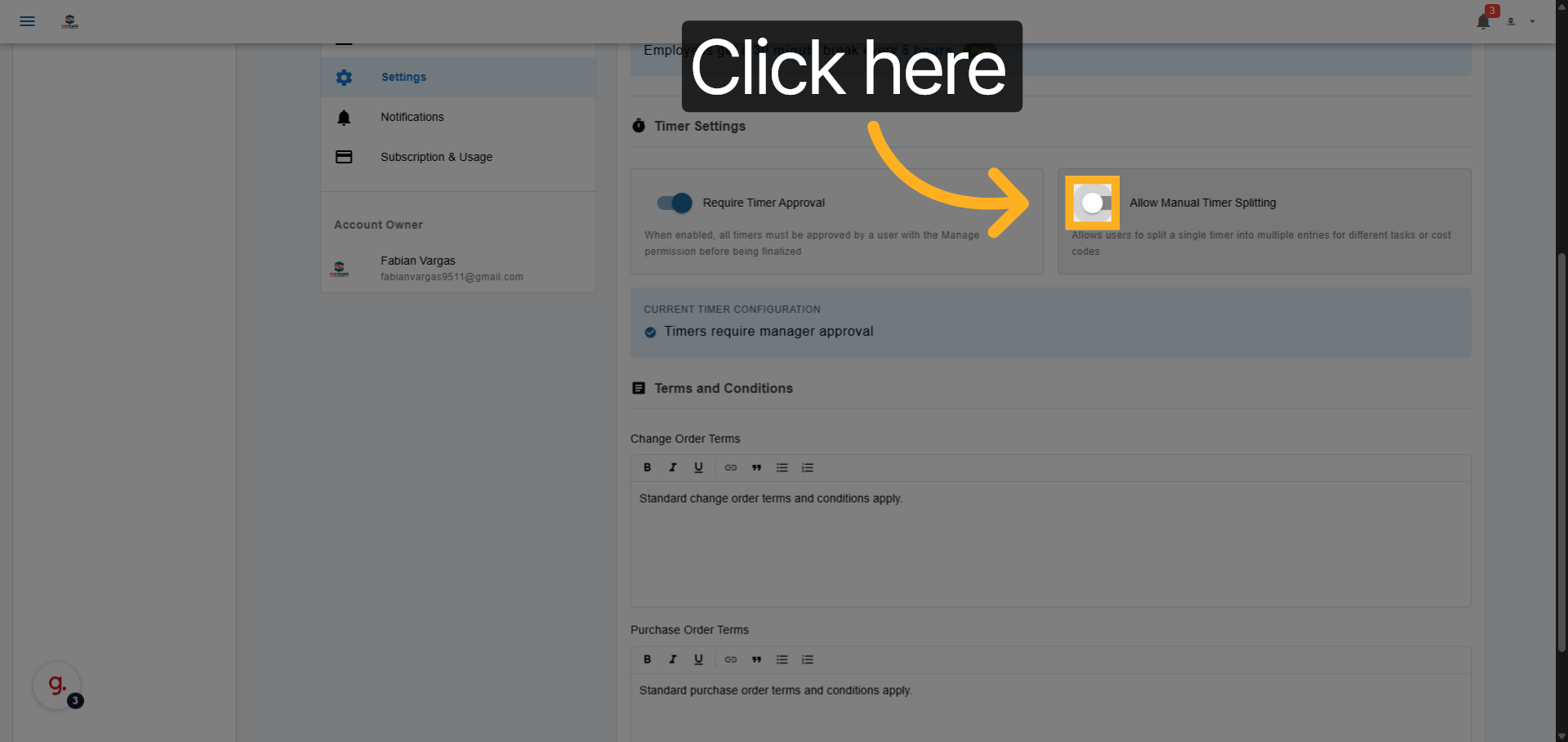
Activate Time Splitting Feature
Click to enable the time splitting feature, allowing you to divide tracked time across multiple tasks.
06
Save Configuration Changes
Click Save Settings to apply your changes and activate the selected features.
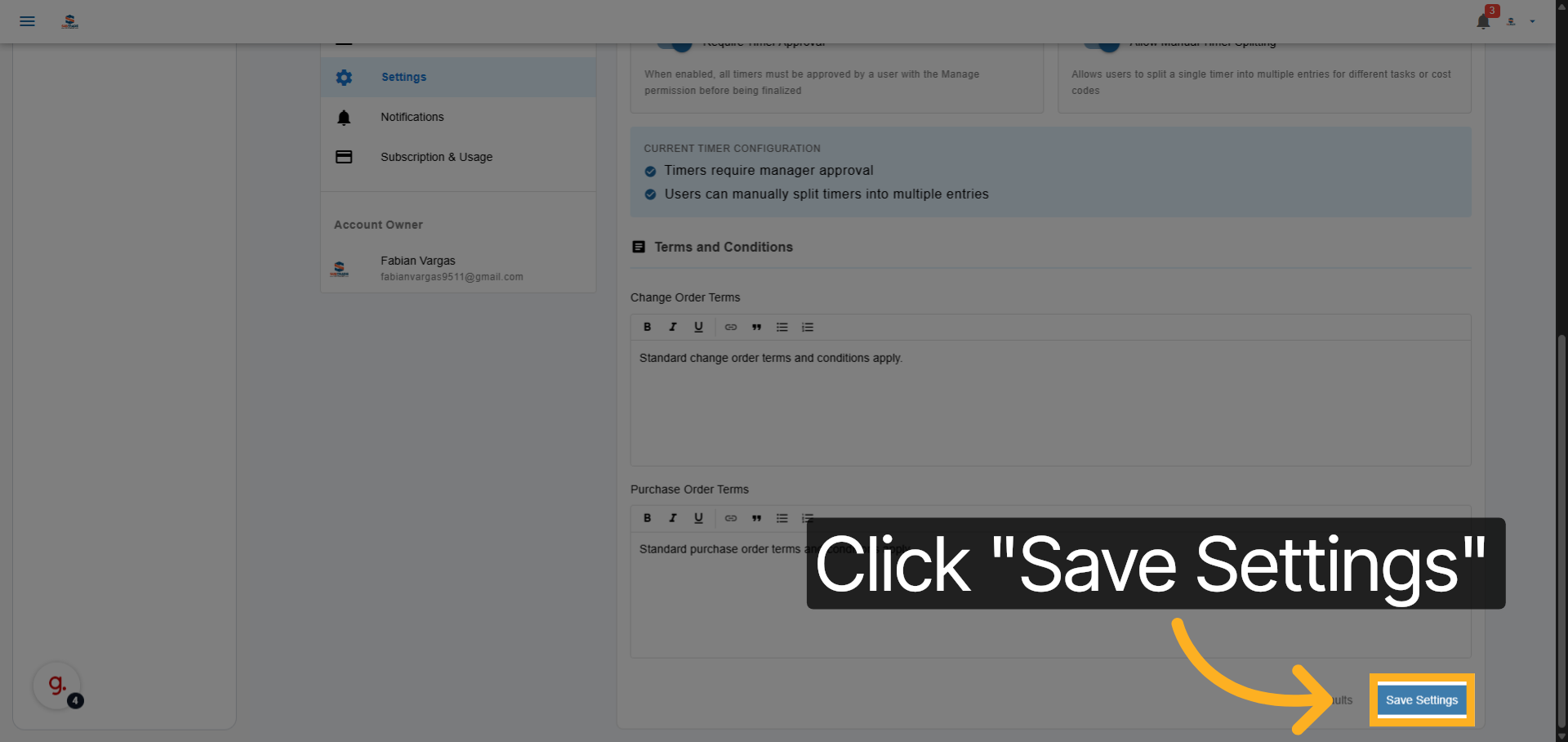
You have successfully activated time tracking approval and the time splitting feature, enhancing your control over project time management. Start using these features now to improve accuracy and streamline approvals.