
Discover how SubTrade Software’s scheduling feature helps you efficiently manage employee shifts and project assignments. This solution streamlines your scheduling process, reducing manual effort and enhancing visibility across your team. By utilizing advanced algorithms, you can optimize your resource allocation, ensuring that every project has the right personnel at the right time.
1. Introduce Scheduling Feature Overview
2. Comprehensive Overview of Scheduling Feature
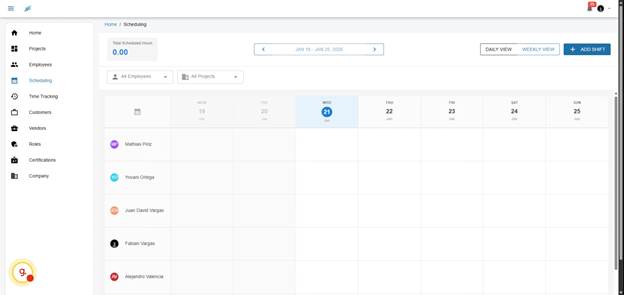
With the scheduling feature, you can not only view your employees but also manage their availability effectively. This section explains how you can customize the interface to suit your needs, ensuring that you have all relevant information at your fingertips.
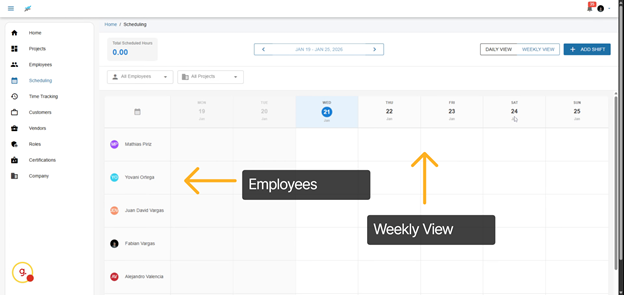
Welcome to the scheduling feature. This tool provides a seamless experience where you’ll see all of your employees on the left side and the weekly view on the top. You can easily drag and drop shifts, making adjustments on-the-fly to accommodate changes in project demands or employee availability.
4. The Importance of Effective Scheduling
Effective scheduling is crucial in any business, particularly in construction and project management. A well-organized schedule enables teams to meet deadlines, manage budgets, and reduce employee burnout. This section elaborates on the benefits of strategic scheduling and how it can directly impact your bottom line.
2. Segment
6. Benefits of Daily and Weekly Views
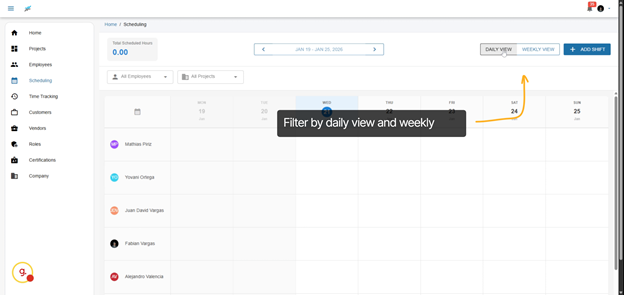
Each view serves a distinct purpose; the daily view is excellent for managing immediate tasks, while the weekly view helps in long-term planning. Understanding how to leverage both views can significantly enhance productivity and project oversight.
3. Scroll Through Weekly Schedules
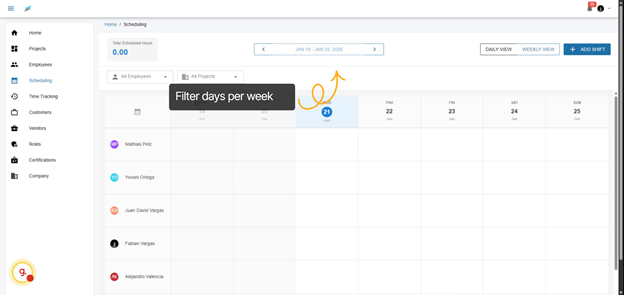
Here you’ll be able to scroll through weeks to review and plan upcoming schedules efficiently. The intuitive interface allows you to see who is available and where gaps may exist, enabling proactive adjustments to meet project timelines.
4. Switch Between Daily and Weekly Views
You have two distinct views: Daily and Weekly.
5. Segment
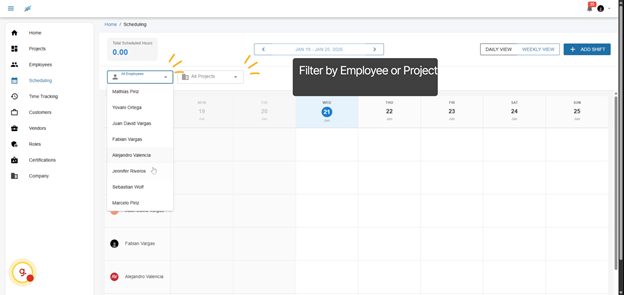
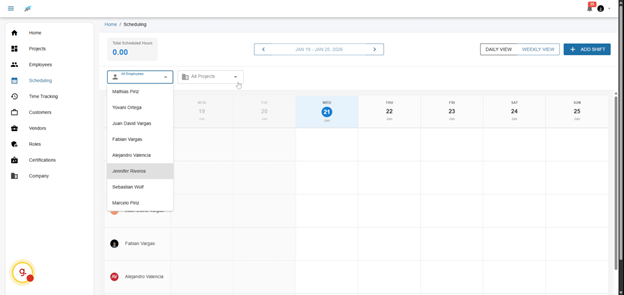
You can filter your calendar by employee or by project name
8. The Role of Automation in Shift Creation
Automation can significantly streamline the process of shift creation. By utilizing preset schedules or recurring shifts, you can save valuable time and reduce the risk of human error, ensuring a more reliable staffing process.
6. Filter Schedules by Projects
10. Advanced Scheduling Techniques
Incorporating advanced scheduling techniques, such as workload balancing and employee preferences, can lead to a more motivated workforce. Discuss how these methods can be integrated into your scheduling process for better results.
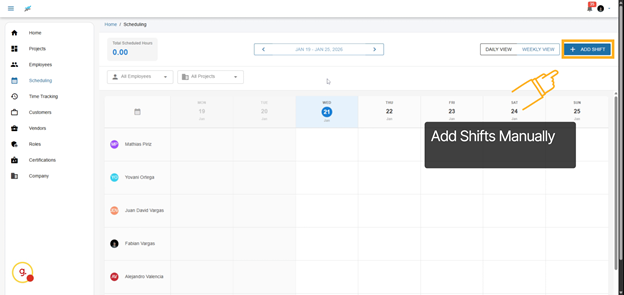
7. Add Shifts Manually
To create a new shift, you can manually add one by clicking this button. Alternatively, navigate to the desired date and click the + button. This flexibility ensures that you can adapt to sudden changes in project requirements or employee schedules with ease.
12. Best Practices for Weekend Scheduling
Understanding how to manage weekend shifts effectively is crucial for many industries. Explore strategies for scheduling weekend work that considers employee preferences and project needs, ensuring a happy and productive workforce.
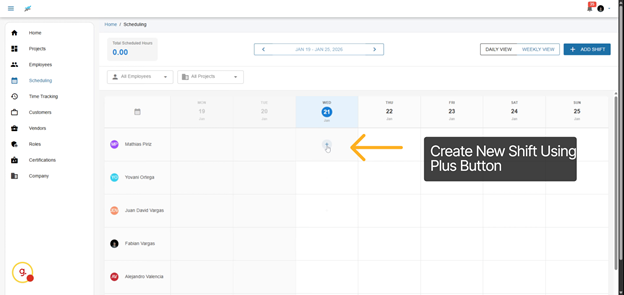
8. Create New Shift Using Plus Button
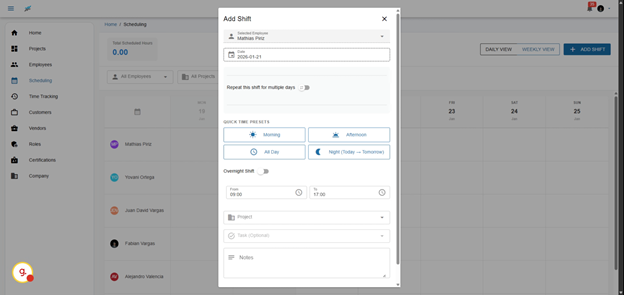
Click the plus button, and it will open the add shift window.
9. Repeat Shifts for Multiple Days
14. Importance of Project-Specific Scheduling
Assigning shifts according to project needs ensures that the right skill sets are available when required. This practice not only enhances efficiency but also fosters a more engaged workforce, as employees feel their skills are valued and utilized effectively.
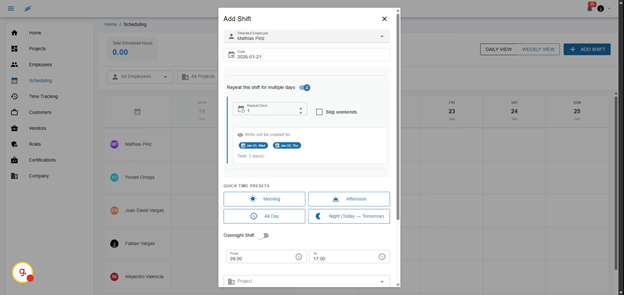
You have several options; you can repeat the shift over multiple days. For instance, the same worker can be assigned to the same job for several days.
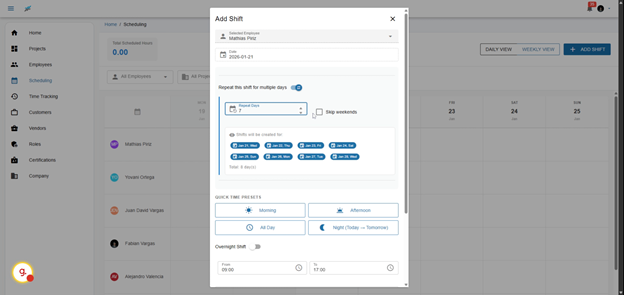
You can set shifts for a duration of up to 7 days, allowing for longer projects without needing constant adjustments. This feature is especially beneficial for roles that require sustained focus over multiple days.
You can go up to 7 days.
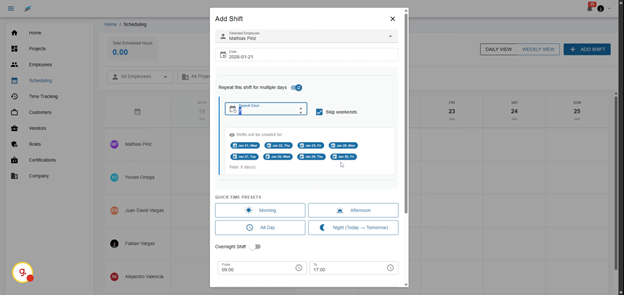
11. Skip Weekends When Scheduling
You have the option to skip weekends, which will automatically configure the system to exclude them.
Final Thoughts on the Scheduling Feature
Taking full advantage of the Scheduling feature empowers project managers and team leaders to create a dynamic and responsive scheduling environment. Implementing these strategies will not only enhance operational efficiency but also contribute to employee satisfaction, leading to long-term success.
In conclusion, this demo showcased how SubTrade Software’s scheduling feature simplifies managing employee shifts across projects, saving you time and improving organization. With the ability to adapt to changes swiftly and maintain clarity on staffing needs, you can optimize your workforce scheduling today by exploring these powerful tools. The effective use of the Scheduling feature can lead to increased productivity and a more harmonious work environment.
12. Use Quicktime Presets for Shifts
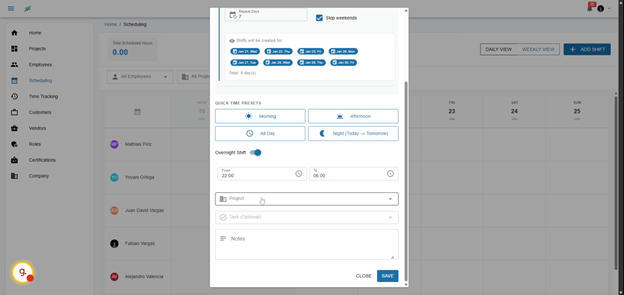
You can set Quicktime presets, which allows you to save time on scheduling. For instance, if you want your employee to work in the mornings, the schedule will adjust from 8:00 a.m. to 12:00 p.m. In the afternoon, the hours will be from 12:00 p.m. to 5:00 p.m. These presets can be tailored to fit your specific needs, making scheduling even more efficient.
13. Select Project for Shift Assignment
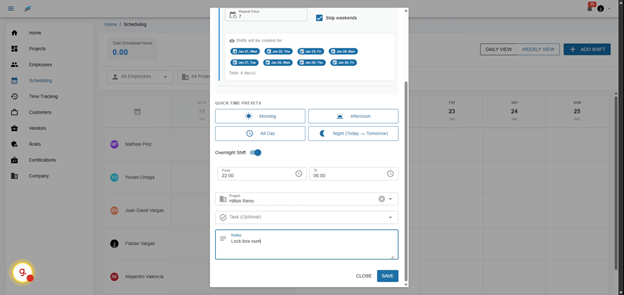
You can then assign a project. By doing so, you will see all of your projects listed here, allowing you to choose a specific project. Additionally, you can select a task.
14. Segment
You’re also able to add notes for example, lock box number.
15. Comprehensive Shift Overview
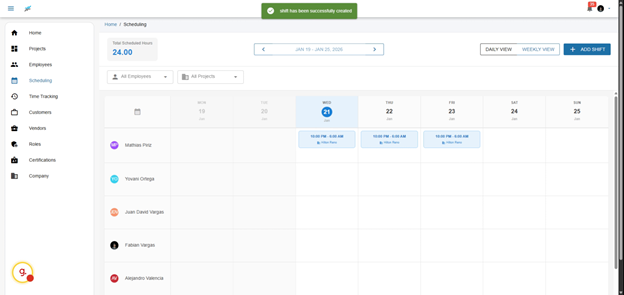
The schedule is complete. You can see that the days are automatically added based on the time information and project name, providing a clear overview of who is assigned where. This transparency helps teams to stay aligned and aware of staffing changes.
The schedule is complete. You can see that the days are automatically added based on the time information and project name.
This demo showcased how SubTrade Software’s scheduling feature simplifies managing employee shifts across projects, saving you time and improving organization. Start optimizing your workforce scheduling today by exploring these powerful tools.