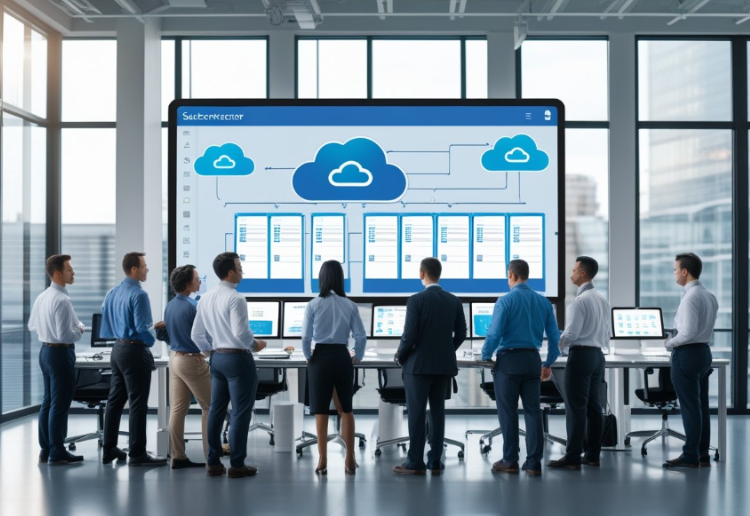
SubTrade’s cloud system offers a streamlined way to centralize all subcontractor contracts, licenses, and permits in one secure platform. This centralized approach reduces errors, improves accessibility, and keeps projects on schedule by ensuring that everyone has the latest documents.
Beyond simple storage, SubTrade’s cloud platform provides tools for accurate tracking and real-time updates, making it easier to manage approvals and compliance. This system eliminates the confusion caused by version control issues and paper-based processes, helping construction teams focus on productive work rather than administrative bottlenecks.
By using SubTrade’s cloud system, teams can enhance collaboration across all subcontractors and project stakeholders. Ease of access paired with robust digital management capabilities translates into fewer miscommunications and smoother project execution.
Key Takeways
- Centralized document storage boosts efficiency and reduces project risks.
- Real-time updates simplify compliance and approval tracking.
- Digital tools improve collaboration among subcontractors and teams.
Benefits of Centralizing Subcontractor Documents
Centralizing subcontractor documents streamlines how information is stored, shared, and managed across all project stakeholders. This process boosts efficiency by improving document order, enabling smoother teamwork, and cutting down on time spent managing paperwork.
Improved Access and Organization
Centralized storage ensures that all subcontractor documents, including contracts, compliance records, and change orders, are kept in one place. This reduces time spent searching across emails or multiple platforms.
Files can be organized into folders and categories, making retrieval faster and more intuitive. Authorized team members access updated documents instantly, which prevents errors caused by outdated versions.
Cloud-based systems also allow remote, secure access, which supports on-site teams and office staff alike. This accessibility helps maintain consistency and accuracy across the project lifecycle.
Enhanced Collaboration and Communication
With all documents centralized, communication between general contractors, subcontractors, and project managers becomes more transparent and timely. Real-time updates and shared access reduce misunderstandings and information gaps.
Team members can comment, review, and approve documents within the system, streamlining feedback loops. This collaborative workflow helps identify issues sooner and align project goals clearly.
Centralized systems often include notifications and audit trails, improving oversight and accountability among all parties involved.
Reduced Administrative Burden
Centralizing documents decreases the manual work related to sorting, filing, and distributing paperwork. Automated workflows handle document routing, reminders, and approvals, freeing up administrative resources.
Subcontractors’ profiles and document submissions can be managed consistently, lowering the risk of missing or incomplete paperwork. Standardized processes reduce errors and simplify compliance tracking.
This efficiency in document handling contributes to faster project timelines and reduced overhead costs related to document management.
SubTrade’s Cloud System: Core Features
SubTrade’s cloud system offers centralized management with strong security, real-time collaboration, and precise user controls. Its key features focus on efficient document handling, instant updates, and strict access management to streamline subcontractor workflows.
Document Storage and Security
The system centralizes all subcontractor documents, including contracts, licenses, insurance certificates, and permits, in a secure cloud repository. It uses encryption and multi-layer security protocols to protect sensitive data from unauthorized access.
Documents are organized with customizable categories and tags for easy retrieval. Automatic backups ensure document integrity and prevent data loss. Version control tracks changes, allowing team members to access and restore previous document versions when necessary.
SubTrade’s storage complies with industry standards and legal requirements, supporting audit readiness. This reduces risk and keeps all critical documentation accessible in one protected platform.
Real-Time Updates and Tracking
SubTrade enables real-time tracking of subcontractor activities and document statuses. Changes to contracts, approvals, or certifications are instantly visible across all users connected to the project.
Notifications alert users about pending document reviews, renewals, or upcoming deadlines, helping to avoid compliance lapses. The system also logs timestamped updates for transparent record-keeping.
Dashboards provide at-a-glance summaries of subcontractor progress, current submissions, and outstanding tasks. This real-time visibility facilitates proactive decision-making and reduces administrative delays.
Role-Based Access Controls
Access to the system is managed through defined roles, ensuring users only see documents and information relevant to their responsibilities. Roles can be customized to fit different project structures or security policies.
Permissions control who can view, edit, upload, or approve subcontractor documents. This minimizes the risk of unauthorized changes and supports accountability.
Administrators can quickly adjust access levels as project teams evolve. Audit trails record user activity linked to access control, further enhancing security and regulatory compliance.
Implementing SubTrade for Subcontractor Management
Implementing SubTrade involves a streamlined setup process and smooth integration into existing workflows. It focuses on quick onboarding and minimal disruption while enhancing document control and communication.
Onboarding and Setup Process
SubTrade’s onboarding begins with creating user profiles and establishing permission levels for project managers and subcontractors. The system guides administrators through uploading essential documents such as contracts, licenses, and insurance certificates.
Users can import existing subcontractor data via CSV files or direct cloud uploads, reducing manual entry. Training modules are available to familiarize teams with the platform’s document tracking, compliance checks, and communication tools.
Setup also includes customizing notification preferences to ensure timely alerts about contract renewals and task deadlines. This structured approach helps teams start using SubTrade efficiently within days rather than weeks.
Integration with Existing Workflows
SubTrade supports integration with popular project management and communication tools to fit seamlessly into ongoing operations. Its API allows synchronization with scheduling software, bid management platforms, and financial systems.
The cloud-based system replaces scattered emails and paper documents, consolidating subcontractor information in one accessible location. Real-time updates enable project teams to track subcontractor performance and compliance without switching platforms.
This integration reduces administrative workload by automating data flow between systems. Teams maintain established workflows while benefiting from improved subcontractor document management and increased transparency.
Maximizing Efficiency with Digital Document Management
Digital document management streamlines subcontractor workflows by ensuring compliance tasks are automated and document versions remain organized. These features reduce manual errors and save time, enabling projects to maintain regulatory standards and clear communication.
Automated Compliance Checks
Automated compliance checks within a cloud system continuously monitor subcontractor credentials, licenses, and certificates. The system sends alerts for upcoming expirations, reducing the risk of using subcontractors with outdated or missing documents.
This automation supports real-time compliance tracking, eliminating manual cross-checking and minimizing administrative overhead. Companies can customize workflows to require automatic verification before contractor approval. This assures regulatory standards are met consistently and promptly.
The system also keeps audit trails, proving compliance during reviews. Overall, automated compliance checks reduce delays caused by missing or invalid documents and help maintain uninterrupted project progress.
Version Control Best Practices
Version control in a centralized cloud system tracks all document revisions automatically. This prevents confusion by clearly labeling the latest versions and keeping a history of changes accessible.
Best practices include setting permissions that restrict who can edit documents, ensuring changes are made only by authorized personnel. Notifications can alert stakeholders when updates occur, keeping everyone informed.
A well-implemented version control system allows easy document comparison across versions. This transparency helps resolve disputes and verify that all parties have reviewed the most current agreements or plans. This practice simplifies collaboration and reduces costly mistakes due to outdated information.
Frequently Asked Questions
SubTrade’s cloud system focuses on securing subcontractor documents, ensuring reliable data management, and enabling controlled access. It supports integration with existing tools and offers features to facilitate collaboration and document availability.
How does SubTrade ensure the security of subcontractor documents stored in its system?
SubTrade employs encryption protocols to protect documents both in transit and at rest. The system uses secure servers with regular security audits to minimize vulnerabilities.
Can SubTrade integrate with other project management tools currently used by contractors?
Yes, SubTrade supports integration with popular project management platforms. This allows seamless synchronization of subcontractor data and documents across systems.
Is there an offline access feature for documents stored on SubTrade’s cloud system?
SubTrade provides limited offline access through cached files. Users can view and work on certain documents offline, with updates syncing once they reconnect.
What measures does SubTrade have in place for data backup and recovery?
Automatic backups are performed regularly to prevent data loss. SubTrade maintains multiple recovery points to restore documents quickly in the event of system failures.
How does SubTrade manage access control and permissions for sensitive documents?
The system allows administrators to assign role-based permissions. This restricts document access to authorized users only, with detailed activity logs for accountability.
Does SubTrade’s cloud system offer real-time collaboration features for subcontractor documents?
SubTrade supports real-time document editing and commenting. Multiple users can collaborate simultaneously, ensuring up-to-date information and reducing version conflicts.