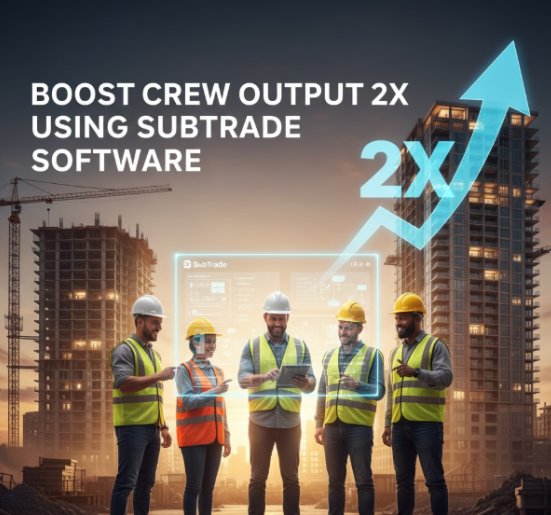
SubTrade Software helps to boost crew output and field crews work more efficiently by streamlining daily tasks like scheduling, logging, and job cost tracking. Its mobile-friendly design ensures technicians can easily access and update information on the go, reducing downtime and boosting productivity.
By using SubTrade Software, crews can effectively double their output through better organization and real-time communication. This allows teams to focus on their work instead of managing paperwork or chasing updates, leading to faster project completion without sacrificing quality.
Its features also include milestone tracking and resource optimization, which help supervisors allocate labor and materials more strategically. These tools contribute to smoother workflows and fewer delays, making SubTrade a practical solution for subcontractors aiming to enhance crew performance. For more details, see SubTrade’s software overview.
How SubTrade Software Doubles Crew Productivity
SubTrade Software streamlines workflows with precision, reducing downtime and improving coordination. It focuses on key areas including task management, monitoring progress in real-time, and analyzing team performance.
Automated Task Allocation
The software automatically assigns tasks to crew members based on their skills, availability, and current workload. This ensures every worker is optimally utilized without manual scheduling errors. It minimizes idle time by dynamically redistributing tasks when delays or changes occur.
By integrating crew qualifications into the allocation process, SubTrade reduces mismatches between skills and job demands. This targeted assignment boosts efficiency and helps maintain a steady workflow.
Task notifications are sent directly to mobile devices, keeping everyone aligned and reducing miscommunication. This system supports quick adjustments on the ground, which leads to faster project progress and less downtime.
Real-Time Progress Tracking to Boost Crew Output
SubTrade Software provides real-time updates on project status and crew activities through mobile tools optimized for field use. Managers can track completed work, identify delays, and adjust schedules immediately.
Daily logs, punch items, and crew hours are recorded live, ensuring accurate data collection without redundant paperwork. This transparency keeps all stakeholders informed and reduces the need for constant check-ins.
Field workers and supervisors receive instant feedback, which helps resolve bottlenecks quickly. The centralized data also improves coordination between the field and office, aligning resources to meet project timelines.
Performance Analytics Integration
The platform aggregates team data to generate actionable insights on productivity patterns, resource allocation, and potential issues. These analytics help managers identify strengths and areas needing improvement.
Key metrics such as task completion rates, crew utilization, and time efficiency are visualized in easy-to-understand dashboards. This allows quick decision-making based on solid evidence rather than guesswork.
By continuously monitoring performance trends, SubTrade supports proactive management. This reduces errors and accelerates service, leading to more consistent output from the crew over time. For more on task management and enhanced collaboration, see SubTrade’s official site.
Key Features Enhancing Crew Output
SubTrade Software incorporates differentiated tools that streamline task handling, improve communication, and adapt to unique project needs. Its design supports varying operational demands while maintaining productivity and clarity.
Centralized Project Management
SubTrade provides a single platform where all project details are organized and accessible. This centralization lets teams track progress, deadlines, and resources in real time. Users can assign tasks, monitor completion status, and adjust plans immediately to avoid bottlenecks.
The interface supports multiple projects simultaneously without losing clarity. It includes dashboards that highlight priority items, upcoming deadlines, and potential risks. This structure enables precise oversight and quick decision-making.
Metrics and reports are generated automatically, delivering insights about crew performance and task duration. These features reduce manual tracking and help managers focus on optimizing workflow rather than administrative duties.
Seamless Communication Tools
SubTrade integrates messaging, file sharing, and notifications to ensure teams stay connected. Its communication tools eliminate the need to switch between apps, reducing lost information and delays.
Real-time chat supports direct conversations and group discussions, while keeping a log for future reference. File attachments sync with tasks so that relevant documents are always easy to find.
Notifications can be customized by role or project, ensuring that crew members receive timely alerts relevant to their responsibilities. This targeted system prevents information overload and keeps the team focused on priority updates.
Customizable Workflow Templates
The software offers templates that can be tailored to specific project types or team preferences. Custom workflows allow crews to standardize processes while adapting steps for unique requirements.
Users can define task sequences, assign roles, and set conditional actions that automate routine decisions. This consistency minimizes errors and speeds up task transitions.
Templates are reusable and adjustable, supporting continuous improvement as projects evolve. Teams can experiment with configurations to find the most efficient workflows without rebuilding plans from scratch each time.
Mobile Accessibility
SubTrade’s mobile interface ensures that crew members can manage tasks and communicate while offsite or on the move. The app includes key features found in the desktop version, optimized for smaller screens and touch interaction.
Mobile access supports task updates, message responses, and document uploads in real time. This reduces delays caused by waiting for team members to return to offices or desks.
Offline capabilities allow users to continue working without an internet connection; changes sync automatically when reconnected. This reliability helps maintain momentum in environments with variable connectivity.
Implementing SubTrade Software for Maximum Efficiency
Successful implementation requires clear steps in training, system integration, and workflow monitoring. Each aspect plays a key role in leveraging SubTrade software to its full potential and effectively doubling crew output.
Training and User Onboarding
Proper training ensures users quickly adopt SubTrade software’s features without disruption. Structured onboarding should start with hands-on sessions covering core functions like project tracking, bid management, and document uploads.
Providing easy access to tutorials and user guides supports continuous learning. It is critical to assign dedicated staff or champions who can assist the crew during the initial weeks. This reduces errors and speeds up confidence in using the platform.
Regular refresher sessions help keep users updated on new features and best practices. Tracking training progress and gathering feedback allows customization of materials to address specific crew challenges.
Integrating With Existing Systems
SubTrade software should seamlessly connect with tools already in use, such as accounting software, scheduling platforms, or ERP systems. Integration avoids duplicate data entry and reduces workflow disruptions.
APIs or built-in connectors are vital for syncing project data and financial information across systems. Compatibility assessment before implementation identifies potential conflicts or gaps.
A phased integration approach minimizes risks, starting with critical functions and expanding gradually. Involving IT specialists ensures smooth data migration and system stability. Clear communication with all teams about changes helps maintain productivity during this process.
Monitoring and Adjusting Workflows
Continuous monitoring of workflows within SubTrade software reveals bottlenecks and efficiency opportunities. Dashboards and reporting tools provide real-time insights into crew performance and project progress.
Establishing key performance indicators (KPIs) such as bid response time, task completion rates, and communication efficiency allows tracking improvements quantitatively. Regular review meetings enable managers to adjust task assignments or software settings.
Adapting workflows based on data-driven findings supports ongoing efficiency gains. It is also important to encourage user feedback to identify practical obstacles that analytics may overlook. This iterative process strengthens software adoption and maximizes output.
For detailed guidance on optimizing subcontractor workflows with software, see the article on subcontractor management software.