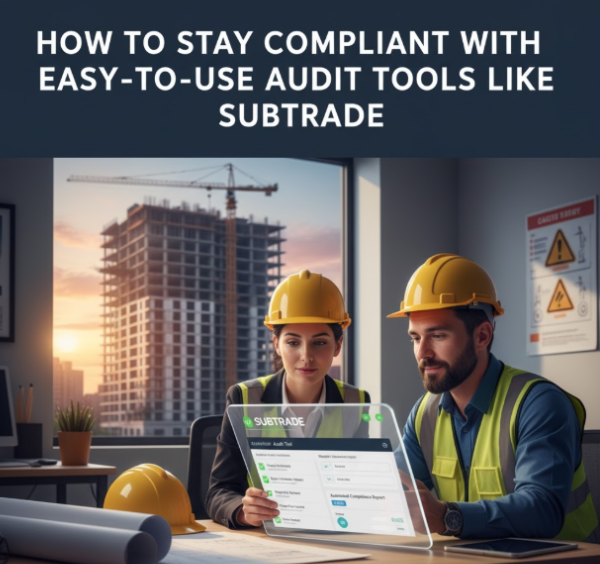
Staying compliant with industry regulations is essential for businesses to avoid risks and penalties. Tools like Subtrade simplify this process by automating audit tasks, tracking regulatory changes, and providing clear reporting. Using easy-to-use audit tools like Subtrade ensures organizations can efficiently manage compliance without the complexity of manual efforts.
Subtrade helps reduce errors and saves time by centralizing compliance data and streamlining audit workflows. This approach allows teams to focus on strategic priorities rather than administrative burdens.
By adopting intuitive software solutions, companies can maintain updated records, stay audit-ready, and respond quickly to compliance requirements, making the entire process more manageable and less stressful. For more on effective compliance solutions, explore options like easy-to-use audit tools.
Understanding Compliance with Audit Tools
Compliance requires meeting specific regulatory standards while maintaining accurate and organized documentation. Audit tools help track these requirements efficiently, identify risks, and reduce errors during audit preparation and execution.
Key Compliance Requirements
Organizations must follow regulations that vary by industry, such as data protection, financial reporting, and safety standards. Compliance involves documenting policies, performing regular risk assessments, and ensuring employee training aligns with legal mandates.
Regular monitoring, clear audit trails, and timely reporting are essential elements. Failure to meet these can result in penalties or operational disruptions. Staying current with evolving regulations is crucial, making automated tools invaluable to managing updates and adjusting compliance measures.
How Easy-to-Use Audit Tools Simplify Compliance
Easy-to-use audit tools automate routine tasks like scheduling, data collection, and reporting. They integrate with existing systems to provide real-time compliance status, reducing manual errors and administrative burden.
Features often include customizable checklists, automated alerts, and centralized dashboards for monitoring progress. These tools streamline evidence gathering and provide organized documentation to support audit readiness. Their user-friendly interfaces enable team collaboration without requiring extensive technical expertise.
Using such tools improves accuracy and efficiency, enabling organizations to focus resources on addressing compliance gaps rather than administrative tasks. They also help maintain consistent adherence to policies across departments.
Common Audit Challenges Businesses Face
Businesses frequently struggle with incomplete or outdated documentation, inconsistent compliance practices, and resource limitations. Manual audit processes consume significant time and increase the risk of human error.
Difficulty tracking regulatory changes and integrating compliance data from multiple sources can complicate audit preparation. Communication gaps between departments may delay issue identification and resolution.
Audit tools address these challenges by centralizing information and automating updates. Still, resistance to adopting new technology and lack of training can hinder their effectiveness. Ensuring proper implementation and organizational buy-in is critical to overcoming these barriers.
For more detail on compliance principles and audit management technology, see the guide on compliance audit automation.
Getting Started with Subtrade
Starting with Subtrade involves carefully setting up the account details, aligning the software with existing workflows, and customizing compliance settings to match project needs. Each step ensures the tool fits the operational and regulatory requirements seamlessly.
Setting Up Your Subtrade Account
Creating a Subtrade account begins with user registration and defining roles within the platform. Users must input essential company information including legal names, tax identification, and contact details.
Next, administrators assign permissions through role management, controlling access to sensitive data. This prevents unauthorized changes and maintains data integrity.
New employees or subcontractors can be added quickly by following the platform’s user creation process, ensuring the right personnel are involved in project tracking. The setup typically takes just a few minutes, allowing rapid onboarding.
For visual guidance, tutorials like the one on Setup New Employees FAST in SubTrade assist users in completing this phase accurately.
Integrating Subtrade with Existing Processes
Subtrade must align with a company’s current workflows, especially in project management and timesheet tracking. Integration includes linking digital timesheets to payroll systems and syncing project schedules to maintain consistency.
It supports automated bid management, which accelerates securing and managing contracts without manual errors. Companies often find this reduces administrative overhead.
Existing compliance documentation and checklist processes can be imported or recreated within Subtrade’s digital platform. This centralizes record-keeping and facilitates real-time progress monitoring.
Using Subtrade in conjunction with other tools requires initial setup of data sharing protocols, ensuring seamless flow of information and minimizing duplication.
Configuring Compliance Preferences
Users should tailor compliance settings in Subtrade according to industry regulations and project requirements. This involves selecting applicable standards like OSHA safety guidelines or local construction codes.
The software allows custom alerts for deadlines on inspections, certifications, and document submissions, helping avoid costly compliance failures.
Subtrade’s audit tools track and document subcontractor performance and regulatory adherence, making it easier to prepare for official inspections or internal reviews.
Configuring these preferences ensures the system proactively manages risk and aligns reporting with company policies and legal obligations. More on managing compliance in construction can be found at Subcontractor’s Guide to Construction Compliance.
Maintaining Compliance Using Automation
Automation streamlines key compliance tasks by reducing manual work and enhancing accuracy. It improves real-time tracking, timely alerts, and detailed record-keeping, making compliance management more efficient and reliable.
Automated Monitoring and Reporting
Automated monitoring continuously tracks compliance activities across systems without human intervention. This eliminates gaps caused by manual checks and ensures consistent adherence to policies.
Reports are generated in real-time, providing up-to-date data on compliance status. These reports can be customized to highlight specific metrics, helping organizations quickly identify issues or trends.
Automation also supports scheduled reporting, enabling teams to maintain regular oversight without extra workload. Centralized dashboards give a clear view of compliance performance, aiding swift decision-making.
Managing Compliance Notifications
Automated systems send notifications to alert relevant personnel when compliance issues arise. These alerts can be tailored by severity and type, ensuring critical problems receive immediate attention.
Notifications often include actionable details such as root cause or remediation steps. This helps teams respond promptly and minimize risk.
Users can set thresholds for notifications, preventing overload with unnecessary messages. Effective notification management keeps compliance tasks visible and prioritized in daily workflows.
Tracking Audit Trails
Audit trails document every compliance-related action, ensuring a transparent record for reviews and investigations. Automation captures these records accurately and consistently.
These logs include timestamps, user actions, and system changes, providing verifiable evidence during audits. Storing audit trails in a centralized, secure location facilitates easy retrieval.
Automated tracking reduces errors or missing data often seen in manual logs. It enhances accountability and simplifies demonstrating compliance to regulators or stakeholders.
For more on compliance automation tools that simplify these processes, see Compliance Automation: How It Works and How to Implement It.
Ensuring Ongoing Compliance and Improvement
Maintaining compliance requires regular evaluation, assessment, and policy updates based on real data. Automated audit tools simplify these processes by providing actionable insights and clear documentation.
Reviewing Compliance Performance
Regularly reviewing compliance data helps identify patterns and gaps in adherence to regulations. Subtrade’s audit tools collect and organize information, enabling efficient tracking of compliance metrics over time.
This review should include analysis of completed audits, identified issues, and resolution status. Visual dashboards and reports assist compliance teams in spotting recurring problems early.
Tracking performance against set goals ensures accountability and highlights areas needing attention. Documented reviews support transparency during external audits and regulatory checks.
Conducting Periodic Assessments
Periodic compliance assessments confirm if processes continue to meet evolving standards. Using Subtrade, organizations can schedule and automate these assessments to maintain consistency.
Assessments should cover all relevant departments and focus on high-risk areas identified in prior reviews. Automation reduces manual effort and minimizes errors in data collection.
Frequent assessments allow companies to adapt to regulatory updates quickly and demonstrate ongoing commitment to compliance. Consistent reassessments foster a proactive rather than reactive compliance culture.
Updating Policies with Insights from Audit Tools
Audit tools generate detailed findings that can inform necessary policy updates. Subtrade’s features offer clear records of non-compliance incidents and root causes, supporting targeted changes.
Organizations should use this data to refine control measures, standard operating procedures, and training materials. Policies must reflect current regulatory demands and operational realities.
Embedding continuous feedback loops ensures policies evolve with each audit cycle. Clear documentation of policy changes also aids regulatory reporting and employee communication.
Faqs
How does Subtrade simplify compliance for businesses?
Subtrade automates audit tasks, tracks regulatory changes, and provides clear reporting, reducing errors and saving time by centralizing compliance data.
Why choose Subtrade for audit management?
Its user-friendly tools, like customizable checklists and automated alerts, streamline compliance and ensure audit readiness. Learn more at Subtrade Software.
What are common compliance challenges in construction?
Incomplete documentation, tracking regulatory changes, and manual errors often hinder compliance, but automated tools centralize data and reduce risks.
How does Subtrade’s automation improve audit processes?
Automation tracks compliance, sends tailored alerts, and maintains accurate audit trails, boosting efficiency. Visit Subtrade Software for details.
Why are periodic compliance assessments important?
Regular assessments ensure adherence to evolving standards, identify gaps early, and maintain audit readiness with minimal manual effort.